How to use the Quick Navi screen
GB
28
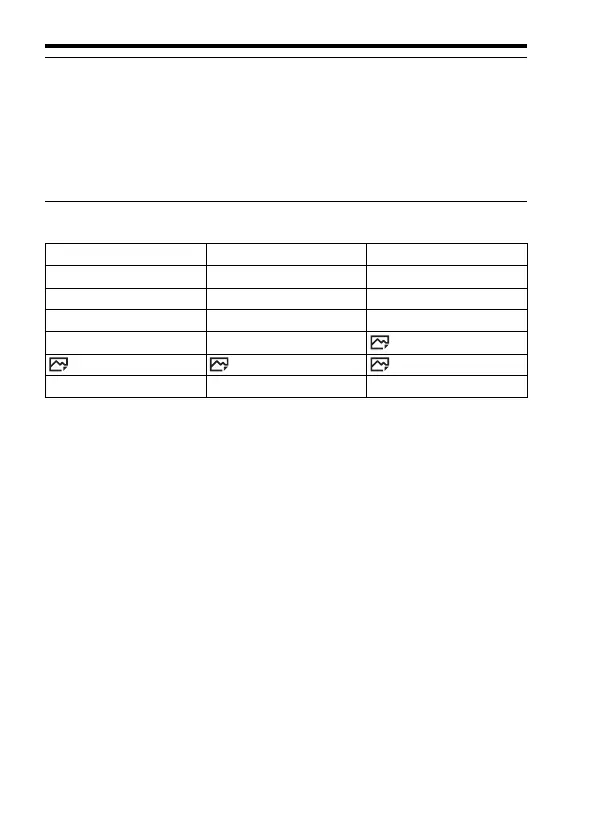
Functions available on the Quick Navi screen
Notes
• Gray items on the Quick Navi screen are not available.
• When using [Creative Style] (page 69) or [Picture Profile] (page 73), some of the
setup tasks can be accomplished only on a designated screen.
5 Set the item with the front dial.
• Some setting values can be finely adjusted by turning the rear dial.
• Pressing the center of the control wheel turns on the designated screen used
to set up the selected item (page 29).
• Pressing the Fn button again turns off the Quick Navi screen and the screen
goes back to the original one.
Drive Mode Flash Mode Flash Comp.
Focus Mode Focus Area Exposure Comp.
ISO Metering Mode White Balance
DRO/Auto HDR Creative Style Picture Effect
Picture Profile Smile/Face Detect. Auto Obj. Framing
Image Size Aspect Ratio Quality
SteadyShot Auto Mode Scene Selection



 To Next Page