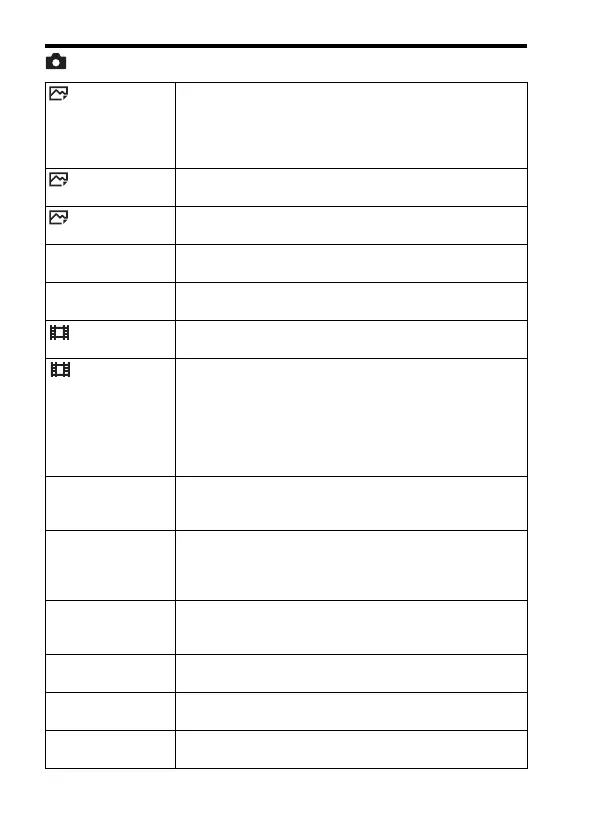
Functions that can be selected using the MENU button
GB
34
(Camera Settings)
Image Size Selects the size of still images.
L: 12M/M: 5.1M/S: 3.0M (3:2)
L: 10M/M: 4.3M/S: 2.6M (16:9)
L: 5.1M/M: 3.0M/S: 1.3M (APS-C size, 3:2)
L: 4.3M/M: 2.6M/S: 1.1M (APS-C size, 16:9)
Aspect Ratio Selects the aspect ratio for still images.
(3:2/16:9)
Quality Sets the image quality for still images.
(RAW/RAW & JPEG/Extra fine/Fine/Standard)
Panorama: Size Selects the size of panoramic images.
(Standard/Wide)
Panorama: Direction Sets the shooting direction for panoramic images.
(Right/Left/Up/Down)
File Format Selects the movie file format.
(XAVC S/AVCHD/MP4)
Record Setting Selects the quality and size of the recorded movie frame.
(XAVC S: 60p 50M/50p 50M/30p 50M/25p 50M/
24p 50M*
1
/120p 50M/100p 50M
AVCHD: 60i 24M(FX)/50i 24M(FX)/60i 17M(FH)/50i
17M(FH)/60p 28M(PS)/50p 28M(PS)/24p 24M(FX)/25p
24M(FX)/24p 17M(FH)/25p 17M(FH)
MP4: 1440×1080 12M/VGA 3M)
Dual Video REC Sets whether to simultaneously record an XAVC S movie
and MP4 movie or an AVCHD movie and MP4 movie.
(On/Off)
Drive Mode Sets the drive mode, such as for continuous shooting.
(Single Shooting/Cont. Shooting/Spd Priority Cont./Self-
timer/Self-timer(Cont)/Cont. Bracket/Single Bracket/WB
bracket/DRO Bracket)
Flash Mode Sets the flash settings.
(Flash Off/Autoflash/Fill-flash/Slow Sync./Rear Sync./
Wireless)
Flash Comp. Adjusts the intensity of flash output.
(+3.0EV to -3.0EV)
Red Eye Reduction Reduces the red-eye phenomenon when using flash.
(On/Off)
Focus Mode Selects the focus mode.
(Single-shot AF/Continuous AF/DMF/Manual Focus)



 To Next Page