Using the various functions
GB
74
In addition to HD quality movie settings, the following items can be set:
[Audio Rec Level], [Audio Level Display] and [Audio Out Timing].
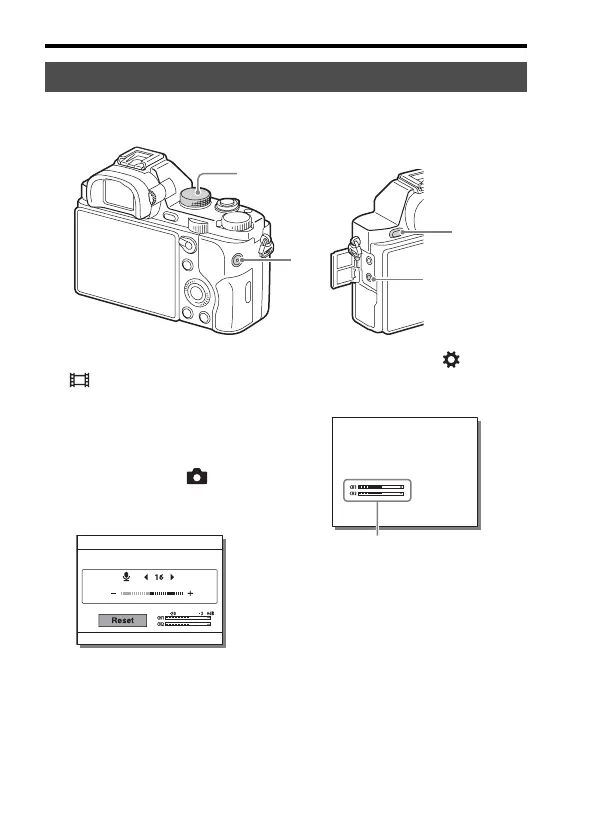
1 Set the mode dial to
(Movie).
2 i (Headphones) jack
• When headphones are used, you
can set the echo compensation
using [Audio Out Timing].
3 MENU button t (Camera
Settings) 7 t [Audio Rec
Level]
• You can adjust the audio
recording level by monitoring
the level meter.
4 MENU button t (Custom
Settings) 2 t [Audio Level
Display]
• You can display the audio level
on the screen and shoot the
image.
5 Press the MOVIE button to
start or stop recording.
Audio settings for movie recording
1
2
3
5
4
[Audio Level Display]



 To Next Page