Charging the battery pack
GB
48
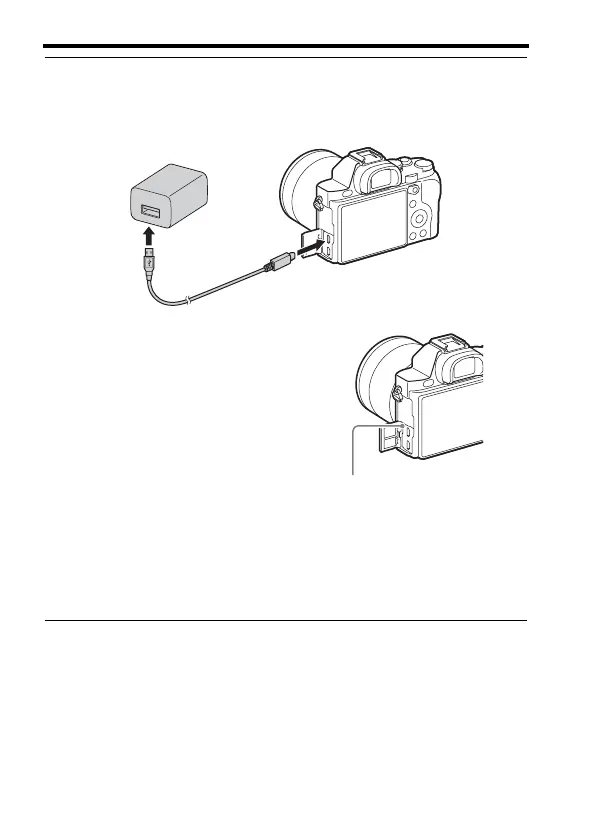
5 Connect the camera to the AC Adaptor (supplied) using the
micro USB cable (supplied), and connect the AC Adaptor to the
wall outlet (wall socket).
The charge lamp lights orange, and
charging starts.
• Turn off the camera while charging the
battery.
• When the charge lamp flashes and
charging is not finished, remove and re-
insert the battery pack.
• For countries/regions other than the
USA and Canada, connect the power
cord to the AC Adaptor, and connect
the AC Adaptor to the wall outlet (wall
socket).
Charge lamp
Lit: Charging
Off: Charging finished
Flashing:
Charging error or charging paused
temporarily because the camera is
not within the proper temperature
range



 To Next Page