27
Hookups and Settings
b
Do not connect the LAN terminal of the player to
the LAN terminal of the PC.
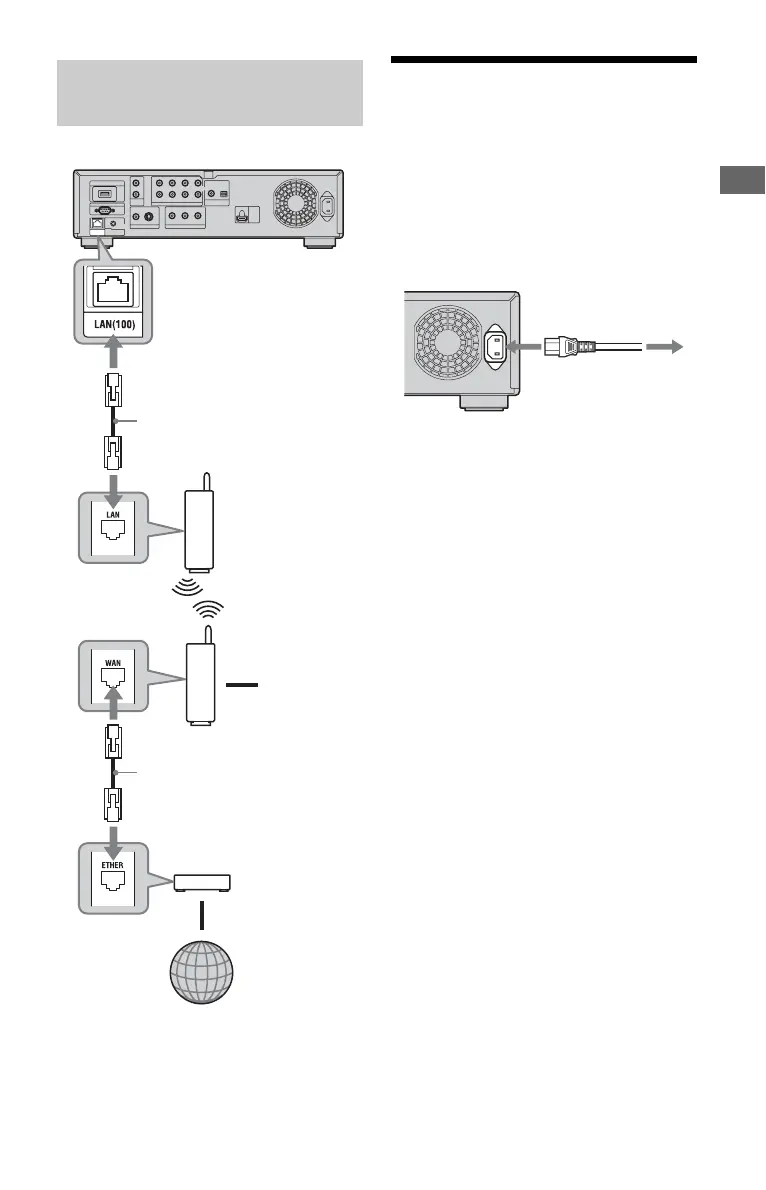
Step 5: Connecting the
AC Power Cord
After all of the other connections are
complete, connect the supplied AC power
cord to the AC IN terminal of the player.
Then plug the player and TV power cords
into the AC outlet.
When connecting via a
wireless LAN router
Blu-ray Disc/DVD player
To PC
Wireless LAN router
(access point)
Internet
ADSL modem/
Cable modem
Ethernet/wireless
LAN media converter
Network cable
(not supplied)
Network cable
(not supplied)
to AC outlet
to AC IN
1
2













 To Next Page