4
The instructions in this manual are for the two models listed below. Before you start
reading this manual and operating the unit, check your model number by looking at the
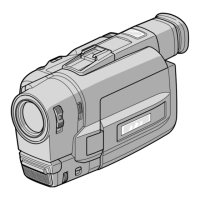
bottom of your camcorder. The CCD-TRV99 is the model used for illustration purposes.
Otherwise, the model name is indicated in the illustrations. Any differences in
operation are clearly indicated in the text, for example, “CCD-TRV99 only.”
As you read through this manual, buttons and settings on the camcorder are shown in
capital letters.
e.g. Set the POWER switch to CAMERA.
You can hear the beep sound to confirm your operation.
Types of differences
CCD- TRV95 TRV99
Photo mode — r
Digital effect functions — r
Fader function rr
Overlap — r
Wipe — r
Auto date r —
Index — r
Zero memory — r
RC time code — r
Data Code — r
Data Search/Scan — r
Before you begin
Using this manual



 To Next Page
 Loading...