36
Selecting the fader function
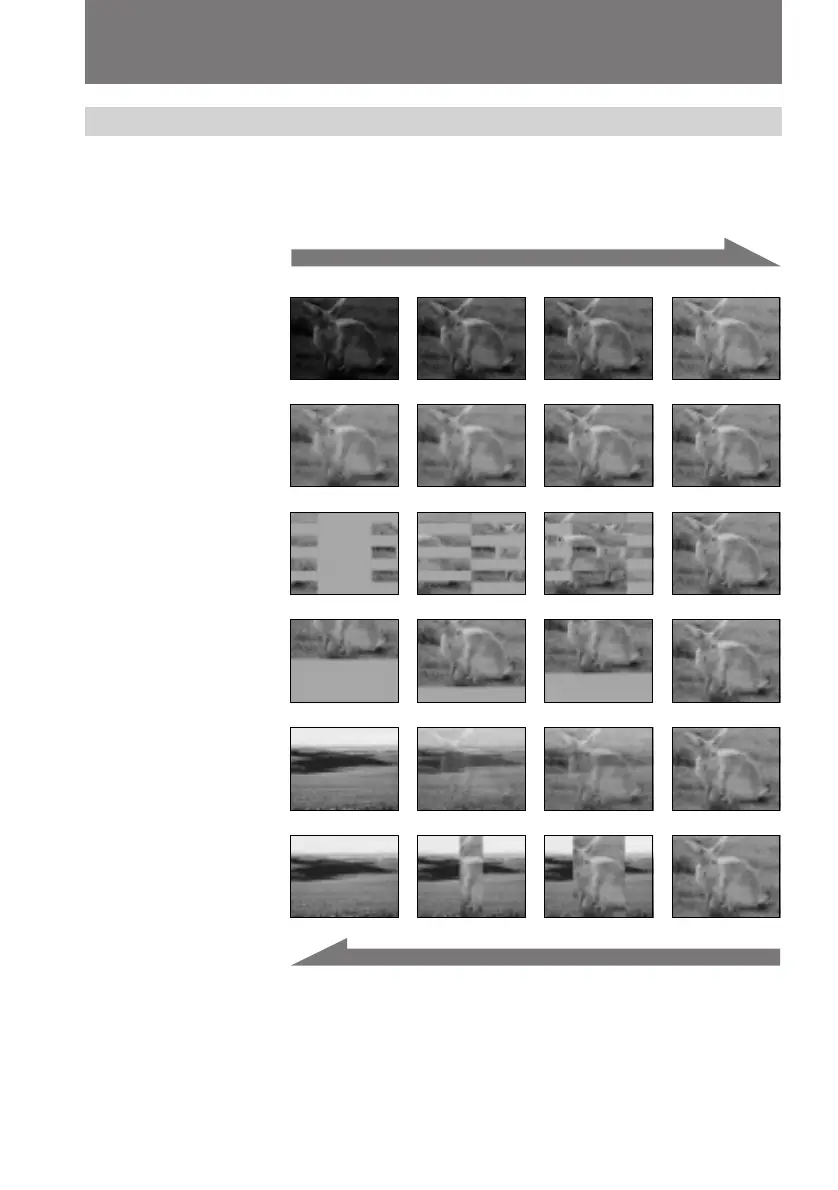
You can fade in or out to give your recording a professional appearance.
When the picture fades in, the sound gradually increases. When the picture fades out,
the sound gradually decreases.
Using the FADER function
[a]
RECSTBY
RECSTBY
[b]
MONOTONE
When fading in, the picture gradually changes from black and white to color.
When fading out , the picture gradually changes from color to black and white.
1)
CCD-TRV99 only
2)
The sound does not wipe away.
FADER
M.FADER
(mosaic)
STRIPE
BOUNCE
(FADE IN only)
OVERLAP
1)
(FADE IN only)
WIPE
1) 2)
(FADE IN only)


 To Next Page
 Loading...