EasyManua.ls Logo

Sony CDP-555ESD - Single Play

Sony CDP-555ESD
48 pages
Print Icon
To Next Page IconTo Next Page
To Previous Page IconTo Previous Page
Loading...
TO
SEARCH
FOR
A
PARTICULAR
POINT
IN
A
SELECTION
Keeping
the
<<
or
BB
button
pressed,
you
can
locate
a
particular
point
of
a
selection
during
play
or
pause.
|
To
go
back
at
a
high
speed
Keep
<q
|
pressed.
To
go
ahead
at
a
high
speed
Keep
Pe
pressed.
Release
the
button
at
the
desired
point
found
by
monitoring
the
high-speed
sound.
In
pause
mode
e
The
search
speed
is
increased
by
three
times.
e
As
no
sound
comes
out,
observe
the
time
counter
to
search
for
the
desired
point.
TO
START
PLAYING
FROM
A
PARTICULAR
SECTION—
Index
search
Press
4==
or
=
to
serach
for
a
desired
index
number.
The
selected
index
number
is
displayed
in
the
INDEX
indicator.
SINGLE
PLAY
To
play
the
desired
selection
only
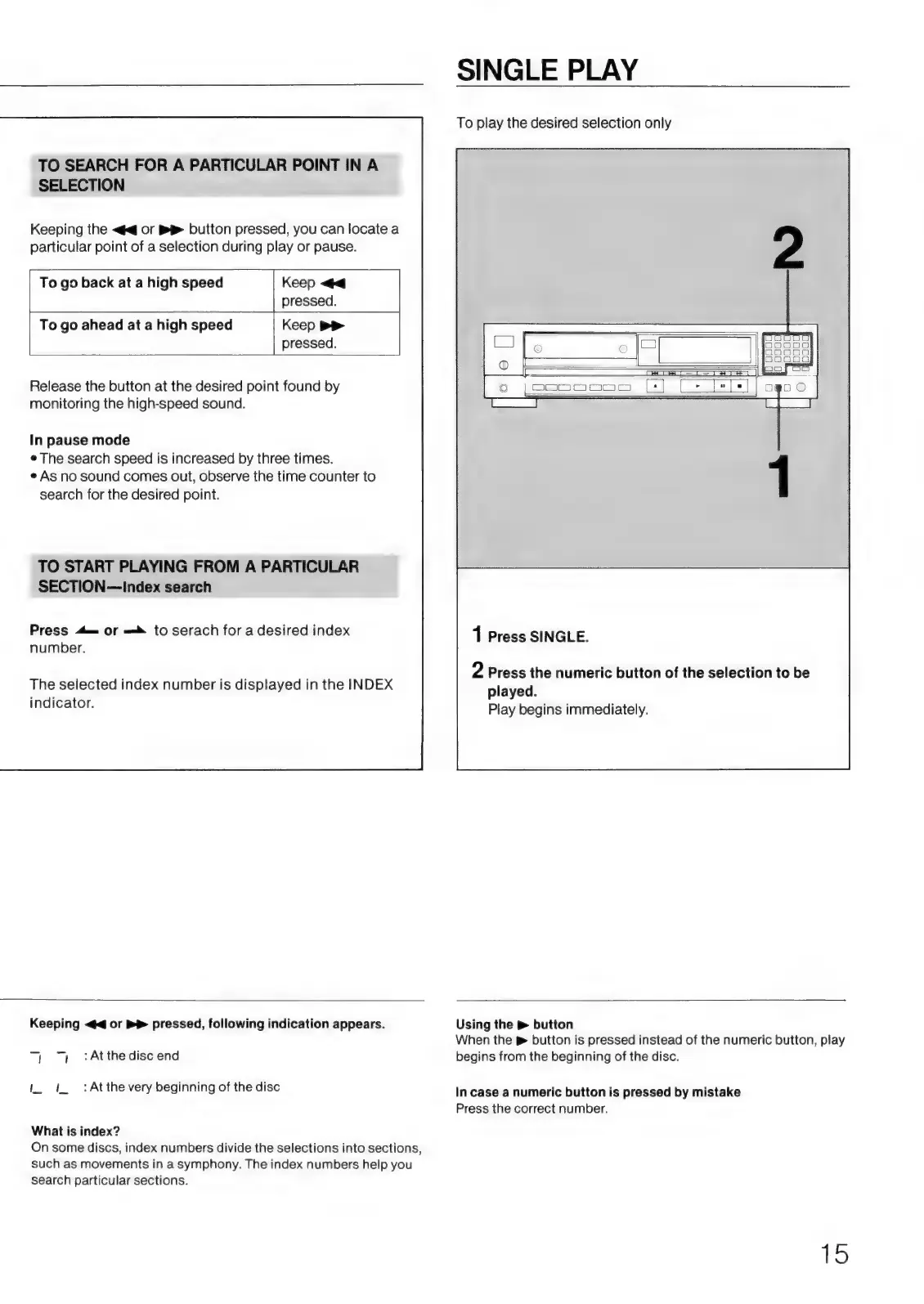
1
Press
SINGLE.
2
Press
the
numeric
button
of
the
selection
to
be
played.
Play
begins
immediately.
Keeping
<4
or
>>
pressed,
following
indication
appears.
1
71
:Atthediscend
IL
1
:Atthe
very
beginning
of
the
disc
What
is
index?
On
some
discs,
index
numbers
divide
the
selections
into
sections,
such
as
movements
in
a
symphony.
The
index
numbers
help
you
search
particular
sections.
Using
the
>
button
When
the
&
button
is
pressed
instead
of
the
numeric
button,
play
begins
from
the
beginning
of
the
disc.
In
case
a
numeric
button
is
pressed
by
mistake
Press
the
correct
number.
15