EasyManua.ls Logo

Sony CDP-555ESD - Search Operation

Sony CDP-555ESD
48 pages
Print Icon
To Next Page IconTo Next Page
To Previous Page IconTo Previous Page
Loading...
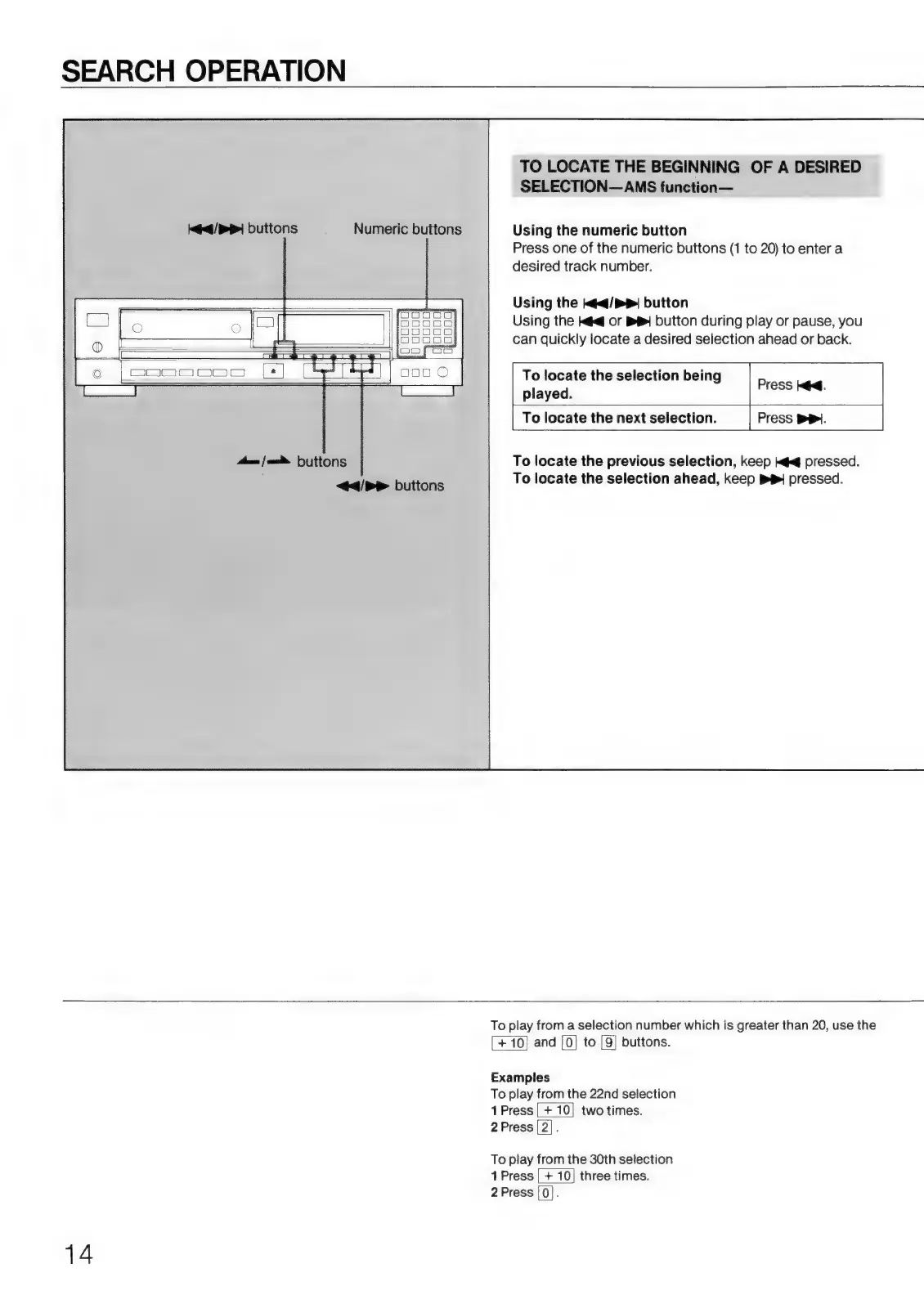
SEARCH
OPERATION
Jaa
>
buttons
Numeric
buttons
Aam
|
=
Huttons
<d/P>
buttons
TO
LOCATE
THE
BEGINNING
OF
A
DESIRED
SELECTION
AMS
function—
Using
the
numeric
button
Press
one
of
the
numeric
buttons
(1
to
20)
to
enter
a
desired
track
number.
Using
the
¡«e/»»
button
Using
the
k@<@
or
BB
button
during
play
or
pause,
you
can
quickly
locate
a
desired
selection
ahead
or
back.
To
locate
the
selection
being
played.
To
locate
the
next
selection.
Press
PP.
|
Press
id.
|
To
locate
the
previous
selection,
keep
tel
pressed.
To
locate
the
selection
ahead,
keep
BB!
pressed.
14
To
play
from
a
selection
number
which
is
greater
than
20,
use
the
+
10]
and
|0}
to
[9]
buttons.
Examples
To
play
from
the
22nd
selection
1Press|
+
10}
two
times.
2Press|2|.
To
play
from
the
30th
selection
1
Press
|
+
10|
three
times.
2
Press
|0|.

Related product manuals