EasyManua.ls Logo

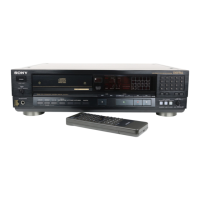
Sony CDP-555ESD - Supplied Accessories; Trouble Checks

Sony CDP-555ESD
48 pages
Print Icon
To Next Page IconTo Next Page
To Previous Page IconTo Previous Page
Loading...
SPECIFICATIONS
REMOTE
COMMANDER
RM-D502A
Remote
control
system
Infrared
control
Power
requirements
3
V
DC
with
two
R6
(size
AA)
batteries
Dimensions
Approx.
67
x
20
x
175
mm
(w/h/d)
(23/4
x
16
x
7
inches)
Weight
Approx.
145
g
(5
oz)
incl.
batteries
TROUBLE
CHECKS
SUPPLIED
ACCESSORIES
Remote
commander
(1)
Audio
signal
connection
cord
(1)
Sony
batteries
SUM-3
(NS)
(2)
Design
and
specifications
subject
to
change
without
notice.
The
following
checks
will
assist
in
the
correction
of
most
problems
which
you
may
encounter
with
your
unit.
Should
any
problem
persist
after
you
have
made
these
checks,
consult
your
nearest
Sony
service
facility.
Before
going
through
the
check
list
below,
first
refer
back
to
the
connection
and
operating
procedures.
TROUBLE
The
disc
compartment
does
not
close
when
a
disc
is
inserted
and
the
&
button
is
pressed.
CAUSES
The
disc
is
not
placed
correctly.
Play
does
not
start.
Dirty
disc
The
disc
is
inserted
with
the
label
surface
downward.
REMEDY
Center
the
disc
correctly
in
the
disc
compartment.
Clean
the
disc.
Place
the
disc
with
the
label
surface
up.
The
HI
button
is
engaged.
Press
the
If
button
again
to
release
it.
Moisture
condensation
Wait
for
approx.
one
hour
after
turning
on
the
unit
then
start
play.
Sound
is
not
heard.
Loose
connection
The
DIGITAL
OUT
switch
is
set
to
ON
while
using
the
LINE
OUT
jacks.
The
LINE
OUT/PHONE
LEVEL
control
is
set
to
the
minimum
(0)
while
using
the
VARIABLE
LINE
OUT
jacks.
Display
window
does
not
illuminate
even
when
the
power
turns
on.
The
AC
power
cord
is
disconnected.
Play
begins
when
the
POWER
switch
is
turned
on.
|
The
TIMER
switch
is
set
to
PLAY
or
SHUFFLE.
Level
of
the
recorded
sound
is
different
from
that
set
on
the
tape
recorder.
24
Connect
the
cords
firmly.
Set
the
DIGITAL
OUT
switch
to
OFF.
Turn
the
LINE
OUT/PHONE
LEVEL
control
clockwise.
Connect
the
AC
power
cord
firmly.
Set
the
TIMER
switch
to
OFF.
When
the
VARIABLE
LINE
OUT
jacks
are
used,
the
LINE
OUT/PHONE
LEVEL
control
is
turned
while
recording.
Do
not
turn
the
LINE
OUT/PHONE
LEVEL
control
while
recording.

Related product manuals