EasyManua.ls Logo

Sony CDP-555ESD - Page 17

Sony CDP-555ESD
48 pages
Print Icon
To Next Page IconTo Next Page
To Previous Page IconTo Previous Page
Loading...
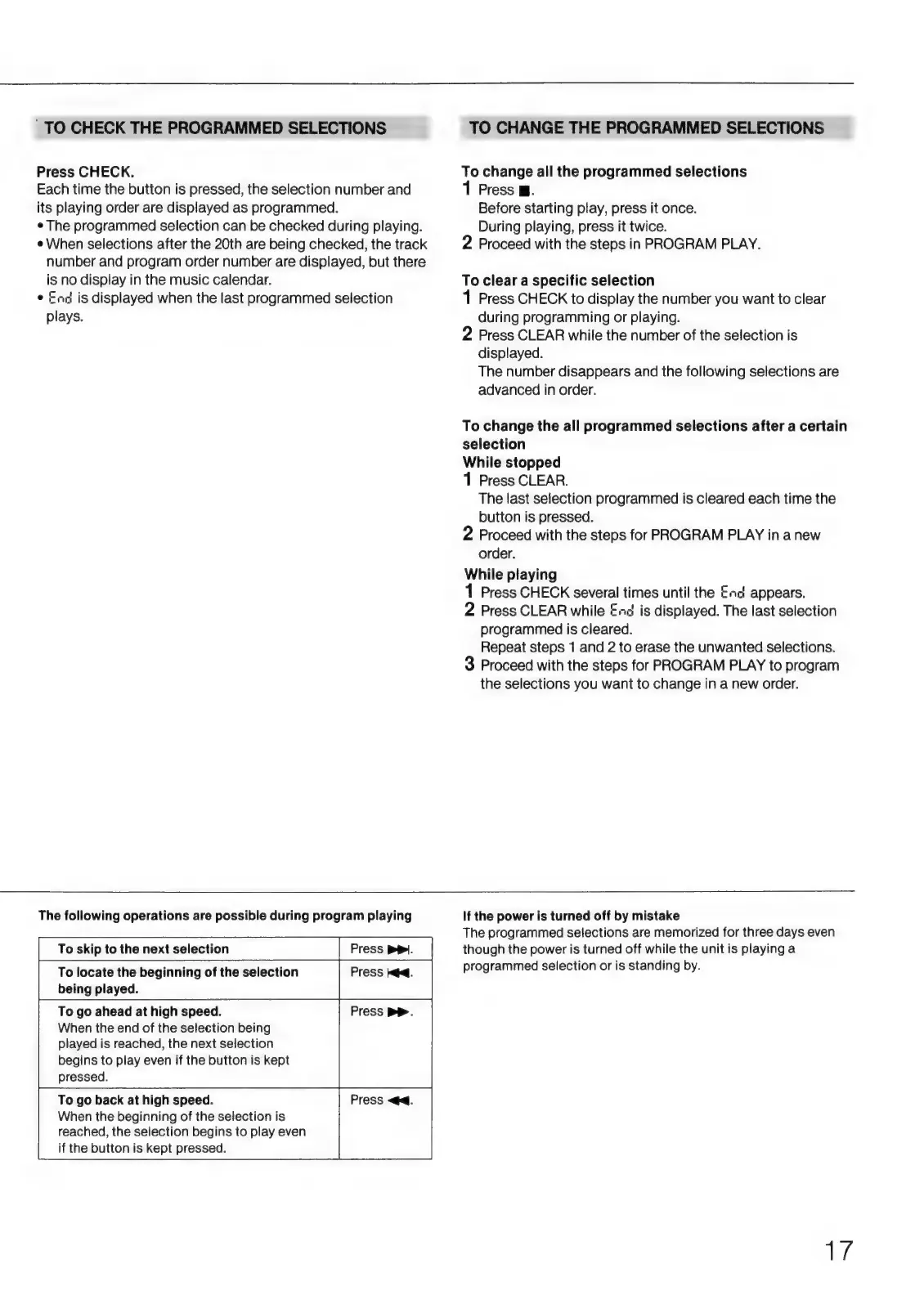
TO
CHECK
THE
PROGRAMMED
SELECTIONS
TO
CHANGE
THE
PROGRAMMED
SELECTIONS
Press
CHECK.
To
change
all
the
programmed
selections
Each
time
the
button
is
pressed,
the
selection
number
and
1
Press
W.
its
playing
order
are
displayed
as
programmed.
Before
starting
play,
press
it
once.
e
The
programmed
selection
can
be
checked
during
playing.
During
playing,
press
it
twice.
e
When
selections
after
the
20th
are
being
checked,
the
track
2
Proceed
with
the
steps
in
PROGRAM
PLAY.
number
and
program
order
number
are
displayed,
but
there
is
no
display
in
the
music
calendar.
To
clear
a
specific
selection
e
Ent
is
displayed
when
the
last
programmed
selection
1
Press
CHECK
to
display
the
number
you
want
to
clear
plays.
during
programming
or
playing.
2
Press
CLEAR
while
the
number
of
the
selection
is
displayed.
The
number
disappears
and
the
following
selections
are
advanced
in
order.
To
change
the
all
programmed
selections
after
a
certain
selection
While
stopped
1
Press
CLEAR.
The
last
selection
programmed
is
cleared
each
time
the
button
is
pressed.
2
Proceed
with
the
steps
for
PROGRAM
PLAY
in
a
new
order.
While
playing
1
Press
CHECK
several
times
until
the
En
appears.
2
Press
CLEAR
while
End
is
displayed.
The
last
selection
programmed
is
cleared.
Repeat
steps
1
and
2
to
erase
the
unwanted
selections.
3
Proceed
with
the
steps
for
PROGRAM
PLAY
to
program
the
selections
you
want
to
change
in
a
new
order.
The
following
operations
are
possible
during
program
playing
If
the
power
is
turned
off
by
mistake
The
programmed
selections
are
memorized
for
three
days
even
To
skip
to
the
next
selection
Press
PPI.
though
the
power
is
turned
off
while
the
unit
is
playing
a
To
locate
the
beginning
of
the
selection
Press
kd.
programmed
selection
or
is
standing
by.
being
played.
To
go
ahead
at
high
speed.
Press
BP.
When
the
end
of
the
selection
being
played
is
reached,
the
next
selection
begins
to
play
even
if
the
button
is
kept
pressed.
To
go
back
at
high
speed.
Press
<q.
When
the
beginning
of
the
selection
is
reached,
the
selection
begins
to
play
even
if
the
button
is
kept
pressed.
T7

Related product manuals