EasyManua.ls Logo

Sony CDP-555ESD - Page 9

Sony CDP-555ESD
48 pages
Print Icon
To Next Page IconTo Next Page
To Previous Page IconTo Previous Page
Loading...
Remote
Control
Operation
Once
the
POWER
switch
is
turned
on,
you
can
use
the
RM-D502A
remote
commander
to
remotely
control
the
functions
of
the
CDP-555ESD
except
those
described
below.
e
Turning
the
power
on
and
off
e
Opening
and
closing
the
disc
compartment
e
Setting
of
auto
pause
function
e
Setting
of
auto
space
function
e
Setting
the
times
for
repeat
play
e
Checking
the
programmed
selection
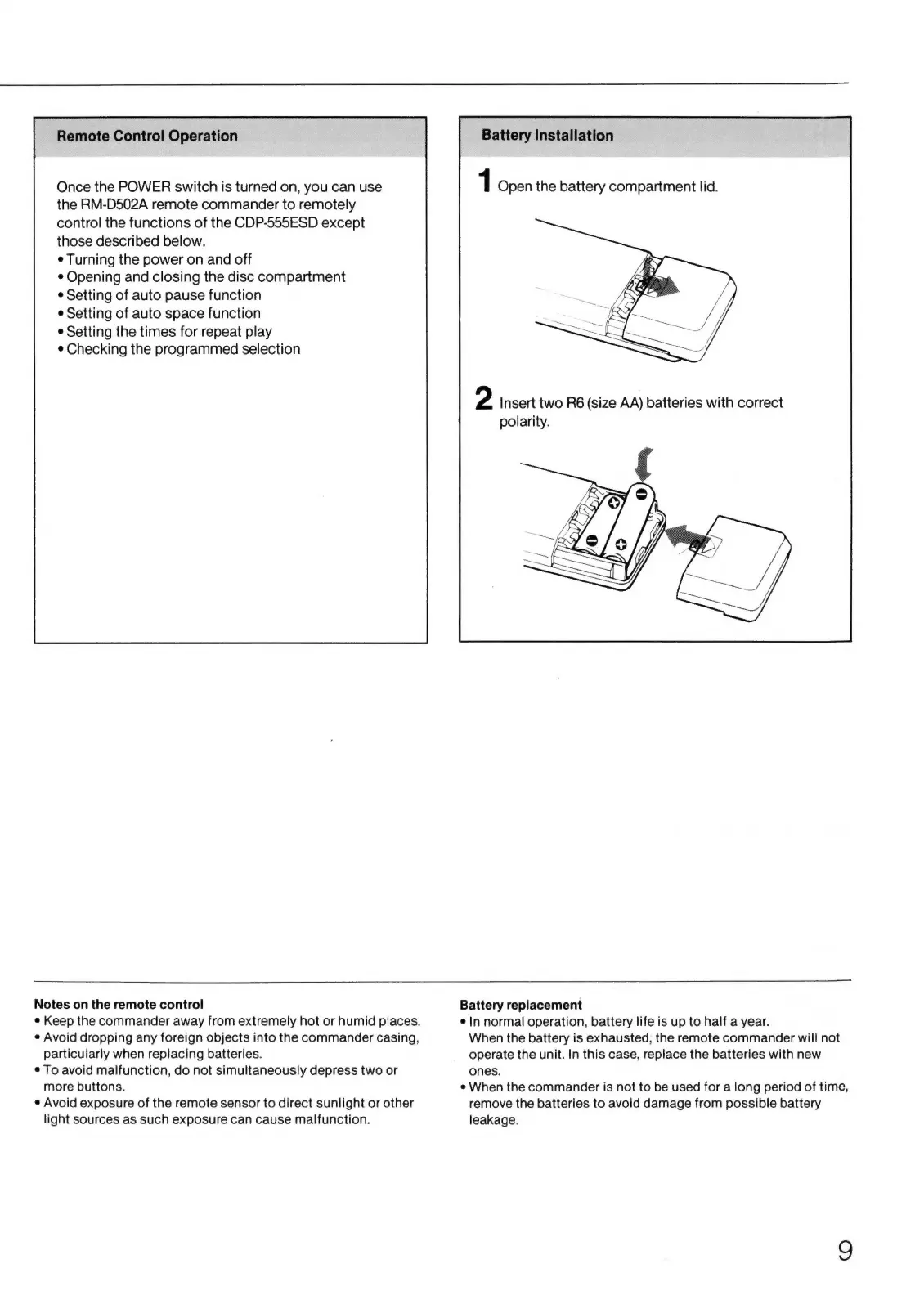
Battery
Installation
1
Open
the
battery
compartment
lid.
2
Insert
two
R6
(size
AA)
batteries
with
correct
polarity.
Notes
on
the
remote
control
e
Keep
the
commander
away
from
extremely
hot
or
humid
places.
e
Avoid
dropping
any
foreign
objects
into
the
commander
casing,
particularly
when
replacing
batteries.
e
To
avoid
malfunction,
do
not
simultaneously
depress
two
or
more
buttons.
e
Avoid
exposure
of
the
remote
sensor
to
direct
sunlight
or
other
light
sources
as
such
exposure
can
cause
malfunction.
Battery
replacement
e
In
normal
operation,
battery
life
is
up
to
half
a
year.
When
the
battery
is
exhausted,
the
remote
commander
will
not
operate
the
unit.
In
this
case,
replace
the
batteries
with
new
ones.
e
When
the
commander
is
not
to
be
used
for
a
long
period
of
time,
remove
the
batteries
to
avoid
damage
from
possible
battery
leakage.

Related product manuals