CDU-541
CD-ROM
DRIVE
SCSI
INTERFACE
MANUAL
5.2.14
.
PREVENT/
ALLOW
MEDIUM
REMOV
AI..
Command
==============================================================================
Bitl
Byte 1
7
6
5
4
3
2 1
o
=====-========================================================================
o
Operation
Code
(lEh)
I
I
-----------------------------------------------------------------------1
1
Logical
Uni t
Number
I
Reserved
I
-----------------------------------------------------------------------1
2
Reserved
1
-----------------------------------------------------------------------1
3
Reserved
1
-----------------------------------------------------------------------1
4 I
Reserved
1
Prevent
I
-----1-----------------------------------------------------------------------1
5 I
Control
Byte I
==============================================================================
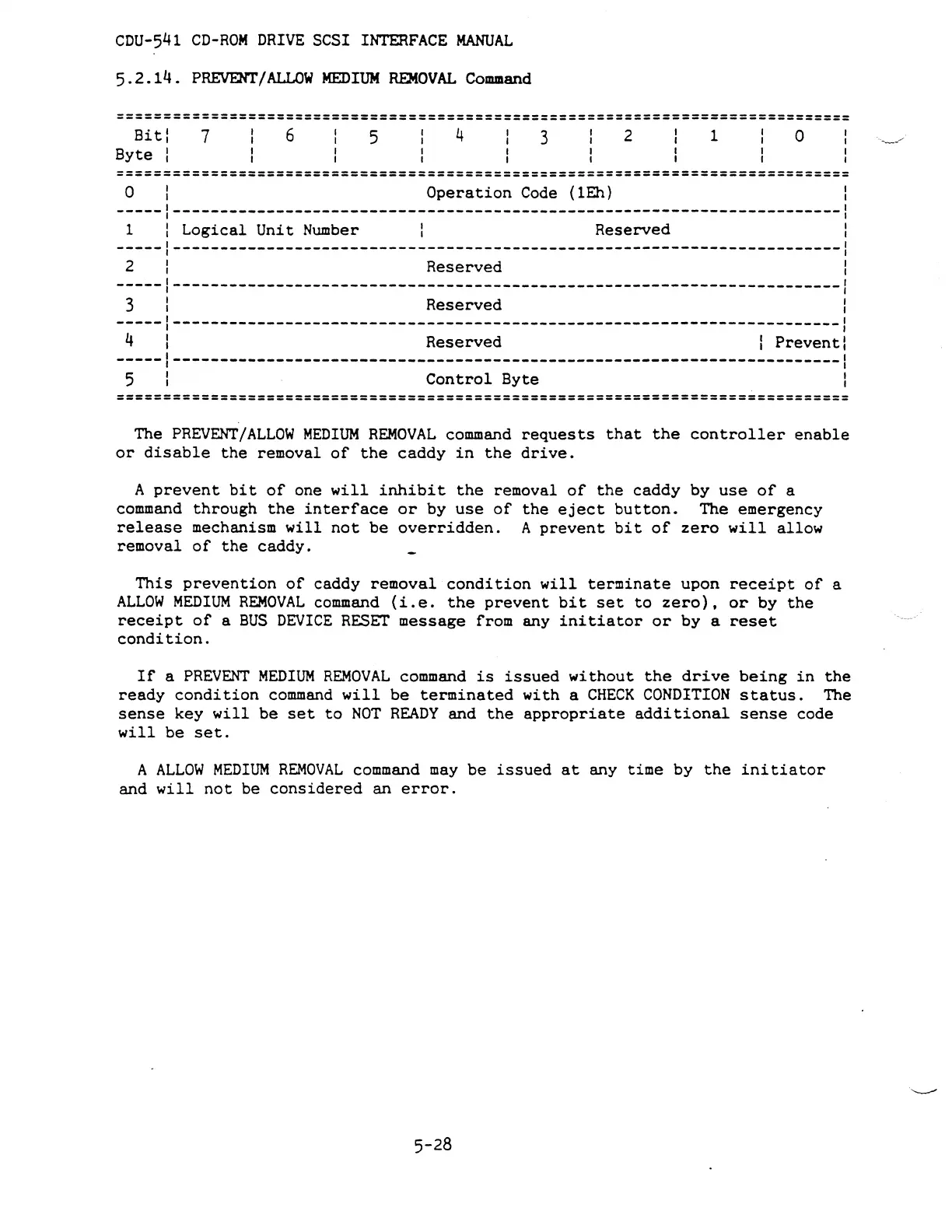
The
PREVENT/ALLOW
MEDIUM
REMOVAL
command
requests
that
the
controller
enable
or
disable
the
removal
of
the
caddy
in
the
drive.
A
prevent
bit
of
one
will
inhibit
the
removal
of
the
caddy by
use
of
a
command
through
the
interface
or
by
use
of
the
eject
button.
The emergency
release
mechanism
will
not
be
overridden.
A
prevent
bit
of
zero
will
allow
removal
of
the
caddy.
This
prevention
of
caddy
removal
condition
will
terminate
upon
receipt
of
a
ALLOW
MEDIUM
REMOVAL
command
(i.e.
the
prevent
bit
set
to
zero),
or
by
the
receipt
of
a
BUS
DEVICE
RESET
message from any
initiator
or
by a
reset
condition.
If
a
PREVENT
MEDIUM
REMOVAL
command
is
issued
without
the
drive
being
in
the
ready
condition
command
will
be
terminated
with
a
CHECK
CONDITION
status.
The
sense
key
will
be
set
to
NOT
READY
and
the
appropriate
additional
sense
code
will
be
set.
A
ALLOW
MEDIUM
REMOVAL
command
may
be
issued
at
any
time
by
the
initiator
and
will
not
be
considered
an
error.
5-28



 To Next Page