* May
not
appear depending on iPod setting.
Setting
the
play
mode
Skipping albums, podcasts, genres,
playlists and artists
1 During playback, press
(MODE).
The mode changes as follows:
ALBUM - TRACK - PODCAST* -
GENRE - PLAYLIST - ARTIST
podcast in random order.
artist in random order.
album
in
random order.
genre repeatedly.
playlist repeatedly.
artist repeatedly.
podcast repeatedly.
track repeatedly.
album repeatedly.
To
play
CD/CD
(ALBM
-/+)
[press once for each]
CD/®
(ALBM
-/+)
[hold to desired point]
Press
c::;
GENRE
c::;
ARTIST
c::;
PLAYLIST
c::;
PODCAST
c::;
ALBUM
SHUF PODCAST
SHUF ARTIST
c::;
TRACK
SHUF ALBUM
Select
Skip
continuously
Skip
Repeat and
shuffle
play
1 During playback, press ® (REP)
or
CD
(SHUF) repeatedly
until
the
desired setting appears.
To
Resuming mode
When the iPod
is
connected to the dock
connector, the mode
of
this unit changes to
resuming mode and playback starts
in
the mode
set by the iPod.
In resuming mode, the following buttons do not
function.
- ® (REP)
-
CD
(SHUF)
Removing the iPod
1 Stop the iPod playback.
2 Remove the iPod.
Caution for iPhone
When you connect an iPhone via USB, telephone
volume is controlled
by
iPhone itself. In order to avoid
sudden loud sound after a call, do
not
increase the
volume on the unit during
a telephone call.
Notes
• Do
not
detach the front
panel
during playback
of
the
iPod, otherwise data
may
be
damaged.
• This unit cannot recognize iPod via a USB hub.
Tips
• When the ignition key is turned to the
ACe
position,
and
the unit is on, the iPod will be recharged.
• If the iPod is disconnected during playback, "NO
DEV"
appears in the display
of
the unit.
*
May
not
appear depending on iPod setting.
3
Adjust
the volume.
Press
(SOURCE/OFF)
for I second to stop
playback.
2 Press
(MODE)
to
select the play mode.
The mode changes as follows:
RESUMING - ALBUM - TRACK -
PODCAST* - GENRE - PLAYLIST
-ARTIST
-
Display
items
SHUF PLAYLIST playlist
in
random order.
After 3 seconds, the setting
is
complete.
To
return to normal play mode,
select"
c::;
OFF"
or "SHUF
OFE"
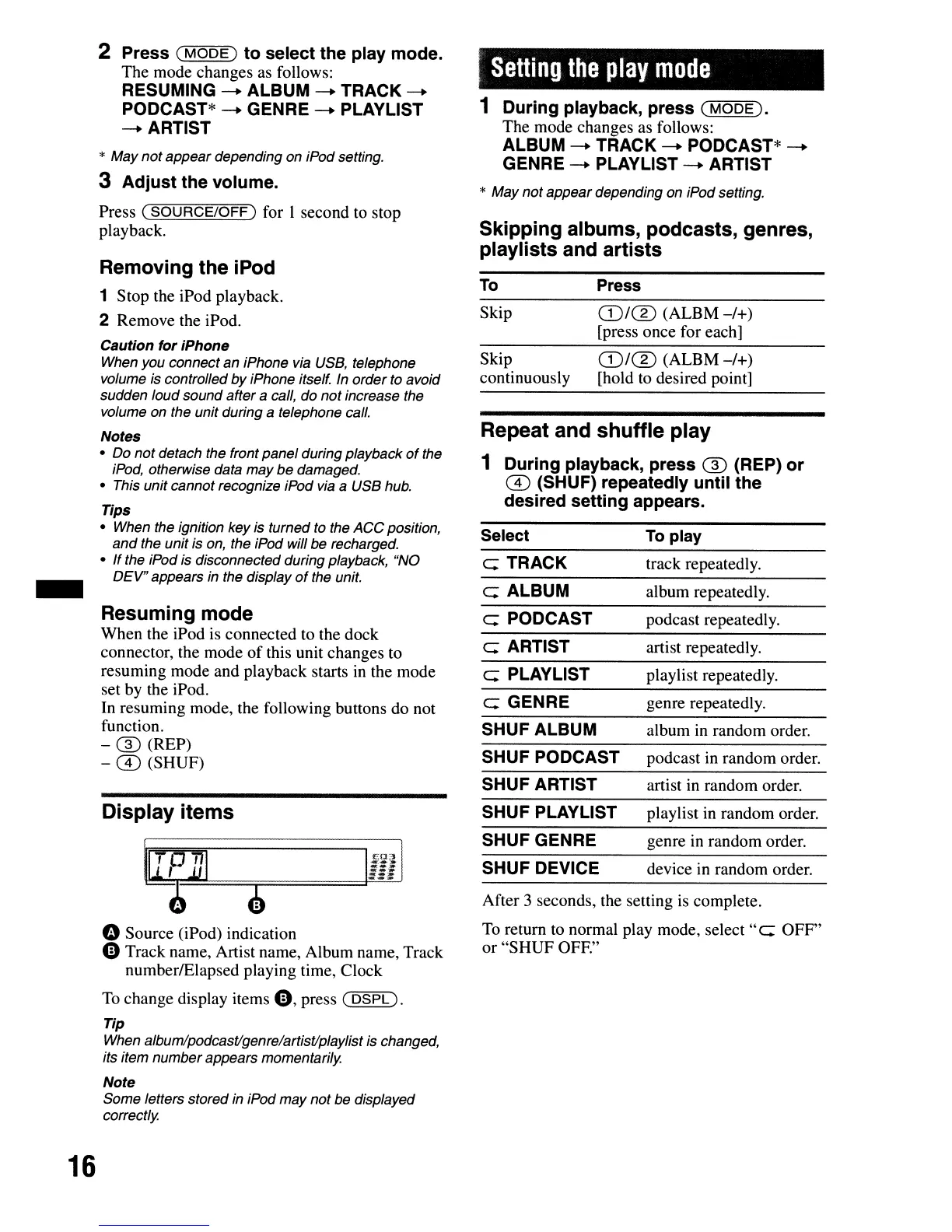
o Source (iPod) indication
e Track name, Artist name, Album name, Track
number/Elapsed playing time, Clock
To
change display items
e,
press
(DSPL).
Tip
When album/podcastlgenre/artistlplaylist is changed,
its item
number
appears momentarily.
Note
Some letters stored in iPod may
not
be displayed
correctly.
SHUF GENRE
SHUF DEVICE
genre in random order.
device
in
random order.
16



 To Next Page