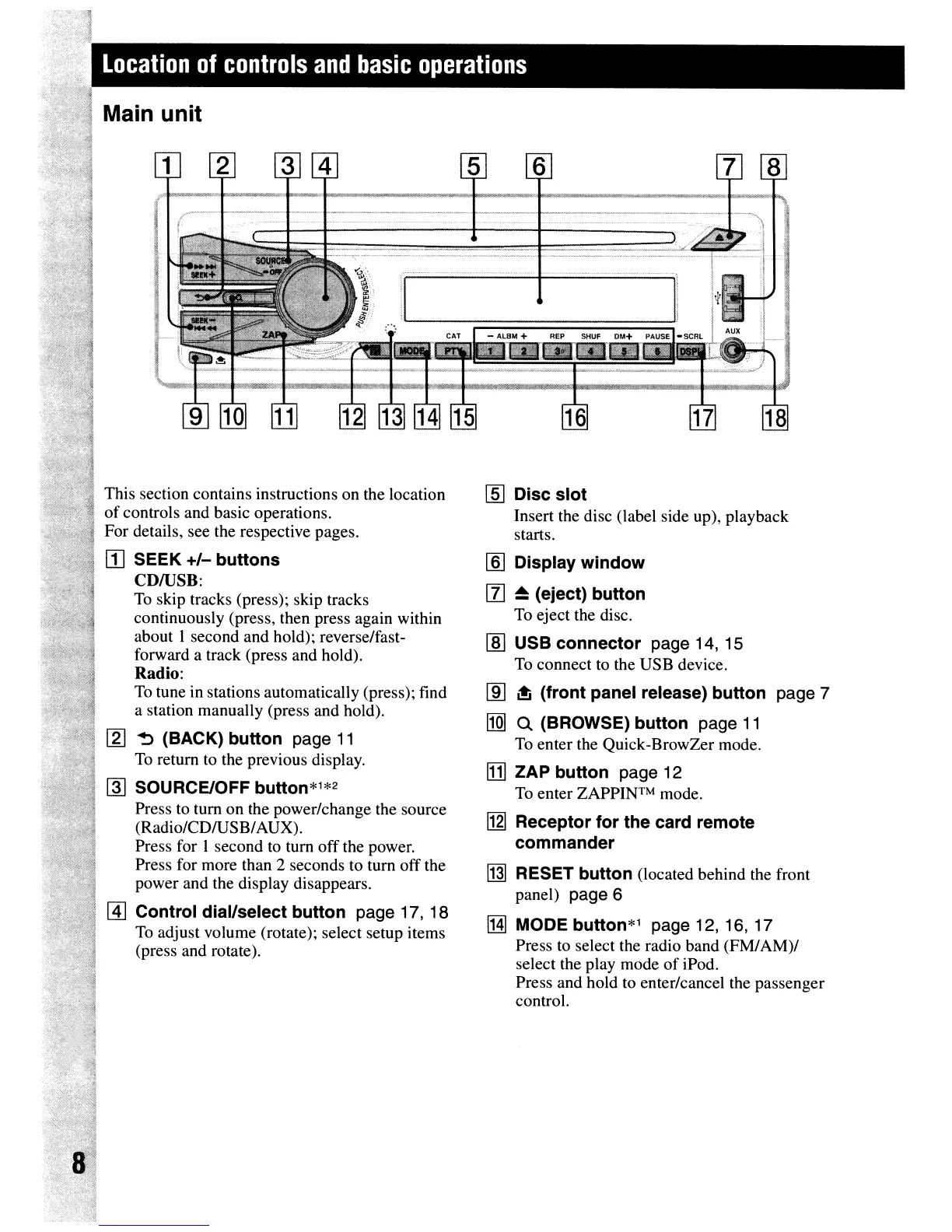
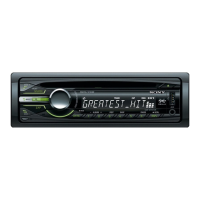
This section contains instructions on the location
of
controls and basic operations.
For details, see the respective pages.
[I]
SEEK
+/-
buttons
CDIUSB:
To
skip tracks (press); skip tracks
continuously (press, then press again within
about I second and hold); reverse/fast-
forward a track (press and hold).
Radio:
To
tune in stations automatically (press); find
a station manually (press and hold).
!2J
~
(BACK)
button
page
11
To
return to the previous display.
~
SOURCE/OFF button*1*2
Press to tum on the power/change the source
(Radio/CDIUSB/AUX).
Press for 1 second
to
tum off the power.
Press for more than 2 seconds to tum off the
power and the display disappears.
Control dial/select
button
page 17, 18
To
adjust volume (rotate); select setup items
(press and rotate).
rn:J
Disc
slot
Insert the disc (label side up), playback
starts.
[§]
Display
window
[l]
~
(eject)
button
To
eject the disc.
[ID
USB
connector
page 14, 15
To
connect to the USB device.
[ID
~
(front
panel release)
button
page 7
lIQ]
Q (BROWSE)
button
page
11
To
enter the Quick-BrowZer mode.
[j]
ZAP
button
page 12
To
enter
ZAPPINTM
mode.
!121
Receptor
for
the
card remote
commander
~
RESET
button
(located behind the front
panel)
page 6
lHJ
MODE button*1 page 12, 16, 17
Press
to
select the radio band (FM/AM)/
select the play mode
of
iPod.
Press and hold to enter/cancel the passenger
control.



 To Next Page