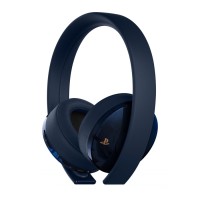
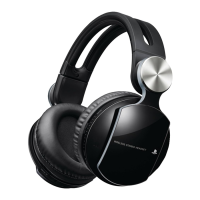
Precautions
Before using this product, carefully read this manual and retain it for future reference. Read also the instructions
for the PlayStation
®
3 system.
Safety
ˎ Observe all warnings, precautions and instructions.
ˎ CHOKING HAZARD - Small parts. Keep out of the reach of small children.
Use and handling
ˎ Permanent hearing loss may occur if the headset is used at high volume. Set the volume to a safe level.
Over time, increasingly loud audio may start to sound normal but can actually be damaging your hearing.
If you experience ringing in your ears or muffled speech, stop listening and have your hearing checked.
The louder the volume, the sooner your hearing could be affected. To protect your hearing:
ˋ Limit the amount of time you use the headset at high volume.
ˋ Avoid raising the volume to block out noisy surroundings.
ˋ Lower the volume if you can’t hear people speaking near you.
ˎ Do not expose the headset to high temperatures, high humidity or direct sunlight.
ˎ Do not put heavy objects on the headset.
ˎ Do not allow liquid or small particles to get into the headset.
ˎ Do not throw or drop the headset or subject it to strong physical shock.
ˎ Do not place any rubber or vinyl materials on the headset exterior for an extended period of time.
ˎ Use a soft, dry cloth to clean the headset. Do not use solvents or other chemicals. Do not wipe with a
chemically treated cleaning cloth.
ˎ Do not disassemble or insert anything into the headset because this may cause damage to the internal
components or cause injury to you.
ˎ Observe all signs and instructions that require an electrical device or radio product to be switched off in
designated areas, such as gas/refueling stations, hospitals, blasting areas, potentially explosive atmospheres
or aircraft.
ˎ The battery used in this device may present a risk of fire or chemical burn if mistreated. Do not disassemble,
heat above 60°C / 140°F, or incinerate.
Registering (pairing) with the PS3™ system
When you connect the headset to the PS3™ system using the supplied USB cable, the pairing
process will be completed automatically. The status indicator on the headset lights up in solid
purple for about two seconds to indicate that the headset and the PS3™ system have been paired.
After the devices are paired, the [Wireless Headset] will be displayed as a device name when
you select
(Settings) (Accessory Settings) [Manage Bluetooth
®
Devices] on the
PS3™ system.
Notice
To use the headset with the PS3™ system, the system software must be version 3.50 or later.
You can check the system software version by selecting
(Settings) (System
Settings)
[System Information].


 To Next Page