6
CFD-E75L
The Timer
19
GB
Before you set the clock, connect the power
source (see page 24).
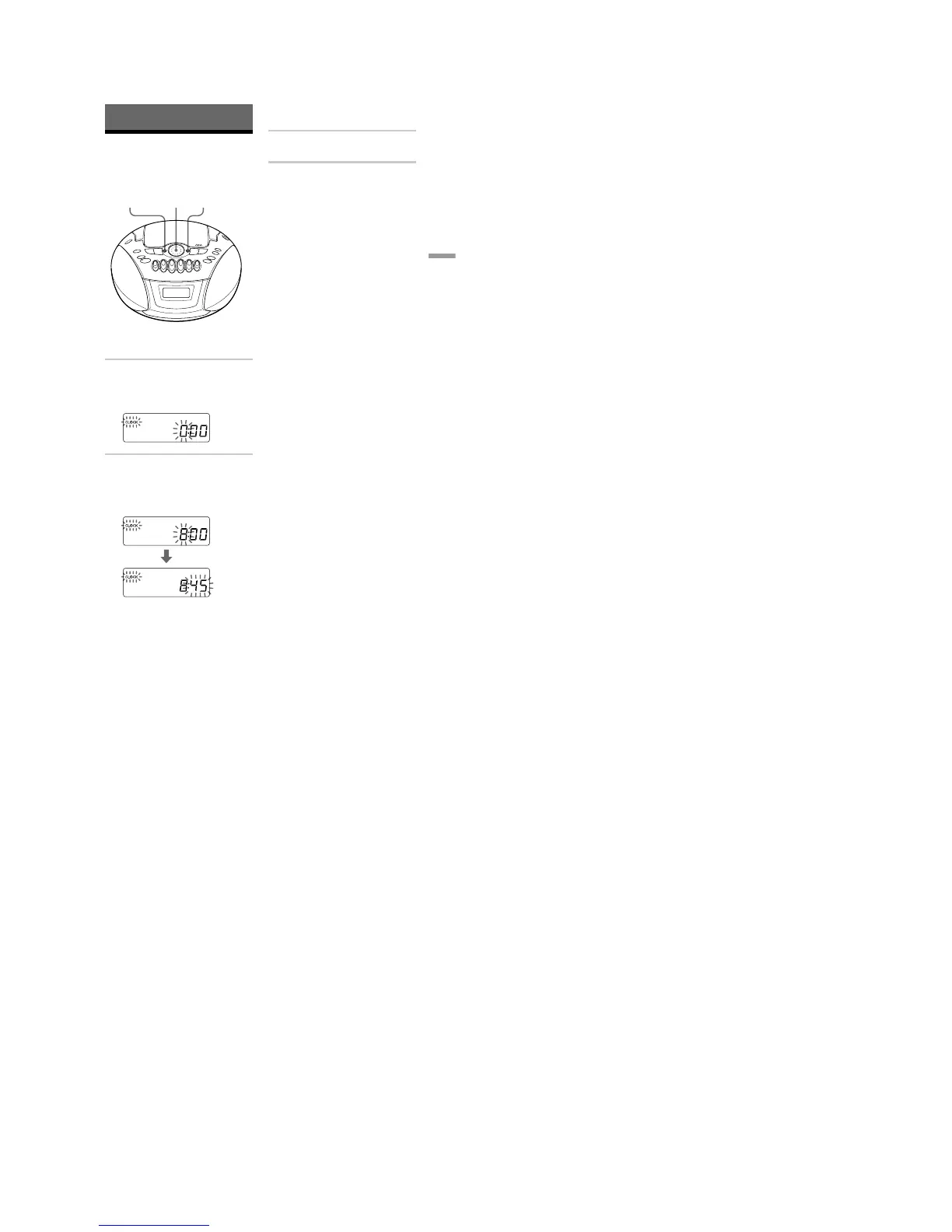
1 Press MENU•ALARM until “CLOCK”
appears in the display, then press
DSPL•ENT MEM.
The hour digit flashes.
2 Turn the jog dial to set the current hour.
Then press DSPL•ENT MEM.
The minute digits flash. Set the minutes
by turning the jog dial until the correct
minute is displayed.
The Timer
Setting the clock
“– –:– –” indication appears in the display
until you set the clock.
DSPL
ENT MEMJog dial
3
Press DSPL•ENT MEM.
The clock starts from 00 seconds.
Tip
The time display system:
24-hour system
MENU
ALARM







 To Next Page