Viewing/deleting
images
~
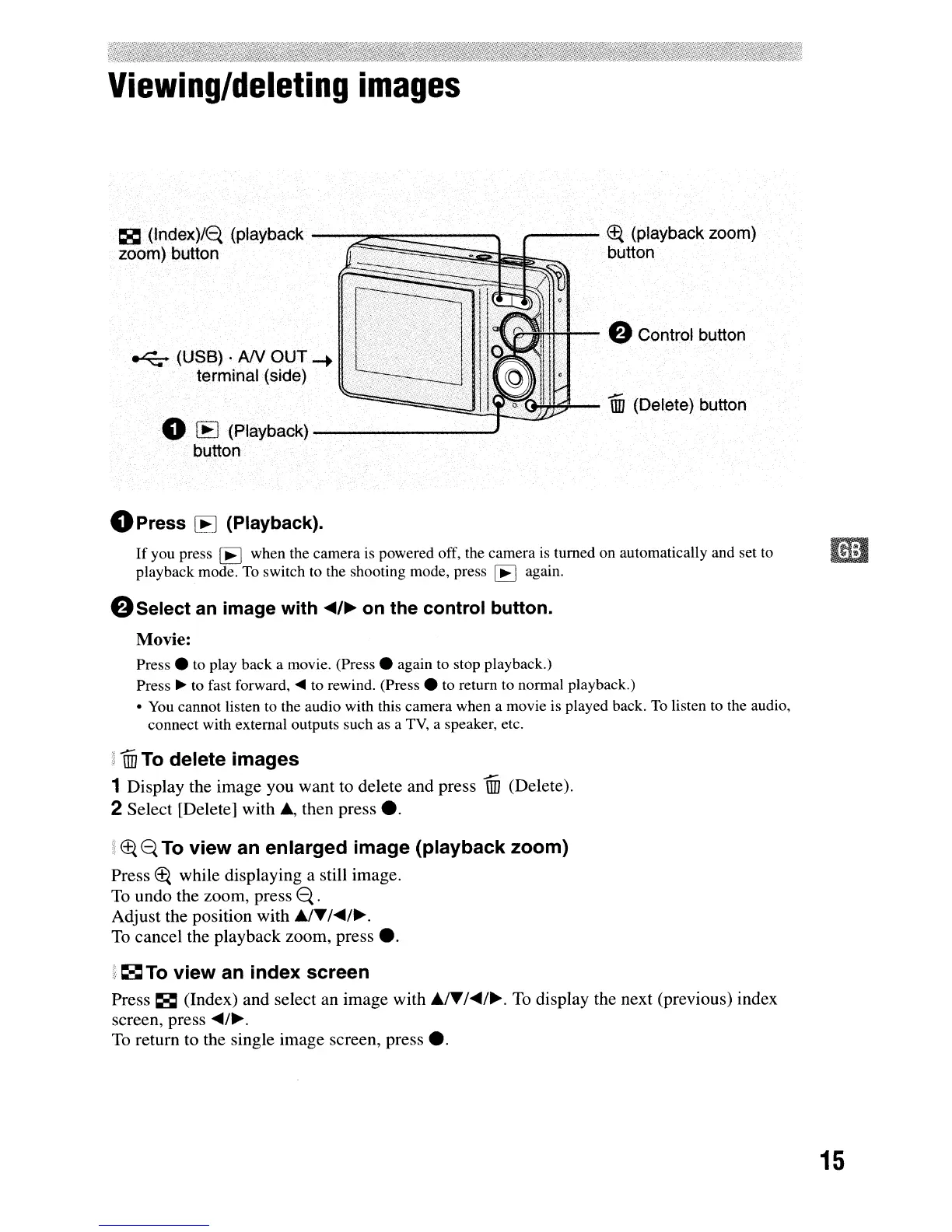
(Index)/<={
(playback
-----.o::=""""'~~--~
,..---
Et{
(playback zoom)
zoom) button
~~@;~Z~~~~~.
button
"*",,,,;...--
f)
Control button
~~~~~~~~M~-
1ID
(Delete) button
o
[EJ
(Playback)
---------'
button
~
(USB) .
AN
OljT-+
terminal (side)
Ik0~~~~8:.>I:V'l(
oPress
[EJ
(Playback).
If
you press
[EJ
when the camera is powered off, the camera
is
turned on automatically and set to
iii
playback mode.
To
switch to the shooting mode, press
[EJ
again.
f)Select
an image with
.-,
..
on the control button.
Movie:
Press.
to play back a movie.
(Press.
again to stop playback.)
Press
~
to fast forward,
....
to rewind.
(Press.
to return to normal playback.)
•
You
cannot listen
to
the audio with this camera when a movie
is
played back.
To
listen
to
the audio,
connect with external outputs such as a
TV,
a speaker, etc.
lID
To
delete
images
1 Display the image you want to delete and press
lID
(Delete).
2 Select [Delete] with
.,
then press
•.
i
Et{
e.
To
view
an
enlarged
image
(playback
zoom)
Press
Et{
while displaying a still image.
To undo the zoom, press
e.
.
Adjust the position with
~T/'-/~.
To
cancel the playback zoom, press
•.
i
~
To
view
an
index
screen
Press
~
(Index) and select an image with
.ITI.-I
...
To
display the next (previous) index
screen, press
....
/~.
To
return to the single image screen, press
•.
15



 To Next Page
 Loading...








