Changing
the
settings
-
Menu/Setup
-----
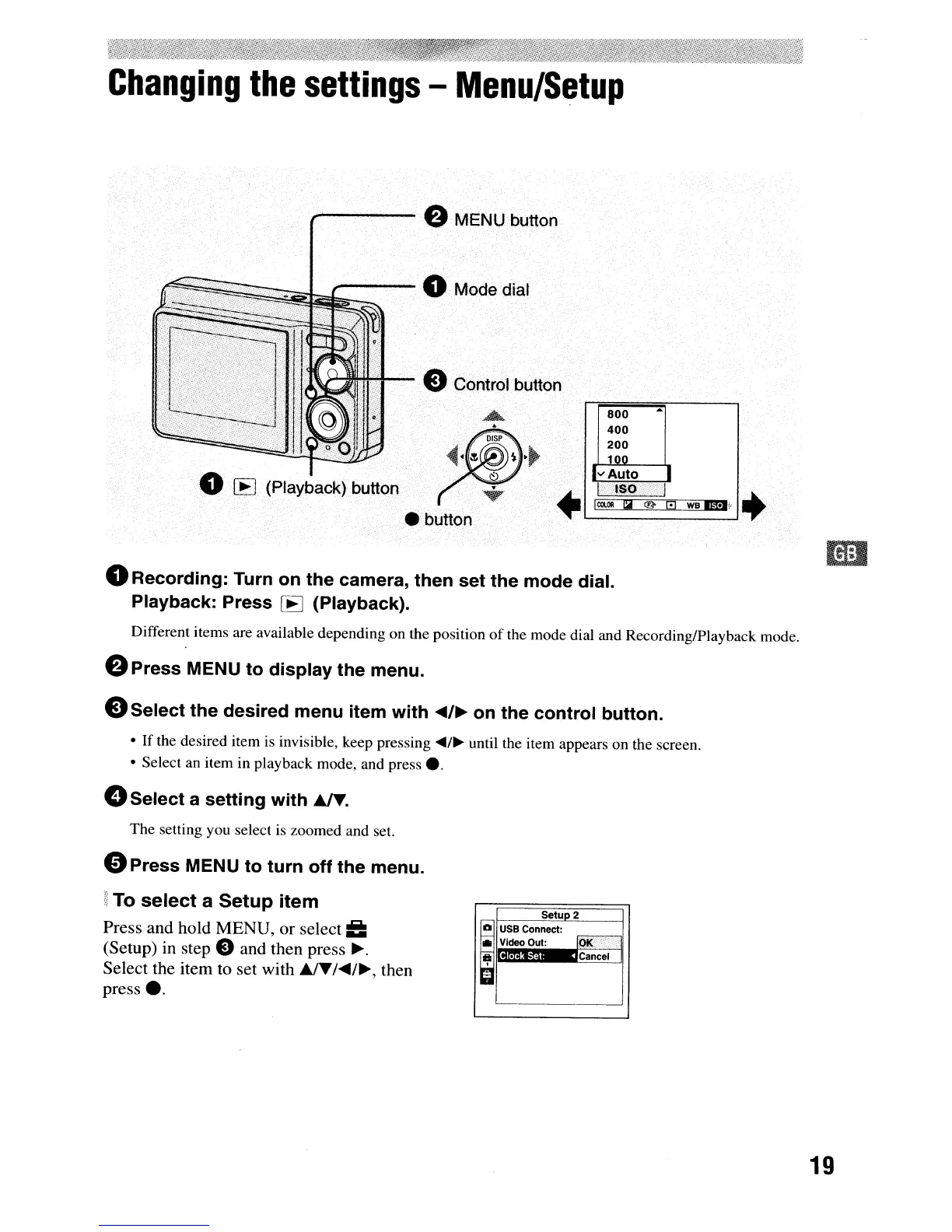
e MENU button
~~~~~~
----
0 Mode dial
800
400
200
1nn
wag.
+'
o
Recording:
Turn
on
the
camera,
then
set
the
mode
dial.
Playback:
Press
[E] (Playback).
Different items are available depending on the position
of
the mode dial and Recording/Playback mode.
e
Press
MENU
to
display
the
menu.
e
Select
the
desired
menu
item
with
"'/~
on
the
control
button.
•
If
the desired item
is
invisible, keep pressing ...
/~
until the item appears on the screen.
• Select an item in playback mode, and press
•.
o
Select
a
setting
with
~.
The setting you select
is
zoomed and set.
o
Press
MENU
to
turn
off
the
menu.
i
To
select
a
Setup
item
Press and hold MENU,
or
select
==
(Setup) in step e and then press
~.
Select the item to set with
A/./"/~,
then
press
•.
SetuD2
I
USB Connect:
• Video Out:
10l(~~
~
•.
Cancel
19



 To Next Page
 Loading...








