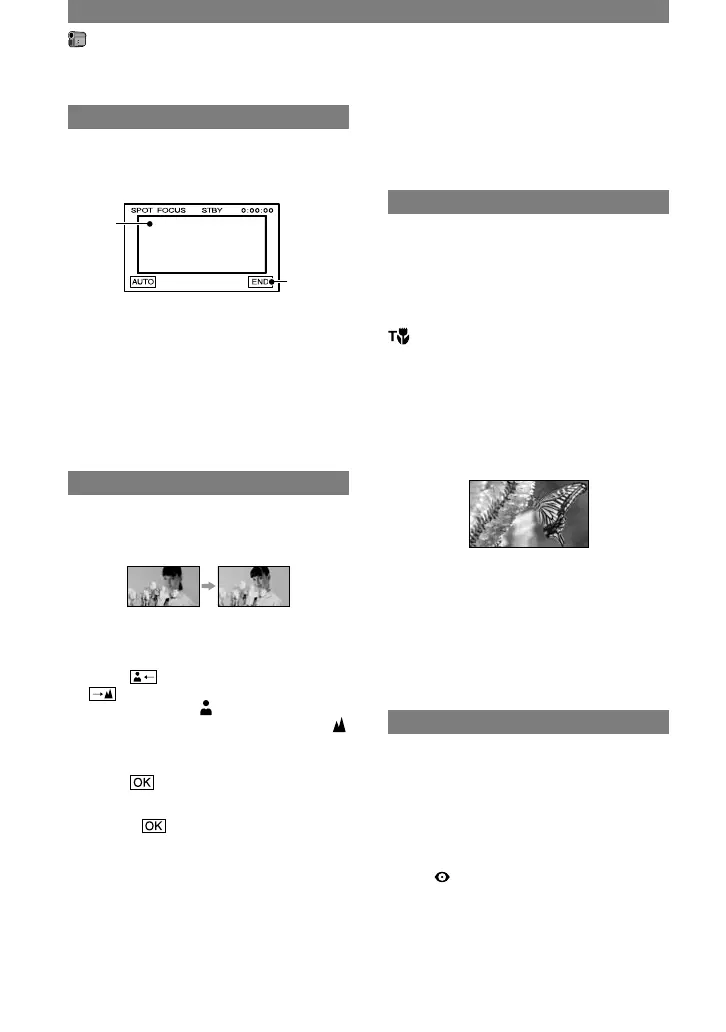
Touch the subject on the screen.
appears.
Touch [END].
To adjust the focus automatically, touch
[AUTO] [END].
• If you set [SPOT FOCUS], [FOCUS] is
automatically set to [MANUAL].
FOCUS
You can adjust the focus manually. Select
this when you want to focus on a certain
subject intentionally.
Touch [MANUAL].
appears.
Touch (focusing on close subjects)/
(focusing on distant subjects) to
sharpen the focus. appears when the
focus cannot be adjusted any closer, and
appears when the focus cannot be adjusted
farther away.
Touch .
To adjust the focus automatically, touch
[AUTO] in step
.
• It is easier to focus on the subject by moving
the power zoom lever towards T (telephoto) to
adjust the focus, then towards W (wide angle)
to adjust the zoom for recording. When you
want to record a close-up image of a subject,
move the power zoom lever towards W (wide
angle) to fully magnify the image, then adjust
the focus.
• The minimum distance required between your
camcorder and the subject to get a sharp focus
is about 1 cm (about 1/2 in.) for wide angle and
about 80 cm (about 2 5/8 feet) for telephoto.
TELE MACRO
This is useful to shoot small subjects, such
as flowers or insects. As you can take close-
ups from a distance, your shadow does not
disturb the picture and the subject stands
out clearer.
When you set [TELE MACRO] to [ON]
, the zoom (p. 24) moves to the top of
the T (Telephoto) side automatically and
allows for recording subjects at a close
distance as follows:
For DCR-HC32: down to about 39 cm (15
3/8 in.).
For DCR-HC42: down to about 35 cm (13
7/8 in.).
To cancel, touch [OFF], or zoom to wide-
angle (W side).
• When recording a distant subject, it may
difficult to focus on and take time for focusing.
• Adjust the focus manually ([FOCUS], p. 42)
when it is hard to focus automatically.
FLASH SET
Note that these settings will not function
with unsupported flashes.
FLASH MODE
ON
Flashes every time.
ON (DCR-HC42)
Flashes to reduce the red-eye phenomenon.
AUTO
Flashes automatically.
CAMERA SET menu (continued)



 To Next Page