105
“Memory Stick” Operations
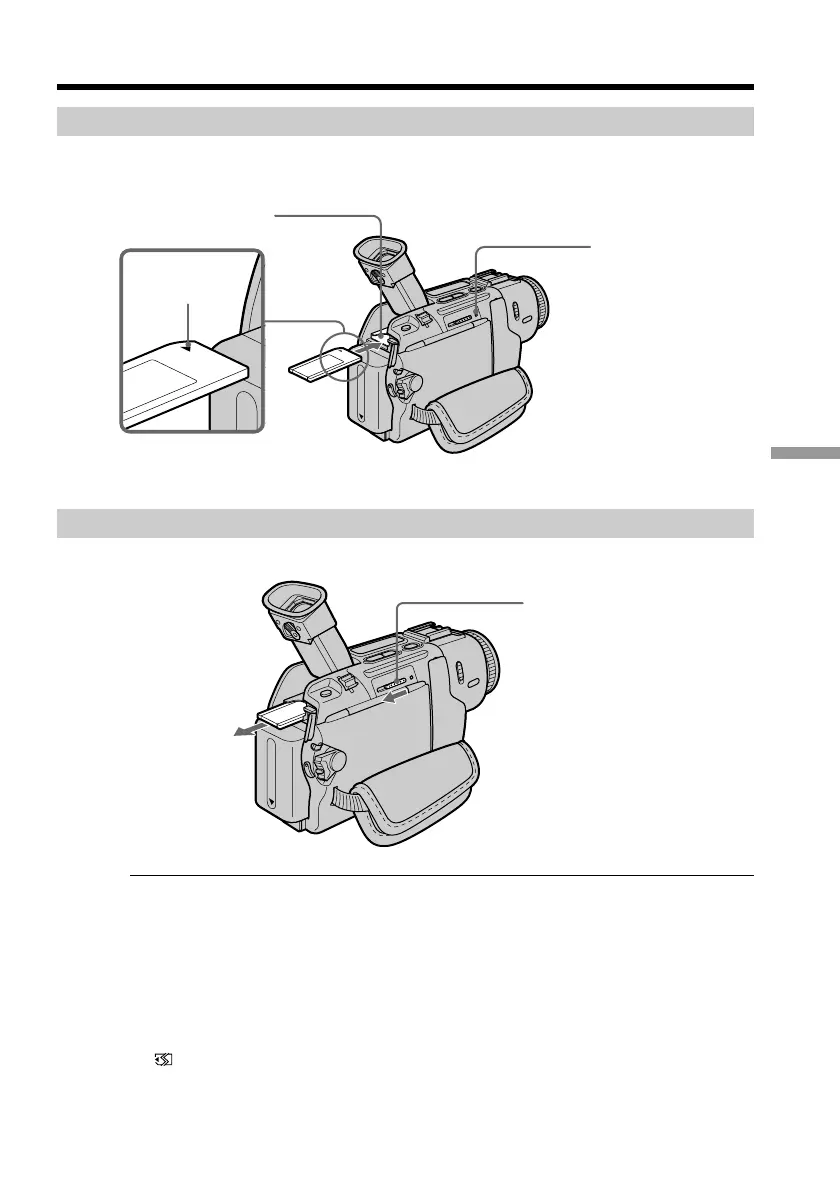
Inserting a “Memory Stick”
Lift up the viewfinder, and insert a “Memory Stick” in the “Memory Stick” slot as far as
it can go with the v mark facing up as illustrated.
Ejecting a “Memory Stick”
Slide > MEMORY EJECT in the direction of the arrow.
If you extend the viewfinder to the end
You cannot insert or eject a “Memory Stick.”
While the access lamp is lit or flashing
Do not shake or strike your camcorder because your camcorder is reading the data from
the “Memory Stick” or recording the data on the “Memory Stick.” Do not turn the
power off , eject a “Memory Stick” or remove the battery pack. Otherwise, the image
data breakdown may occur.
If “ MEMORYSTICK ERROR” is displayed
The “Memory Stick” may be corrupted. If this occurs, use another “Memory Stick.”
Using a “Memory Stick” – introduction
Access lamp
“Memory Stick” slot
v mark
> MEMORY EJECT



 To Next Page
 Loading...










