124
Superimposing a still picture in a “Memory
Stick” on a moving picture – MEMORY MIX
– DCR-TRV17 only
You can superimpose a still picture you have recorded on a “Memory Stick” on the top
of the moving picture you are recording.
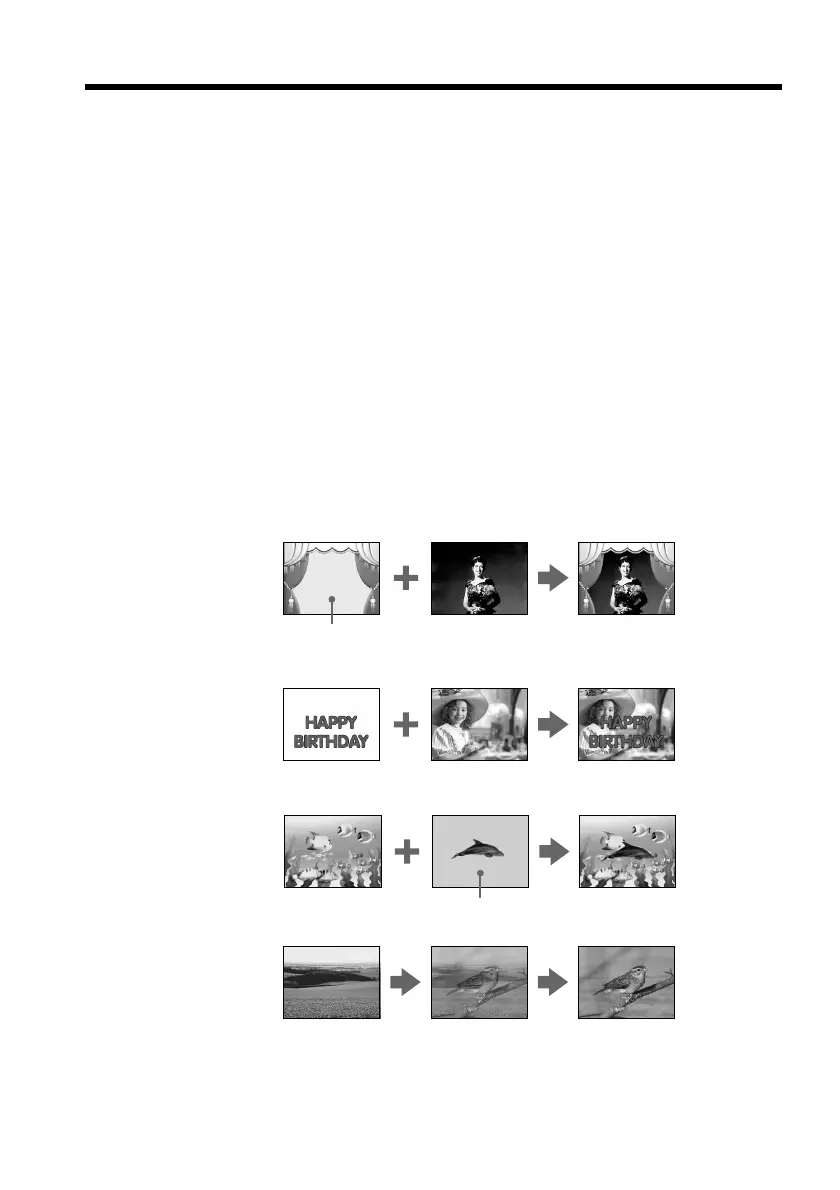
M. CHROM (Memory chromakey)
You can swap a blue area of a still picture such as an illustration or a frame with a
moving picture.
M. LUMI (Memory luminancekey)
You can swap a brighter area of a still picture such as a handwritten illustration or title
with a moving picture. Record a title on a “Memory Stick” before a trip or event for
convenience.
C. CHROM (Camera chromakey)
You can superimpose a moving picture on the top of a still picture such as a picture can
be used as background. Shoot the subject against a blue background. The blue area of
the moving picture will be swapped with a still picture.
M. OVERLAP (Memory overlap)
You can make a moving image fade in on top of a still image.
M. CHROM
Still picture Moving picture
M. LUMI
C. CHROM
Blue
Still picture Moving picture
Still picture Moving picture
Blue
M. OVERLAP
Still picture Moving picture


 To Next Page
 Loading...










