36
Using the AV cordless IR receiver
Once you connect the AV cordless IR receiver (optional) to your TV or VCR, you can
easily view the picture on your TV. For details, refer to the operating instructions of the
AV cordless IR receiver.
Before operation
Attach the power supply such as the AC power adaptor to your camcorder, and insert
the recorded tape.
(1) After connecting your TV and AV cordless IR receiver, set the POWER switch
on the AV cordless IR receiver to ON.
(2) Set the POWER switch to VCR.
(3) Turn the TV on and set the TV/VCR selector on the TV to VCR.
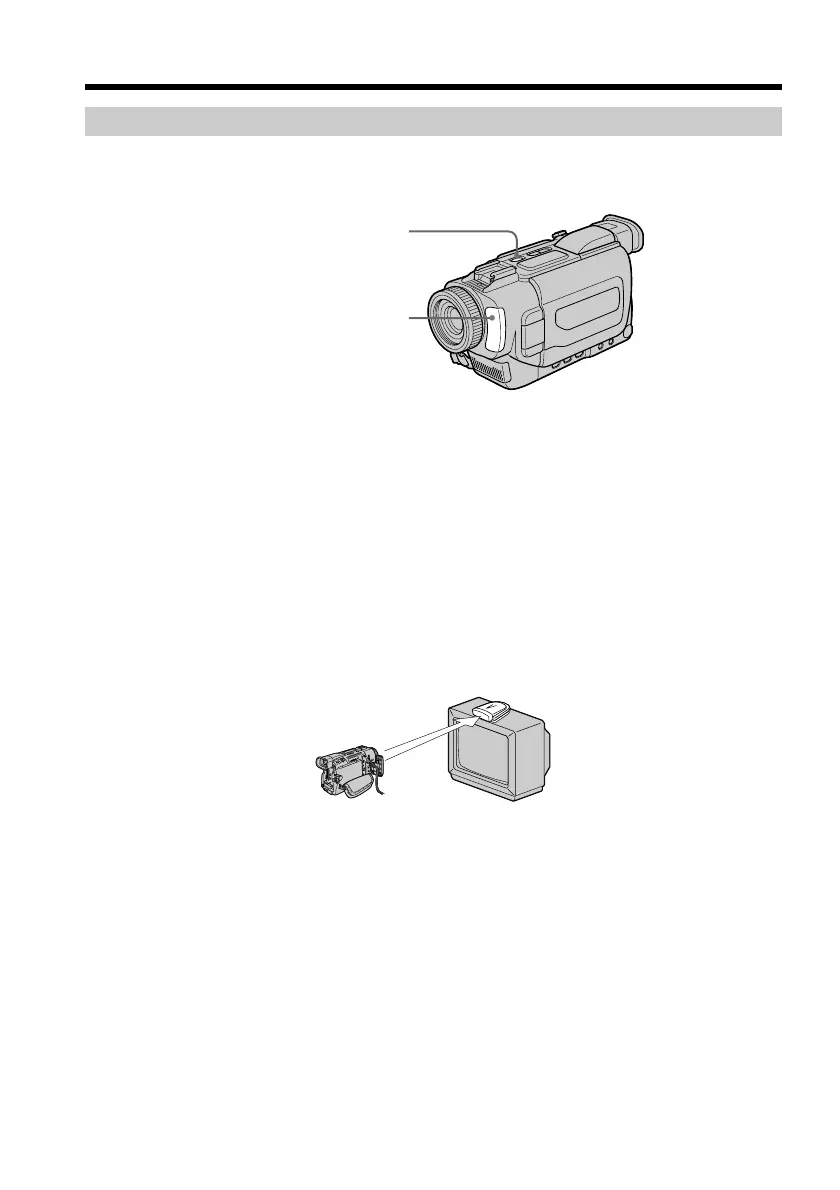
(4) Press SUPER LASER LINK. The lamp of SUPER LASER LINK lights up.
(5) Press N on your camcorder to start playback.
(6) Point the super laser link emitter at the AV cordless IR receiver. Adjust the
position of your camcorder and the AV cordless IR receiver to obtain clear
playback pictures.
To cancel the super laser link function
Press SUPER LASER LINK again. The lamp on the SUPER LASER LINK button goes
out.
Viewing the recording on TV
SUPER LASER LINK
Super laser link emitter


 To Next Page
 Loading...










