Chapter 5 Control From Editing
Control Units
Chapter 5 Control From Editing Control Units 5-13
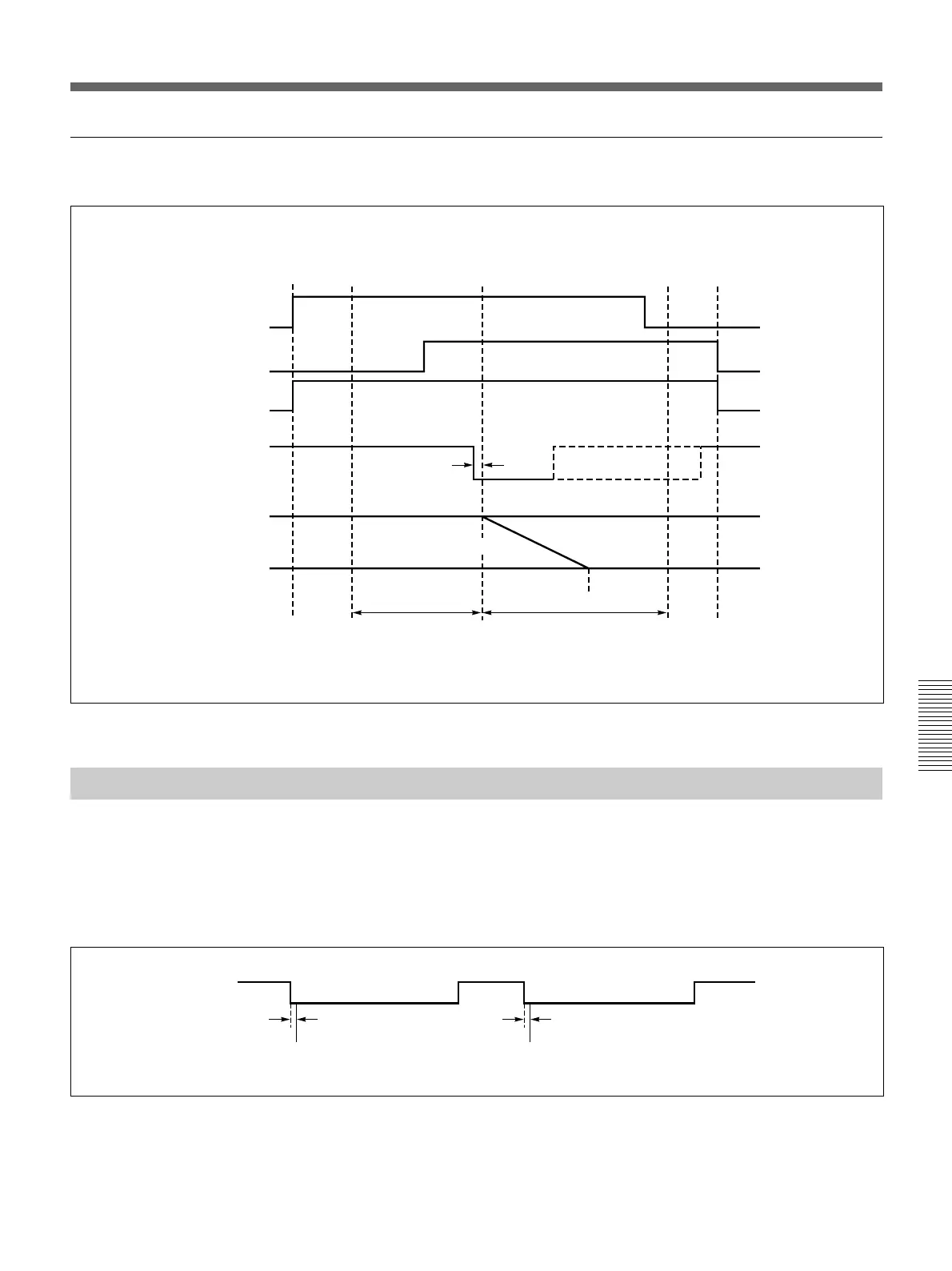
Timing of the GPI signal
The timing of the GPI signal from the editing control unit is as follows.
Timing of GPI signal in A/B roll editing
Turning a Downstream Key On and Off
If in page 1 of the setup menu you have set F3(PORTS) to “PVE-500” or
“GPI” then you can turn a downstream key on and off using a GPI signal
input to the T2 connector on the DFS-700/700P.
As shown below, the downstream key is turned alternately on and off at
the falling edge of the GPI signal.
Turning a downstream key on and off — GPI signal timing
VCRs start IN point
Effect start point
OUT point
VCRs stop
Player A
Player B
Recorder
GPI signal
3 frames
PGM OUT
signal
Background bus image
Foreground bus
image
Preroll
Execution of
effect (transition)
Postroll
A-roll period
B-roll period
GPI signal
3 frames
3 frames
DSK ON
DSK OFF



 To Next Page