12
GB
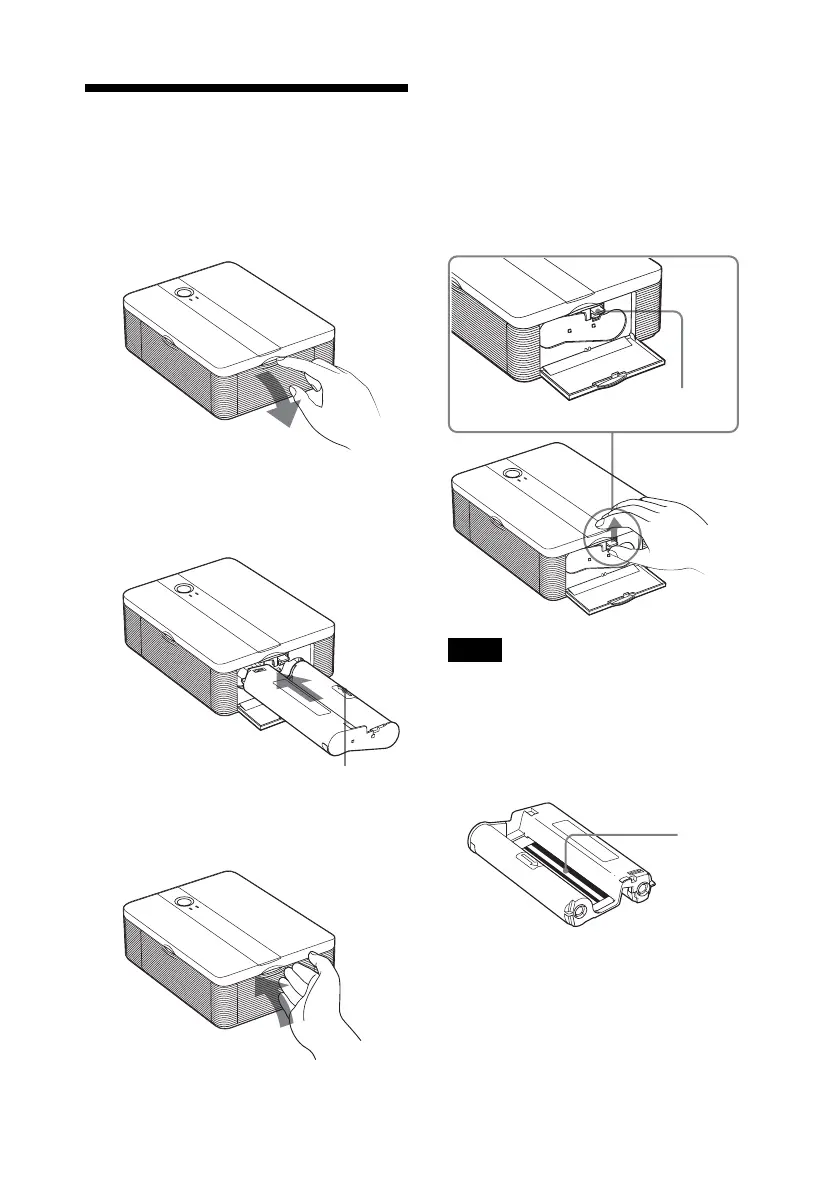
Removing the print cartridge
When the print cartridge runs out, the
ERROR indicator will flash slowly.
Open the cartridge compartment door,
push up the eject lever, and remove the
used print cartridge.
Eject lever
Notes
• Use the print cartridge contained in the same
box with the print paper.
• Do not touch the ink ribbon or place the print
cartridge in a dusty location. Fingerprints or
dust on the ink ribbon may result in imperfect
printing.
Ink ribbon
3 Loading the print
cartridge
1
Pull and open the cartridge
compartment door.
2 Insert the print cartridge in the
arrow direction until it clicks into
place.
Arrow
3 Close the cartridge compartment
door.



 To Next Page