15
GB
Making various printing
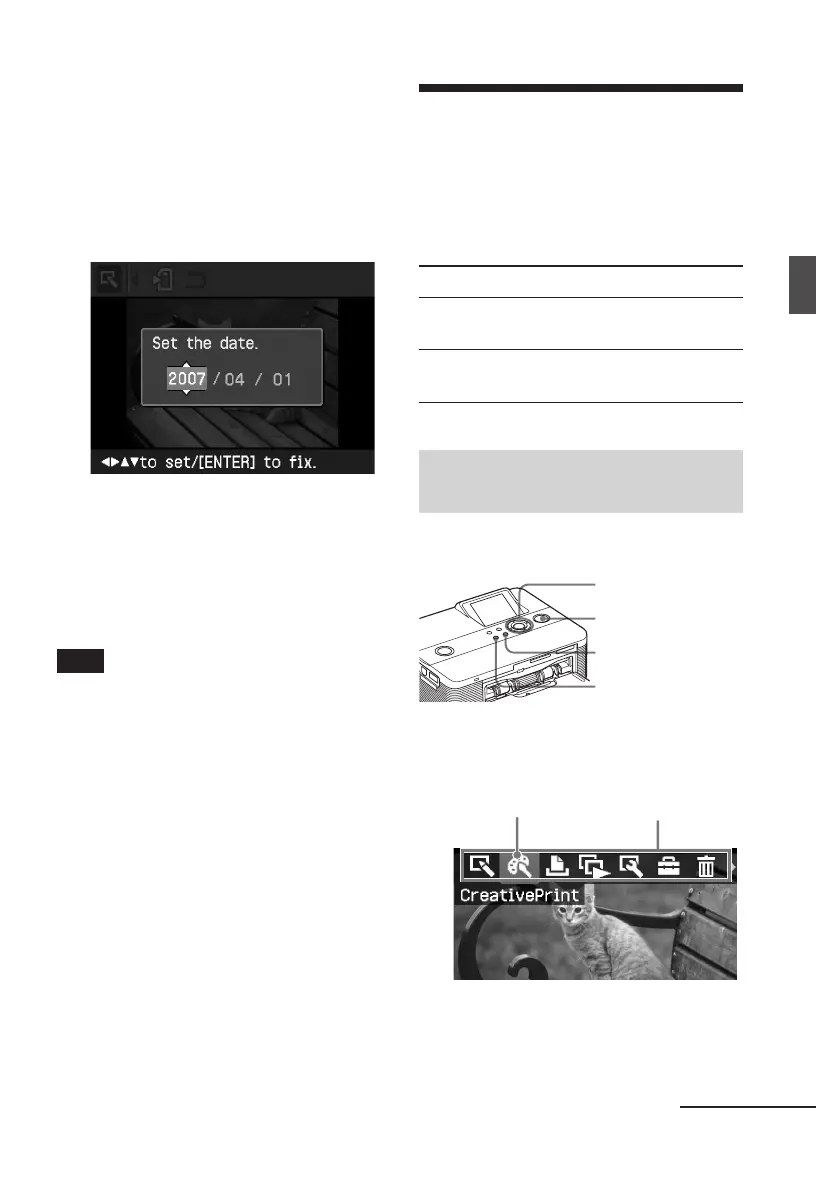
The dialog box for setting date is
displayed. You can save the date with
the image.
2
Set date.
Press f/F to select the number and
press g/G to select the day, month or
year. Then press ENTER.
The edited image by the Edit or
Creative Print menu is saved as a new
image. The dialog box to notify the
new image numbers (folder number-
file number) is displayed.
3
Press ENTER.
Note
While saving the image, do not turn off the
printer or remove a memory card from the
printer. The memory card may be damaged.
Making a Creative
Print
With images saved in a memory card or an
external device, you can make the
following prints:
Menu You can make...
Layout Print A print with 2/4/9/13/16
split images.
Calendar Calendars with your
favorite images.
Displaying the Creative Print
menu
Buttons to be used in Creative Print
g/G/f/F/ENTER
PRINT
CANCEL
MENU
1
Press MENU.
The menu bar is displayed.
Creative Print menu icon Menu bar
To exit the menu mode
Press MENU again. The previous
window is displayed.
Continued



 To Next Page