18
GB
4 Repeat steps 1 - 3 as
necessary.
Perform steps 1 -3 for all other
images for which you want to
change the number of duplicates.
Note
This change will not be recorded on the
“Memory Stick”.
Direct-Select
Printing
Images stored on a “Memory Stick”
can be selected at the DPP-MP1 for
printing.
Selecting an image
1 Insert the “Memory Stick” in
the Sony CyberShot digital
camera or Handycam
camcorder.
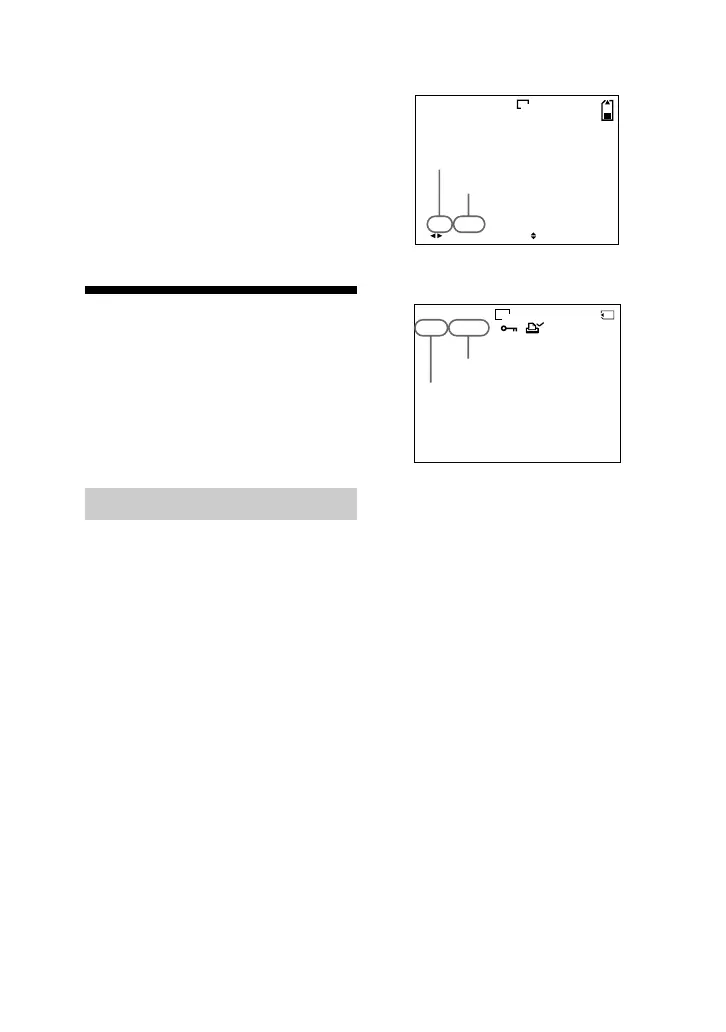
2 Verify the folder number and
file number of the image that
you want to print on the LCD
of the Sony CyberShot digital
camera or Handycam
camcorder.
Example from CyberShot
h /cMw I E
10:30
PM
2001 7 4100-0028
6
/
8
640
Example from Handycam
U^POO@
[˜
POO|OOOU
640
For information on folder numbers and
file numbers, see page 30.
Folder number
File number
Folder number
File number



 To Next Page