EasyManua.ls Logo

Sony DPS-R7 - Finalizing Effect Saving; User Memory List Overview; Understanding Memory Protection

Sony DPS-R7
64 pages
Print Icon
To Next Page IconTo Next Page
To Previous Page IconTo Previous Page
Loading...
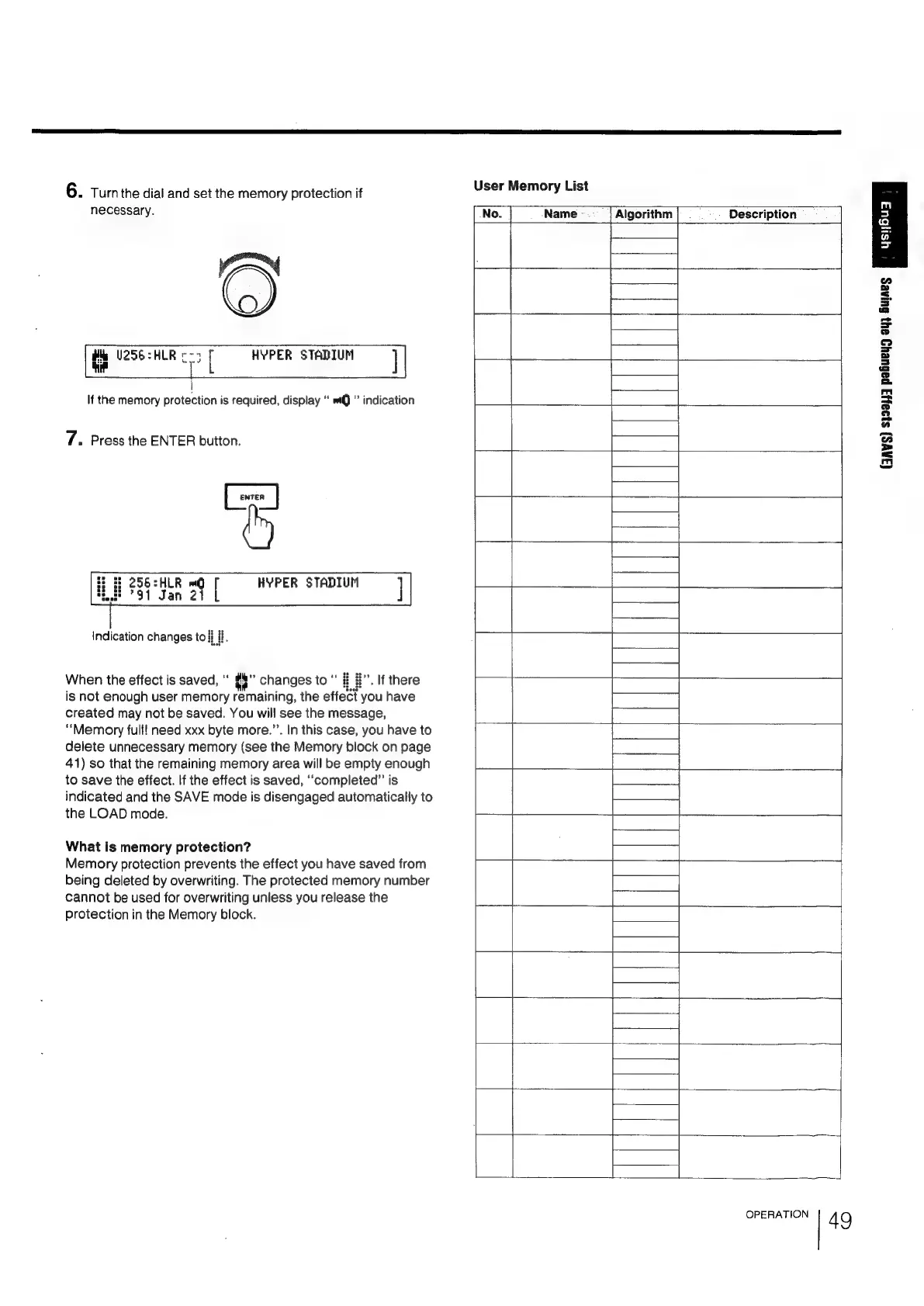
6.
Turn
the
dial
and
set
the
memory
protection
if
User
Memory
List
necessary.
Name
Algorithm
Description
Wie
U256=HLR
«-3
[
he
mm!
|
If
the
memory
protection
is
required,
display
‘‘
wQ
"
indication
HYPER
STADIUM
|
7.
Press
the
ENTER
button.
&
HLR
mQ
[
HYPER
STADIUM
|
Jan
21
Indication
changes
to
fi
#.
(JAWS)
$199j)3
pabueyg
oy,
Gujaes
When
the
effect
is
saved,
#%”
changes
to
#
#”.
If
there
is
not
enough
user
memory
remaining,
the
effect
you
have
created
may
not
be
saved.
You
will
see
the
message,
“Memory
full!
need
xxx
byte
more.”’.
In
this
case,
you
have
to
delete
unnecessary
memory
(see
the
Memory
block
on
page
41)
so
that
the
remaining
memory
area
will
be
empty
enough
J
to
save
the
effect.
If
the
effect
is
saved,
“completed”
is
indicated
and
the
SAVE
mode
is
disengaged
automatically
to
the
LOAD
mode.
What
is
memory
protection?
Memory
protection
prevents
the
effect
you
have
saved
from
being
deleted
by
overwriting.
The
protected
memory
number
cannot
be
used
for
overwriting
unless
you
release
the
protection
in
the
Memory
block.
OPERATION
4
9

Related product manuals