EasyManua.ls Logo

Sony DPS-R7 - Basic Operation Guide; Selecting Preset Effects

Sony DPS-R7
64 pages
Print Icon
To Next Page IconTo Next Page
To Previous Page IconTo Previous Page
Loading...
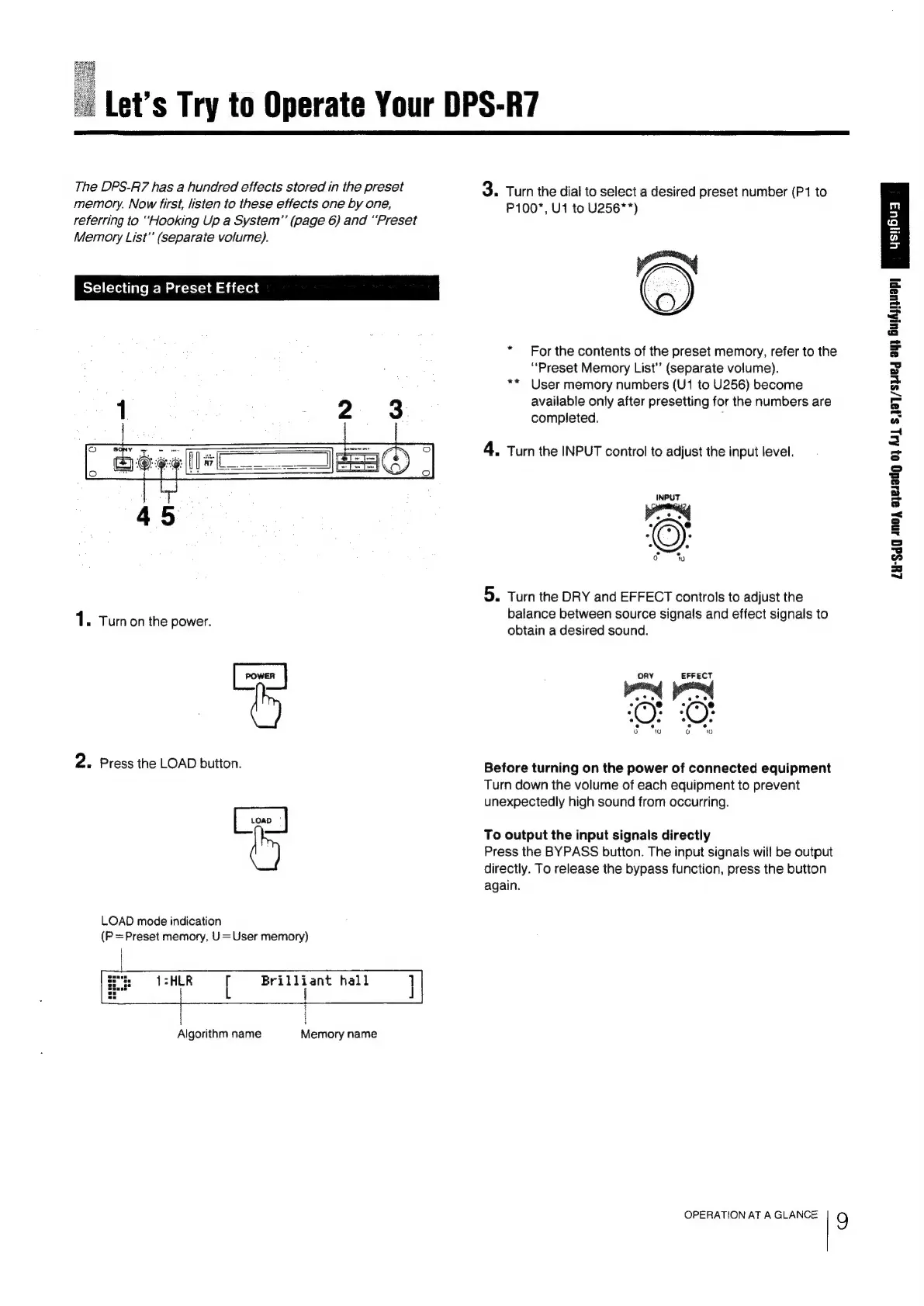
Let’s
Try
to
Operate
Your
DPS-R7
The
DPS-Fi7
has
a
hundred
effects
stored
in
the
preset
memory.
Now
first,
listen
to
these
effects
one
by
one,
referring
to
“Hooking
Up
a
System”’
(page
6)
and
“Preset
Memory
List’
(separate
volume).
Selecting
a
Preset
Effect
1.
Tumon
the
power.
POWER
|
2:
Press
the
LOAD
button.
LOAD
LOAD
mode
indication
(P
=Preset
memory,
U=User
memory)
pian
ab
hall
Algorithm
name
Memory
name
3.
Turn
the
dial
to
select
a
desired
preset
number
(P1
to
P100*,
U1
to
U256**)
For
the
contents
of
the
preset
memory,
refer
to
the
“Preset
Memory
List’
(separate
volume).
User
memory
numbers
(U1
to
U256)
become
available
only
after
presetting
for
the
numbers
are
completed.
:
nk
4.
Turn
the
INPUT
control
to
adjust
the
input
level.
5.
Turn
the
DRY
and
EFFECT
controls
to
adjust
the
balance
between
source
signals
and
effect
signals
to
obtain
a
desired
sound.
ORY
EFFECT
ote
(
ete
.
e
10;
.
.
. .
1@
Or
ee
et)
oO
10
i?)
10
Before
turning
on
the
power
of
connected
equipment
Turn
down
the
volume
of
each
equipment
to
prevent
unexpectedly
high
sound
from
occurring.
To
output
the
input
signals
directly
Press
the
BYPASS
button.
The
input
signals
will
be
output
directly.
To
release
the
bypass
function,
press
the
button
again.
OPERATION
AT
A
GLANCE
9
LU-Sd0
Ano,
ayesadg
0}
Au
Sja7/sHeg
ayy
GulAynuapy

Related product manuals