Chapter 3 Recording and Playback
Chapter 3 Recording and Playback 45
Chapter3
Recording and
Playback
Recording
This section describes video and audio recording on the unit.
Preparations for Recording
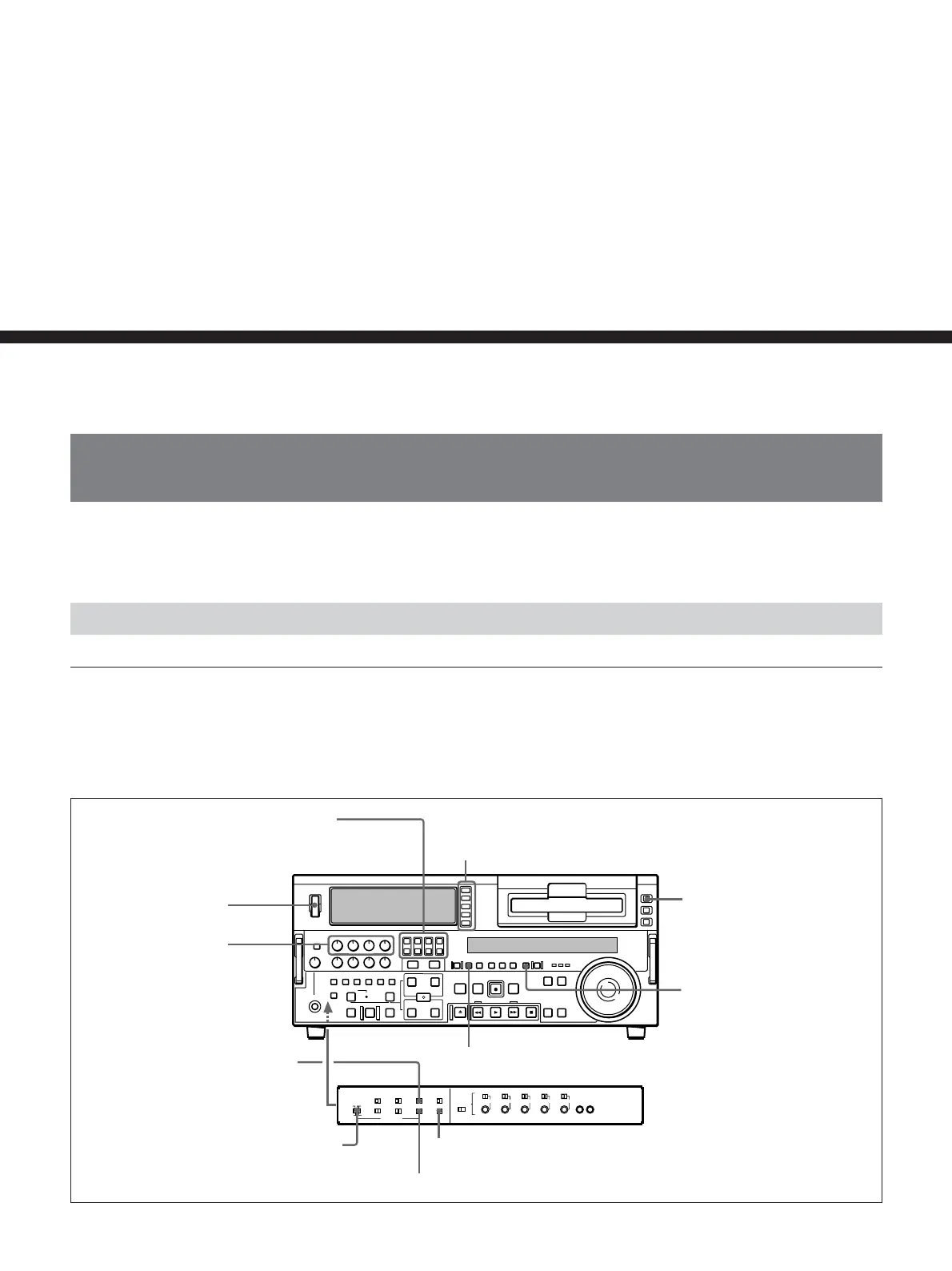
Button/switch settings
Before beginning recording, make any necessary button/switch settings.
For details of the settings of each of the buttons/switches, see the pages indicated
in parenthesis.
MONITOR SELECT buttons
(page 18)
:
select the audio channels to be monitored.
POWER switch: 1 side
REC controls
(page 17)
:
adjust the audio recording levels.
Input selection section
(page 15)
: select the input
video and audio signals.
REMOTE button
(page 16)
: unlit
COUNTER SEL button
(page
19)
: select the data to be
displayed (counter’s count, time
code value, or user bit value)
PB/EE button
(page 19)
: lit
INT/EXT–PRESET/REGEN switch
(page 27)
:
select the time code to be recorded.
VITC switch
(page 27)
: ON (when recording VITC)
TC SELECT switch
(page 27)
: TC or VITC (when displaying time code)
REC INHIBIT switch
(page 27)
: OFF



 To Next Page