14
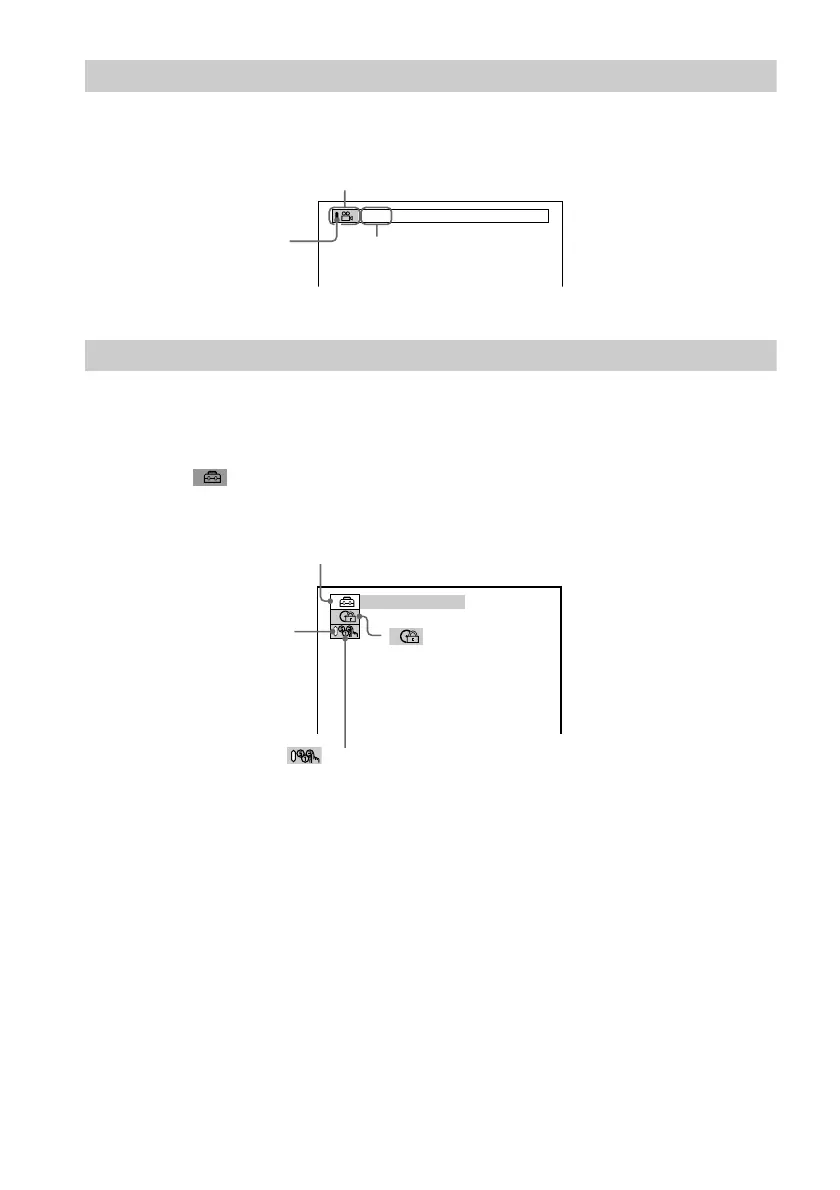
Control Bar
The Control Bar appears when a playback function is selected by pressing the function’s button
on the remote.
Control Menu
The Control Menu appears when the DISPLAY button is pressed when the player is in stop mode.
The number in parenthesis indicate reference pages.
Playback function icon.
Lights up in green when a
playback function is
selected.
Selected item or unit.
Example of when
ANGLE is pressed
on the remote.
QUICK
SETUP (66)
• Select QUICK to make the minimum number of basic adjustments to use the
player.
• Select CUSTOM to make a full range of adjustments.
• Select RESET to return the adjustments to the default settings.
Lights up in green during
Program Play.
PROGRAM (41)
• Allows you to play, titles,
chapters or tracks in any
order you want.
CUSTOM
PARENTAL CONTROL
(58)
• Set this to limit the
playback of selected
discs.



 To Next Page