15
Getting Started
15
Getting Started
Quick Overview
A quick overview presented in this chapter will give you enough information to start using the
player for your enjoyment. To use the surround sound features of this player, refer to “Hookups”
on page 19.
Notes
• You cannot connect this player to a TV that does not have a video input jack.
• Be sure to turn off the power of each component before connecting.
Step 1: Unpacking
Check that you have the following items:
• Audio/video cord (pinplug x 3 y pinplug x 3) (1)
• Remote commander (remote) RMT-D137A (1)
• Size AA (R6) batteries (2)
• AC power adaptor AC-F21 (1)
• AC power cord (1)
• Jack cover for vertical installation (1)
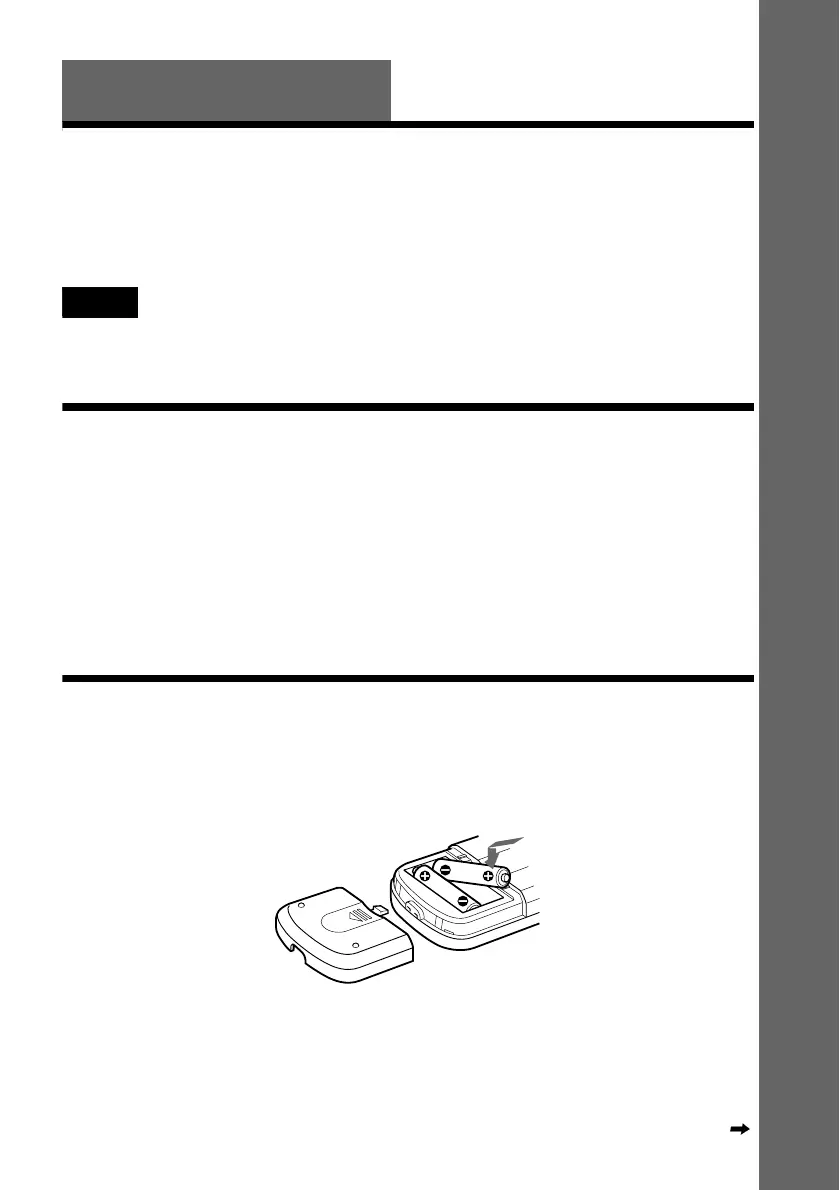
Step 2: Inserting Batteries into the Remote
You can control the player using the supplied remote. Insert two size AA (R6) batteries by
matching the 3 and # ends on the batteries to the markings inside the compartment. When using
the remote, point it at the remote sensor on the player.
Continued



 To Next Page