Disconnect the car battery adaptor.
Turn
off
the engine.
After
using
the
player
in
a
car
1 Turn
off
the player.
2
3
u
• Do not disconnect the
car
battery adaptor or
turn
off
the car engine before you
tum
off
the
player. Doing so may damage the player.
• Disconnect the car battery adaptor after use. If
it is left connected, the
car
battery may become
depleted.
• Do not leave the player
or
accessories
in
the
car.
10
Connecting
to
a
TV
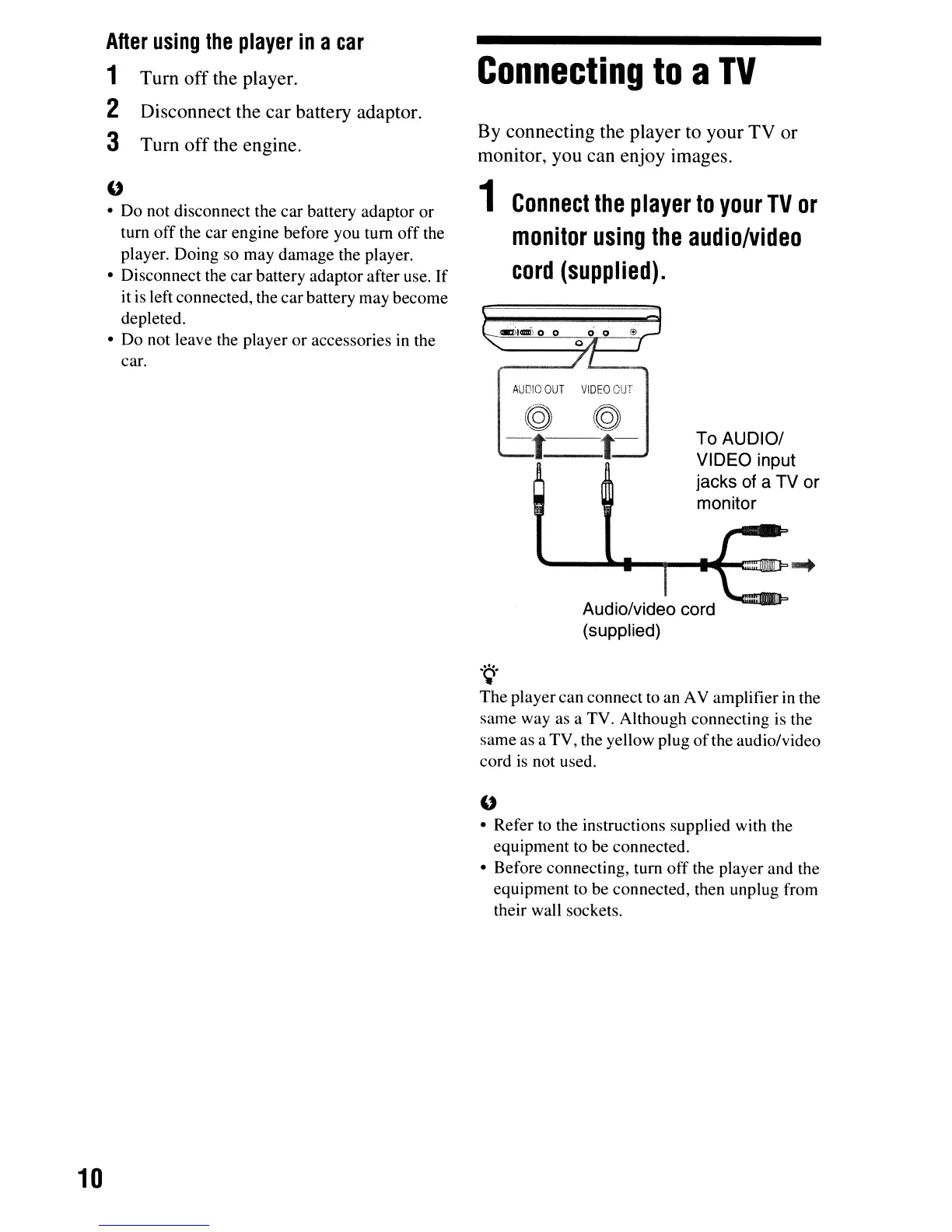
By connecting the player to your TV or
monitor, you can enjoy images.
1
Connect
the
player
to
your
TV
or
monitor
using
the
audio/video
cord
(supplied).
AUDIO
OUT
VIDEO
OUT
To AUDIO/
VIDEO input
jacks of a TV or
monitor
Audio/video cord
(supplied)
.~.
The
playercan connect to an AV amplifier
in
the
same way as a TV. Although connecting is the
same as a TV, the yellow plug
of
the audio/video
cord
is
not used.
u
• Refer to the instructions supplied with the
equipment to be connected.
• Before connecting, turn
off
the player and the
equipment to be connected, then unplug from
their wall sockets.



 To Next Page