Charging
the
Rechargeable
Battery
To a wall outlet
DC
IN
9.5V
~
C0
--t-..J
Charge the rechargeable battery before
using the player for the first time, or when
the battery
is
depleted.
1
Connect
the
AC
power
adaptor.
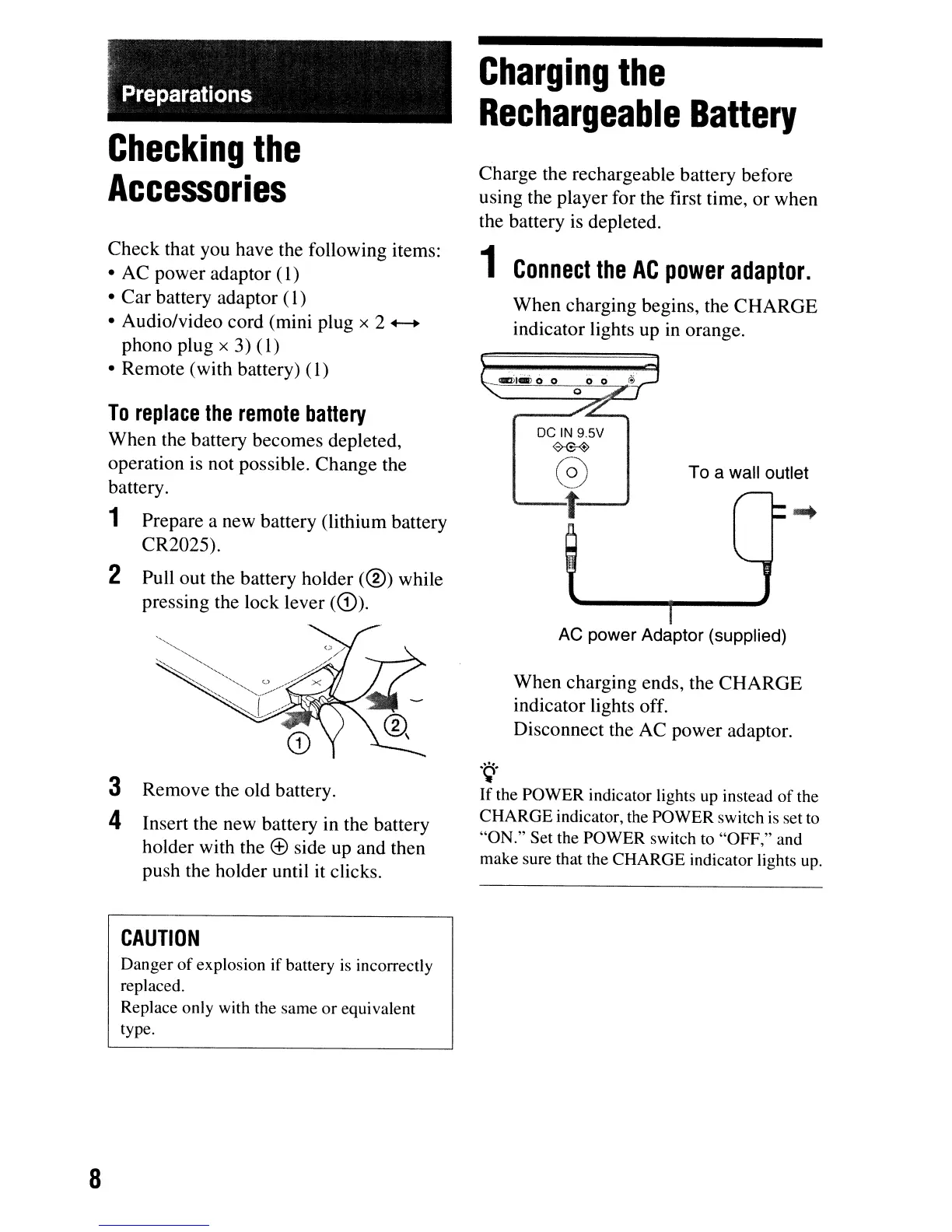
When charging begins, the CHARGE
indicator lights up
in
orange.
Preparations
To
replace
the
remote
ba"ery
When the battery becomes depleted,
operation is not possible. Change the
battery.
1 Prepare a new battery (lithium battery
CR2025).
2 Pull out the battery holder
(®)
while
pressing the lock lever
(CD).
Check that you have the following items:
• AC power adaptor
(I)
• Car battery adaptor
(I)
• Audio/video cord (mini plug x 2 .-...
phono plug
x
3)
(l)
• Remote (with battery)
(l)
Checking
the
Accessories
3 Remove the old battery.
4 Insert the new battery in the battery
holder with the
<±>
side up and then
push the holder until it clicks.
AC
power Adaptor (supplied)
When charging ends, the CHARGE
indicator lights off.
Disconnect the AC power adaptor.
'Q'
If
the POWER indicator lights up instead
of
the
CHARGE
indicator, the POWER switch
is
set to
"ON."
Set the POWER switch to
"OFF,"
and
make sure that the CHARGE indicator lights up.
CAUTION
Danger
of
explosion
if
battery is incorrectly
replaced.
Replace only with the same
or
equivalent
type.
8



 To Next Page