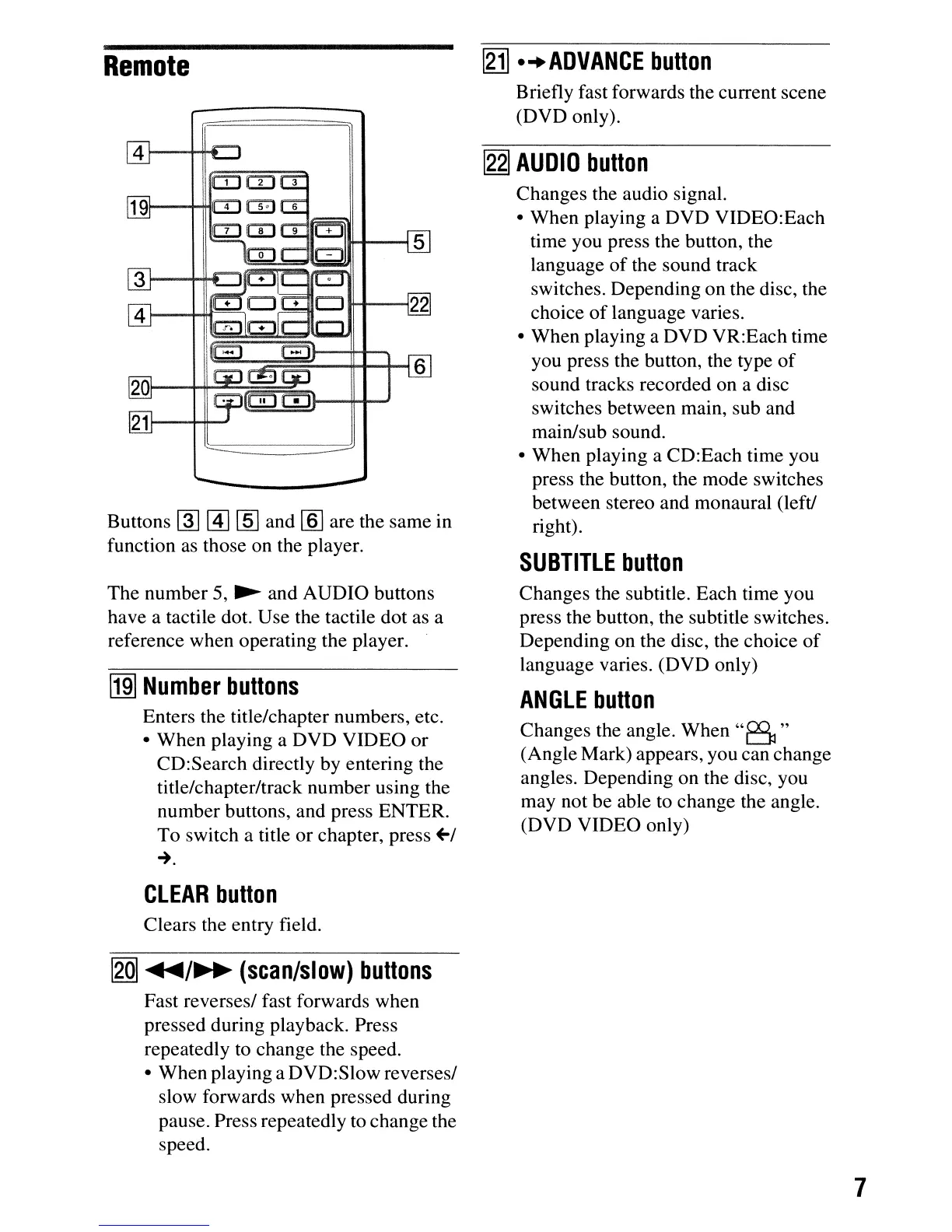
Remote
r;-.-===::=.;,
-----~
-
-----
Buttons
~
@]
[ID
and [§] are the same in
function
as
those on the player.
The number 5,
~
and AUDIO buttons
have a tactile dot. Use the tactile dot as a
reference when operating the player.
~
Number
buttons
Enters the title/chapter numbers, etc.
• When playing a DVD VIDEO or
CD:Search directly by entering the
title/chapter/track number using the
number buttons, and press ENTER.
To switch a title or chapter, press
+-/
~.
CLEAR
button
Clears the entry field.
I2QI
~/~
(scan/slow)
buttons
Fast reverses/ fast forwards when
pressed during playback. Press
repeatedly to change the speed.
• When playing a DVD:Slow reverses/
slow forwards when pressed during
pause. Press repeatedly to change the
speed.
[gj]
...
ADVANCE
button
Briefly fast forwards the current scene
(DVD only).
~
AUDIO
button
Changes the audio signal.
• When playing a DVD VIDEO:Each
time you press the button, the
language
of
the sound track
switches. Depending on the disc, the
choice
of
language varies.
• When playing a DVD VR:Each time
you press the button, the type
of
sound tracks recorded on a disc
switches between main, sub and
main/sub sound.
• When playing a CD:Each time you
press the button, the mode switches
between stereo and monaural (left!
right).
SUBTITLE
button
Changes the subtitle. Each time you
press the button, the subtitle switches.
Depending on the disc, the choice
of
language varies. (DVD only)
ANGLE
button
Changes the angle. When
"B"
(Angle Mark) appears, you can change
angles. Depending on the disc, you
may not be able to change the angle.
(DVD VIDEO only)
7



 To Next Page