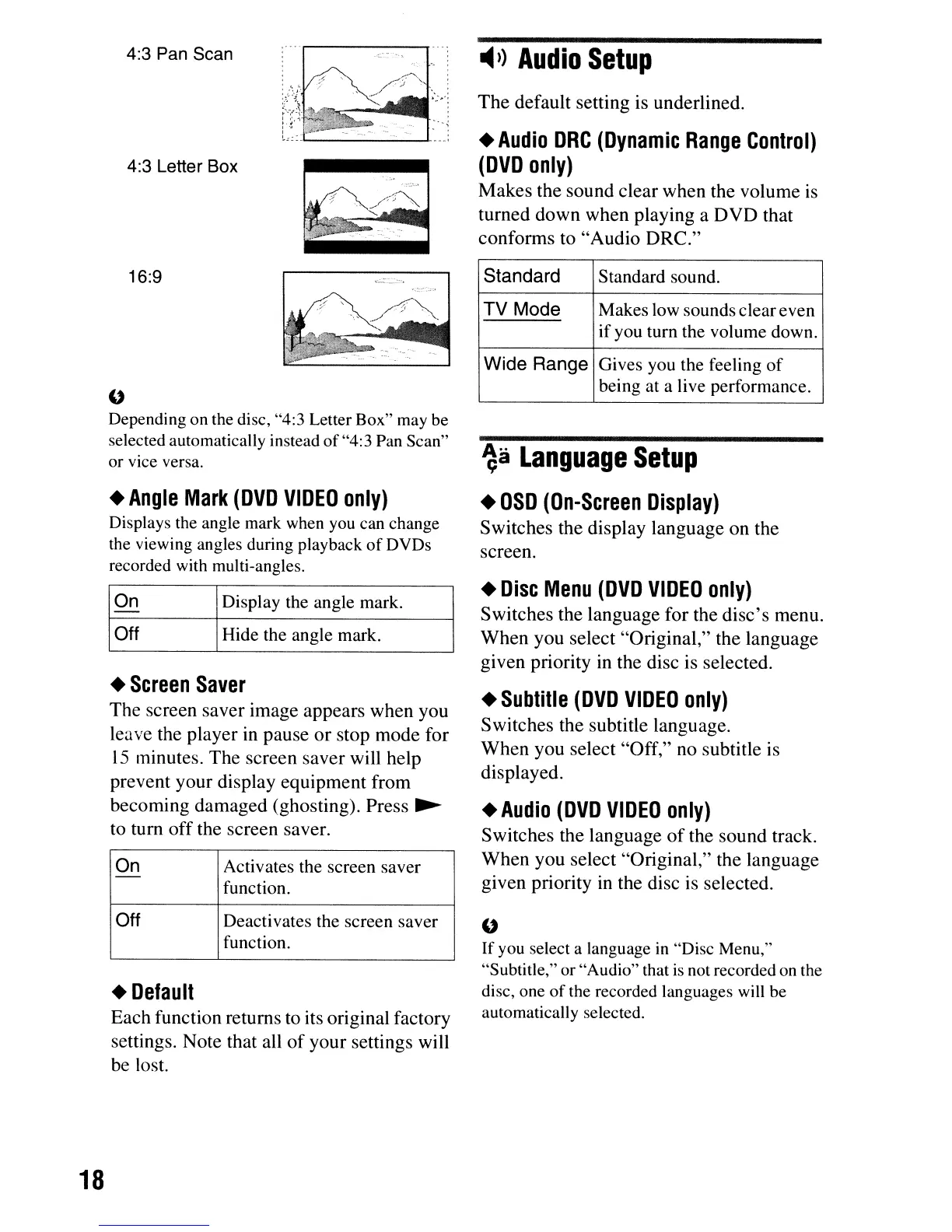
4:3 Pan Scan
4:3 Letter Box
-4»
Audio
Setup
The
default setting is underlined.
•
Audio
DRC
(Dynamic
Range
Control)
(DVD
only)
Makes
the
sound
clear
when
the
volume
is
turned
down
when
playing a
OVO
that
conforms
to
"Audio
ORe."
•
Angle
Mark
(DVD
VIDEO
only)
Displays the angle mark
when
you
can change
the viewing angles during playback ofDVDs
recorded with multi-angles.
•
Default
Each
function returns to its original factory
settings.
Note
that all
of
your
settings will
be
lost.
"
Depending on
the
disc, "4:3 Letter Box"
may
be
selected automatically instead of"4:3
Pan
Scan"
or
vice
versa.
•
Subtille
(DVD
VIDEO
only)
Switches
the subtitle language.
When
you
select
"Off,"
no subtitle is
displayed.
"
If you select a language
in
"Disc
Menu,"
"Subtitle," or "Audio" that
is
not
recorded
on
the
disc, one of
the
recorded languages
will
be
automatically selected.
•
Audio
(DVD
VIDEO
only)
Switches
the
language
of
the
sound
track.
When
you
select
"Original," the
language
given
priority in the disc is selected.
•
Disc
Menu
(DVD
VIDEO
only)
Switches
the
language
for the
disc's
menu.
When
you
select
"Original,"
the
language
given
priority in the disc is selected.
~a
Language
Setup
•
OSD
(On-Screen
Display)
Switches
the display
language
on
the
screen.
Standard Standard sound.
TV
Mode
Makes low sounds cleareven
if you turn the volume down.
Wide
Range
Gives you the feeling
of
being at a live performance.
Hide the angle mark.
Display the angle mark.On
Off
On Activates the screen saver
-
function.
Off Deactivates the screen saver
function.
16:9
•
Screen
Saver
The
screen
saver
image
appears
when
you
leave
the
player
in
pause
or
stop
mode
for
15
minutes.
The
screen
saver
will help
prevent
your
display
equipment
from
becoming
damaged
(ghosting).
Press
~
to
tum
off
the screen saver.
18



 To Next Page