EasyManua.ls Logo

Sony DVPNS61 - User Manual

Sony DVPNS61
96 pages
Print Icon
To Next Page IconTo Next Page
Loading...
CD/DVD PLAYER
System
Laser: Semiconductor laser
Signal format system: PAL/NTSC:
(Except DVP-NS45P/NS55P)
Signal format system: NTSC:
(DVP-NS45P/NS55P/NS63P)
Audio characteristics
Frequency response: DVD VIDEO
(PCM 96 kHz): 2 Hz to 44 kHz
(±1.0 dB)/DVD VIDEO (PCM 48 kHz):
2 Hz to 22 kHz (±0.5 dB)/CD: 2 Hz to
20 kHz (±0.5 dB)
Signal-to-noise ratio (S/N ratio): 115 dB
(LINE OUT L/R (AUDIO) jacks only)
Harmonic distortion: 0.003%
Dynamic range: DVD VIDEO:
103 dB/CD: 99 dB
Wow and flutter: Less than detected value
(±0.001% W PEAK)
Outputs
(Jack name: Jack type/Output level/
Load impedance)
LINE OUT (AUDIO): Phono jack/
2 Vrms/ 10 kilohms
DIGITAL OUT (OPTICAL):
Optical output jack/–18 dBm
(wave length 660 nm) (DVP-NS61P)
DIGITAL OUT (COAXIAL): Phono jack/
0.5 Vp-p/75 ohms
COMPONENT VIDEO OUT:
(Y, PB/CB, PR/CR)
Phono jack/Y: 1.0 Vp-p,
PB/CB, PR/CR: 0.7 Vp-p/75 ohms
(DVP-NS61P only)
COMPONENT VIDEO OUT: (Y, PB, PR)
Phono jack/Y: 1.0 Vp-p/PB,PR:
interlace
*1
= 0.648 Vp-p, progressive or
interlace
*2
= 0.7 Vp-p/75 ohms
*1
BLACK LEVEL
(COMPONENT OUT) is ON
*2
BLACK LEVEL
(COMPONENT OUT) is OFF
(DVP-NS45P/NS55P/NS63P)
S VIDEO OUT:
4-pin mini DIN/Y: 1.0 Vp-p,
C: 0.286 Vp-p/75 ohms
(DVP-NS45P/NS55P/NS63P)
S VIDEO OUT:
4-pin mini DIN/Y: 1.0 Vp-p,
C: 0.3 Vp-p (PAL),
0.286 Vp-p (NTSC)/75 ohms
(DVP-NS61P only)
LINE (RGB)-TV:
(AUDIO): SCART jack/2 Vrms/10 kilohms
(VIDEO): SCART jack/1.0 Vp-p/75 ohms
(S VIDEO): SCART jack/Y: 1.0 Vp-p,
C: 0.3 Vp-p (PAL),
0.286 Vp-p (NTSC)/75 ohms
(RGB): SCART jack/0.7 Vp-p/75 ohms
(DVP-NS36 Except RUS/NS37 only)
LINE OUT (VIDEO): Phono jack/
1.0 Vp-p/75 ohms
General
Power requirements:
220 – 240 V AC, 50/60 Hz
(DVP-NS36/NS37)
120 V AC, 60 Hz
(DVP-NS45P:US,CND/NS55P:US,CND)
110 – 240 V AC, 50/60 Hz
(DVP-NS61P/NS55P:PX/NS63P)
SPECIFICATIONS
Power consumption:
9W (Except DVP-NS45P:US,CND/
NS55P:US,CND)
10W (DVP-NS45P:US,CND/
NS55P:US,CND)
Dimensions (approx.):
430 × 43 × 207.6 mm
(DVP-NS63P: E only)
430 × 43 × 208 mm
(17 × 11
11
/16 × 8
1
/5 in.)
(width/height/depth) incl. projecting parts
Mass (approx.):
1.75 kg (DVP-NS36/NS37)
1.72 kg (3
5
/4 lb)
(DVP-NS45P/NS55P/NS61P)
1.74 kg (DVP-NS63P)
Operating temperature: 5°C to 35°C
(41°F to 95°F)
Operating humidity: 25% to 80%
Specifications and design are subject to
change without notice.
ENERGY STA R
is a U.S. registered mark.
As an ENERGY STAR
Partner, Sony
Corporation has determined that this
product meets the ENERGY STA R
guidelines for energy efficiency.
(DVP-NS61P: AUS only)
SERVICE MANUAL
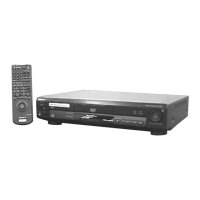
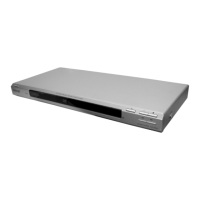
Photo : DVP-NS36
RMT-D175P
Notes: Australia/NZ model only
DVP-NS36/NS37/NS45P/NS55P/NS61P/NS63P
RMT-D175A/RMT-D175P/RMT-D175C
AEP Model
DVP-NS36/NS37
Russian Model
UK Model
DVP-NS36
Canadian Model
US Model
DVP-NS45P/NS55P
Argentina Model
Brazilian Model
E Model
DVP-NS63P
PX Model
DVP-NS55P
Australia/New Zealand Model
Chinese Model
Middle East Model
Singapore Model
DVP-NS61P

Table of Contents

Questions and Answers

  • T
    Tracey WarrenSep 8, 2025
    How to fix a Sony DVD Player when the picture does not fill the screen?
    • P
      Pamela HarrisSep 8, 2025
      The aspect ratio of the disc is fixed on your DVD.

  • R
    Rachel WilliamsSep 10, 2025
    Why do MP3 audio tracks and JPEG image files start playing simultaneously on my Sony DVPNS61?
    • M
      Morgan MartinSep 10, 2025
      If MP3 audio tracks and JPEG image files start playing at the same time, it's likely because “MODE (MP3, JPEG)” is set to “AUTO”.
  • J
    Jill TurnerSep 12, 2025
    Why is there no picture or picture noise on my Sony DVPNS61 DVD Player?
    • Z
      zcamposSep 12, 2025
      If you're experiencing no picture or picture noise, the connecting cords might be damaged, so try reconnecting them securely. If the picture output goes through your VCR to your TV, or if you're connected to a combination TV/VIDEO player, the copy-protection signal on some DVDs could be affecting picture quality. If connecting directly to your TV doesn't solve the issue, try using the TV’s S VIDEO input. If the colour system of your player doesn't match your TV, change the player's colour system. If you've selected “PROGRESSIVE AUTO” or “PROGRESSIVE VIDEO” but your TV can't accept the progressive signal, select “NORMAL (INTERLACE)”.
  • J
    Jennifer WebbSep 14, 2025
    Why are album/track/file names not displayed correctly on my Sony DVPNS61 DVD Player?
    • R
      randyvalentineSep 14, 2025
      The player can only display numbers and alphabet. Other characters are displayed as “*”.
  • J
    Joseph DavidsonSep 15, 2025
    Why does my Sony DVD Player not start playing from the beginning?
    • R
      Ronald RossSep 15, 2025
      If the disc isn't starting from the beginning, Programme Play, Shuffle Play, Repeat Play, or A-B Repeat Play might be selected. Alternatively, Resume play might have taken effect.
  • C
    carlsoncodySep 18, 2025
    What does it mean when 5 numbers or letters are displayed on the screen and on the front panel display of my Sony DVD Player?
    • T
      Trevor SolomonSep 18, 2025
      The self-diagnosis function was activated.

Summary

Specifications

Safety Check-Out Procedures

Leakage Test and Safety Warnings

Guidelines for AC leakage testing and warnings about critical safety components.

General Information and Operation Guide

Hookups and Basic Setup

Instructions for connecting the player, unpacking, remote setup, and quick configuration.

Playback and Navigation

Details disc playback, resume functions, menus, play modes, and content search.

Audio-Visual Enjoyment

Guidance on sound settings, movie playback, MP3, JPEG, and DivX video enjoyment.

Advanced Functions and Settings

Covers parental controls, TV settings, player configuration, and troubleshooting information.

Electrical Adjustment Procedures

Power Supply Output Voltage Check

Method to check and verify output voltages of various power supply circuits using a digital multimeter.

Video System Adjustment

Procedures for checking and adjusting video output levels for different model variants.

Service Notes and Precautions

Disc Removal Procedure

Step-by-step instructions for safely removing a disc from the player when it is powered off.

Test Mode Procedures

IOP Measurement and History Checks

Guide to IOP measurement, history checks, initialization, and version information.

Self-Check Mode Operations

Explains auto self-check, key input tests, communication monitoring, and FLD/LED grid tests.

Disassembly Procedures

Major External Components

Steps for removing the player's top cover and front panel assembly.

Mechanisms and Pick-Up

Procedures for disassembling the disc loading mechanism and optical pickup unit.

Rear Panel and Circuit Boards

Instructions for accessing rear panel components, switching regulator, and internal circuit boards.

Internal Views and Board Locations

Visuals of internal layout and diagrams showing the placement of circuit boards.

Block Diagrams

Overall and Power Block Diagrams

High-level overview of signal paths and power distribution within the player.

System Control and RF;Servo Diagrams

Details central processing, signal processing, and disc reading servo control systems.

Printed Wiring Boards and Schematic Diagrams

Frame Schematic Diagram

Overall schematic diagram showing the interconnectivity of major boards and components.

Module Schematics and Waveforms

Introduces module-specific wiring, schematics, and typical signal waveforms.

MV-50 Board Schematics

Detailed schematic diagrams for the various functional blocks of the MV-50 main control board.

MV-51 Board Schematics

Detailed schematic diagrams for the various functional blocks of the MV-51 main control board.

IC Pin Function Description

System Control Pin Function (MV-50;51 Boards IC101)

Pinout and function details for the System Control IC (IC101) on the MV-50 and MV-51 boards.

Test Mode Procedures

IOP Measurement and History Checks

Guide to IOP measurement, history checks, initialization, and version information.

Self-Check Mode Operations

Explains auto self-check, key input tests, communication monitoring, and FLD/LED grid tests.

Electrical Adjustment Procedures

Power Supply Output Voltage Check

Method to check and verify output voltages of various power supply circuits using a digital multimeter.

Video System Adjustment

Procedures for checking and adjusting video output levels for different model variants.

Repair Parts List

Exploded Views

Visual diagrams showing the assembly of player parts for identification and replacement.

Electrical Parts List

List of electronic components with part numbers and descriptions for circuit boards.

Sony DVPNS61 Specifications

General IconGeneral
BrandSony
ModelDVPNS61
CategoryDVD Player
LanguageEnglish

Related product manuals