Emma User Guide 5
Register
You must have Internet access to register as an Emma user.
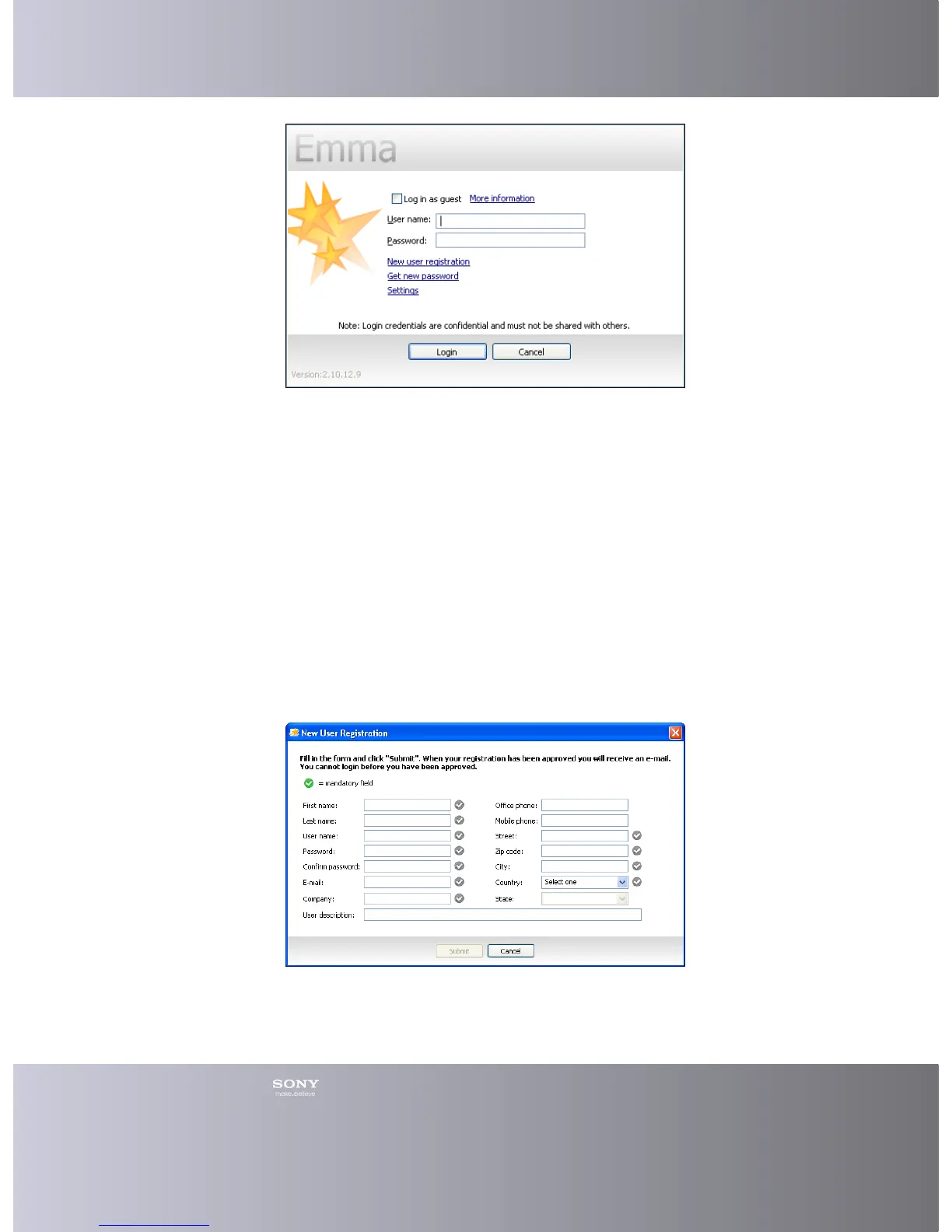
1. In the Login window, click New user registration.
2. In the New User Registration window, enter your information in the fields. You
can get help with the different fields by placing the cursor over a field. There are
some mandatory fields that have to be filled out correctly. These are marked
with a grey round check box and when a field is correctly entered the round
check box will turn green.
3. Click Submit (you can not do this until all mandatory fields are filled out
correctly). If something is wrong with the registration an error message is
shown. In that case, click OK to return to the Login window and if possible start
again on step 1.
4. In the Emma Information window that says Registration successful, click OK.
A Regional Emma administrator need to accept and activate your account (takes
about a week). You will get a notification email when the account has been activated.
Then you can login. For internal users see the Emma Team site.








 To Next Page