Emma User Guide 6
Log in
Emma will first try to log in on the server, but if no server connection is available local
log in will be attempted. Local log in will only work if you have logged in on the server
before.
1. In the Log in window, enter your user name and password in the fields.
2. Click Login.
3. Wait for the application to start. If something is wrong with the log in an error
message is shown. Try to follow the suggestions. Click OK.
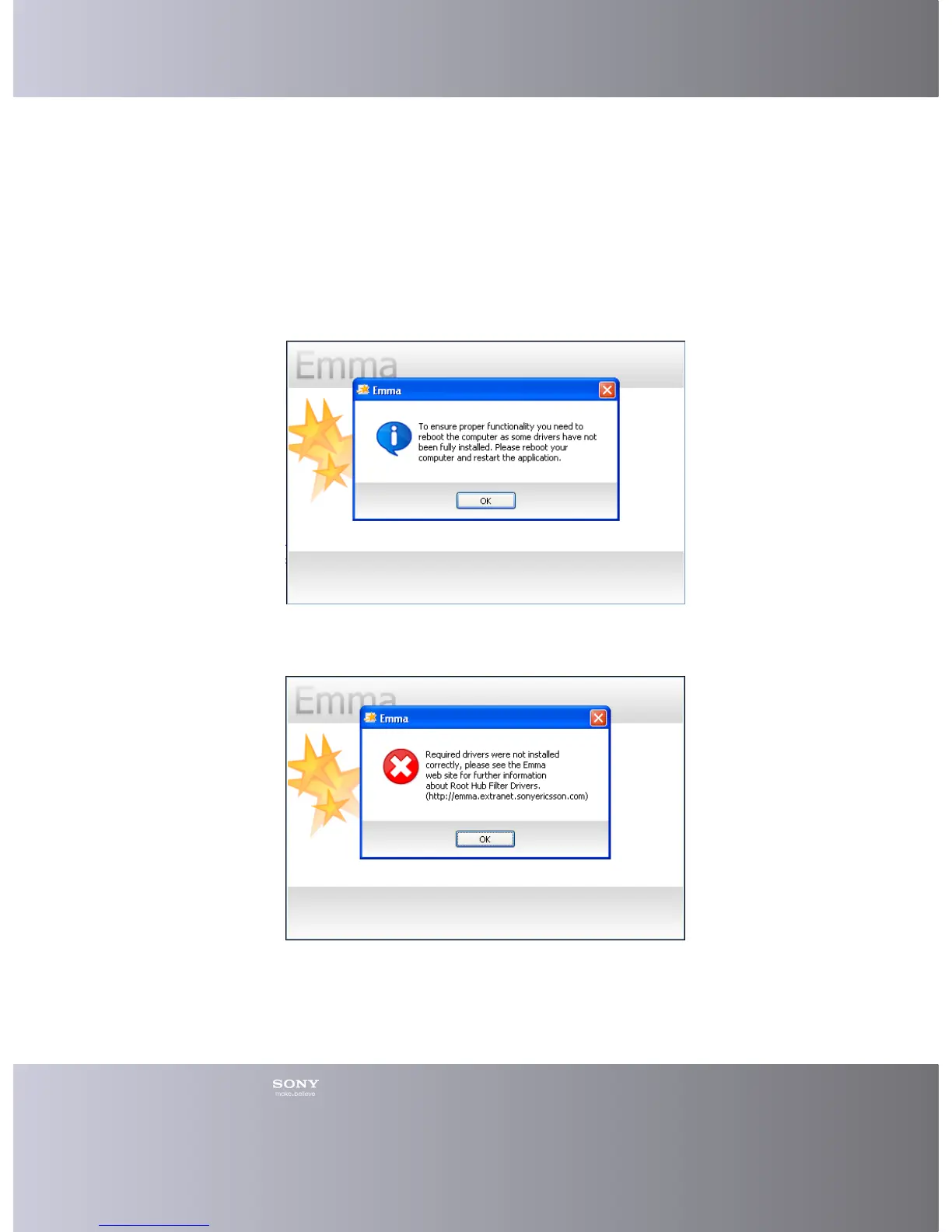
In case the following dialog occurs, please reboot your computer. The reboot will
ensure that the drivers not fully installed will be installed. Emma won’t start until the
drivers are correctly installed.
In case the following dialog appears a driver was not correctly installed (a reboot
won’t fix this) and you will need to do this installation manually, please see the Emma
web site for further details about Root hub filter drivers.
Forgotten Password
If you forget your password you can apply for a new one to be sent to your e-mail
address.










 To Next Page