EasyManua.ls Logo

Sony EV-C500E - Auto Play and Scene Locating; Voice Boost for Conversation

Sony EV-C500E
38 pages
Print Icon
To Next Page IconTo Next Page
To Previous Page IconTo Previous Page
Loading...
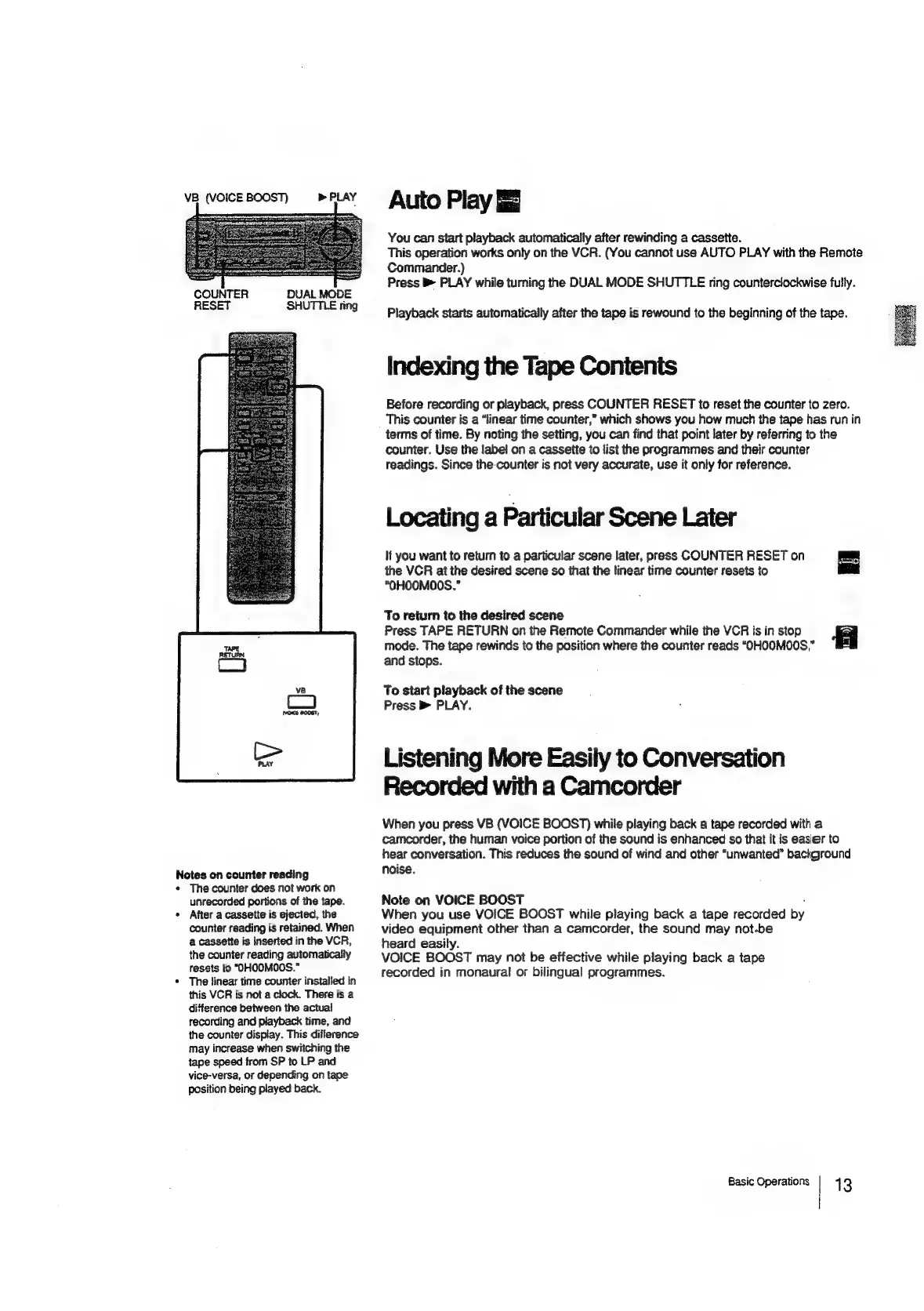
VB
(VOICE
BOOST)
PLAY
DUAL
MODE
SHUTTLE
ring
COUNTER
RESET
Notes
on
counter
reading
The
counter
does
not
work
on
unrecorded
portions
of
the
tape.
After
a
cassette
is
ejected,
the
counter
reading
is
retained.
When
a
cassette
is
inserted
in
the
VCR,
the
counter
reading
automatically
resats
to
“OHOOMOOS.”
The
linear
time
counter
installed
in
this
VCR
is
not
a
clock.
There
is
a
difference
between
the
actual
recording
and
playback
time,
and
the
counter
display.
This
difference
may
increase
when
switching
the
tape
speed
from
SP
to
LP
and
vice-versa,
or
depending
on
tape
position
being
played
back.
Auto
Play
You
can
start
playback
automatically
after
rewinding
a
cassette.
This
operation
works
only
on
the
VCR.
(You
cannot
use
AUTO
PLAY
with
the
Remote
Commander.)
Press
B>
PLAY
while
tuming
the
DUAL
MODE
SHUTTLE
ring
counterclockwise
fully.
Playback
starts
automatically
after
the
tape
is
rewound
to
the
beginning
of
the
tape.
Indexing
the
Tape
Contents
Before
recording
or
playback,
press
COUNTER
RESET
to
reset
the
counter
to
zero.
This
counter
is
a
“linear
time
counter,”
which
shows
you
how
much
the
tape
has
run
in
terms
of
time.
By
noting
the
setting,
you
can
find
that
point
later
by
referring
to
the
counter.
Use
the
label
on
a
cassette
to
list
the
programmes
and
their
counter
readings.
Since
the-counter
is
not
very
accurate,
use
it
only
for
reference.
Locating
a
Particular
Scene
Later
lf
you
want
to
return
to
a
particular
scene
later,
press
COUNTER
RESET
on
the
VCR
at
the
desired
scene
so
that
the
linear
time
counter
resets
to
“OHOOMOOS.”
To
return
to
the
desired
scene
Press
TAPE
RETURN
on
the
Remote
Commander
while
the
VCR
is
in
stop
mode.
The
tape
rewinds
to
the
position
where
the
counter
reads
“OHOOMO0S,”
and
stops.
To
start
playback
of
the
scene
Press
PLAY.
Listening
More
Easily
to
Conversation
Recorded
with
a
Camcorder
When
you
press
VB
(VOICE
BOOST)
while
playing
back
a
tape
recorded
with
a
camcorder,
the
human
voice
portion
of
the
sound
is
enhanced
sc
that
it
is
easier
to
hear
conversation.
This
reduces
the
sound
of
wind
and
other
“unwanted”
background
noise.
Note
on
VOICE
BOOST
:
When
you
use
VOICE
BOOST
while
playing
back
a
tape
recorded
by
video
equipment
other
than
a
camcorder,
the
sound
may
not-be
heard
easily.
VOICE
BOOST
may
not
be
effective
while
playing
back
a
tape
recorded
in
monaural
or
bilingual
programmes.
Basic
Operations
13

Related product manuals