EasyManua.ls Logo

Sony EV-C500E - Chapter 5 Editing; Cutting Unwanted Scenes (SHUTTLE EDIT)

Sony EV-C500E
38 pages
Print Icon
To Next Page IconTo Next Page
To Previous Page IconTo Previous Page
Loading...
Cutting
out
the
Unwanted
Scenes
SHUTTLE
EDIT
During
Recording
If
you
wish
to
cut
out
unwanted
scenes,
you
can
pause
recording
and
rewind
the
tape
until
the
beginning
of
an
unwanted
scene
is
reached.
You
can
then
record
over
it.
This
feature
is
controlled
using
the
DUAL
MODE
SHUTTLE
ring
on
the
VCR.
1
Press
If
PAUSE
during
recording.
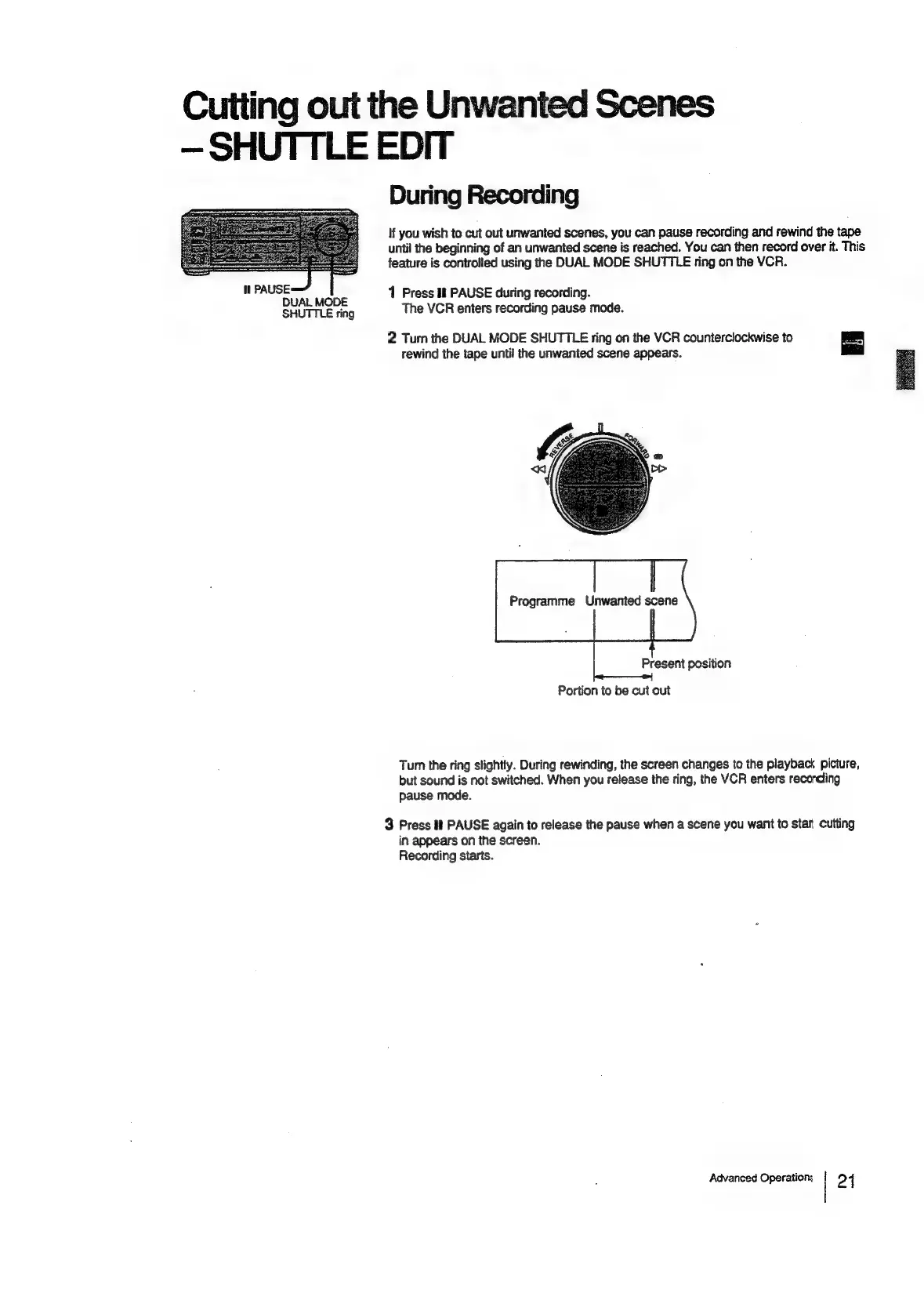
DUAL
MODE
The
VCR
enters
recording
pause
mode.
SHUTTLE
ring
2
Turn
the
DUAL
MODE
SHUTTLE
ring
on
the
VCR
counterclockwise
to
rewind
the
tape
until
the
unwanted
scene
appears.
Programme
Unwanted
scene
Present
position
Portion
to
be
cut
out
Turn
the
ring
slightly.
During
rewinding,
the
screen
changes
to
the
playback
picture,
but
sound
is
not
switched.
When
you
release
the
ring,
the
VCR
enters
recording
pause
mode.
3
Press
if
PAUSE
again
to
release
the
pause
when
a
scene
you
want
to
stan
Cutting
in
appears
on
the
screen.
Recording
starts.
Advanced
Operations
24

Related product manuals