EasyManua.ls Logo

Sony EV-C500E - Synchronized Assemble Editing

Sony EV-C500E
38 pages
Print Icon
To Next Page IconTo Next Page
To Previous Page IconTo Previous Page
Loading...
SYNCHRO
EDIT
STOP
AUDIO
LINE
IN
(ST/BIL)
pure
synchronized
editing
The
EDIT
function
is
activated
automatically.
¢
ifthe
linear
time
counter
reaches
zero,
synchronized
editing
stops.
*
The
COUNTER
RESET
button
does
not
function.
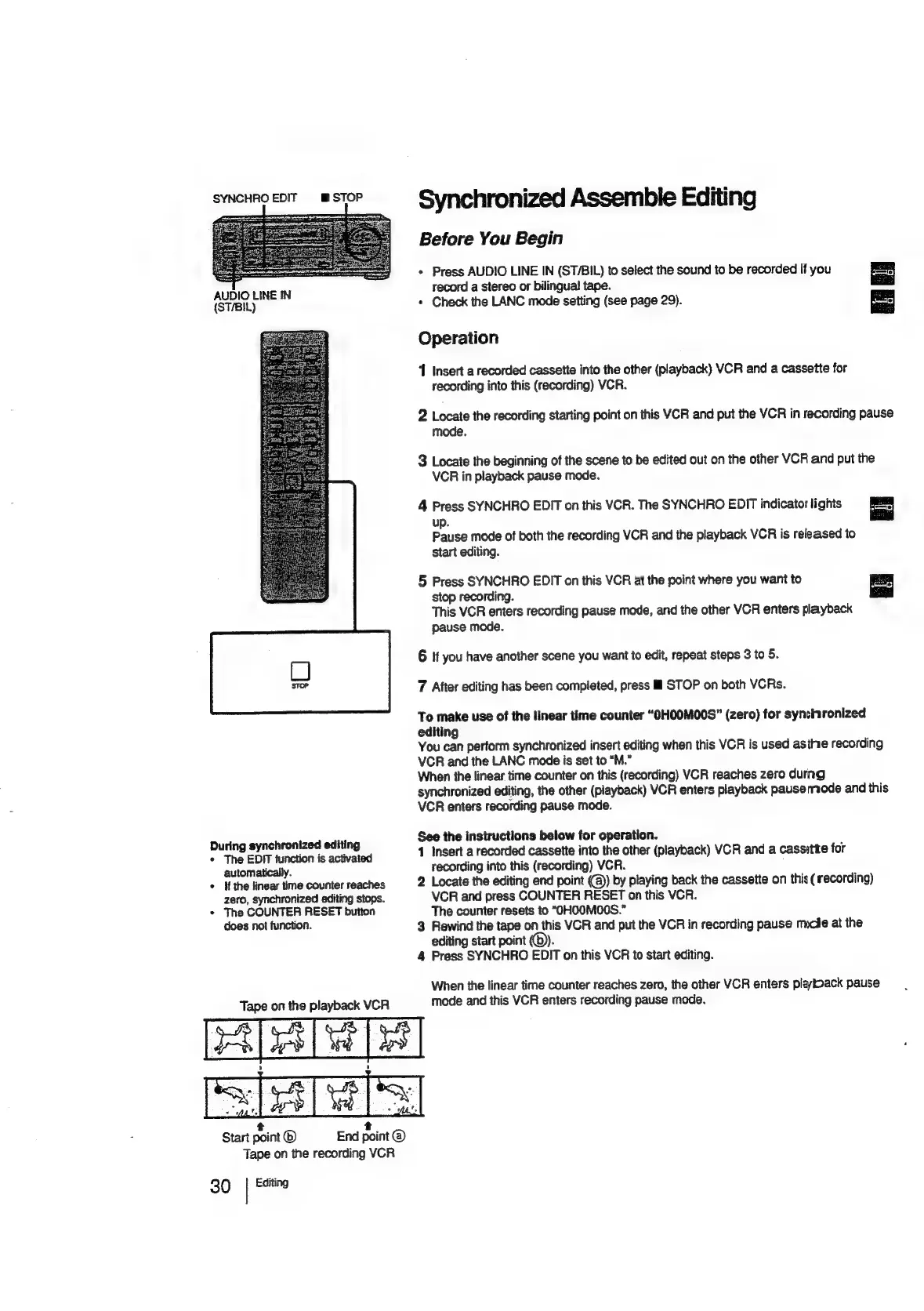
Tape
on
the
playback
VCR
Synchronized
Assemble
Editing
Before
You
Begin
*
Press
AUDIO
LINE
IN
(ST/BIL)
to
select
the
sound
to
be
recorded
if
you
9
record
a
stereo
or
bilingual
tape.
*
Check
the
LANC
mode
setting
(see
page
29).
Operation
1
Insert
a
recorded
cassette
into
the
other
(playback)
VCR
and
a
cassette
for
recording
into
this
(recording)
VCR.
2
Locate
the
recording
starting
point
on
this
VCR
and
put
the
VCR
in
recording
pause
mode.
3
Locate
the
beginning
of
the
scene
to
be
edited
out
on
the
other
VCR
and
put
the
VCR
in
playback
pause
mode.
4
Press
SYNCHRO
EDIT
on
this
VCR.
The
SYNCHRO
EDIT
indicator
lights
=|
up.
Pause
mode
of
both
the
recording
VCR
and
the
playback
VCR
is
released
to
start
editing.
5
Press
SYNCHRO
EDIT
on
this
VCR
at
the
point
where
you
want
to
stop
recording.
This
VCR
enters
recording
pause
mode,
and
the
other
VCR
enters
playback
pause
mode.
6
If
you
have
another
scene
you
want
to
edit,
repeat
steps
3
to
5.
7
Atter
editing
has
been
completed,
press
il
STOP
on
both
VCRs.
To
make
use
of
the
linear
time
counter
“OHOOMO00S”
(zero)
for
synchronized
editing
You
can
perform
synchronized
insert
editing
when
this
VCR
is
used
asthe
recording
VCR
and
the
LANC
mode
is
set
to
“M.”
When
the
linear
time
counter
on
this
(recording)
VCR
reaches
zero
durng
synchronized
editing,
the
other
(playback)
VCR
enters
playback
pausemode
and
this
VCR
enters
recording
pause
mode.
See
the
instructions
below
for
operation.
1
Insert
a
recorded
cassette
into
the
other
(playback)
VCR
and
a
cassitte
for
recording
into
this
(recording)
VCR.
2
Locate
the
editing
end
point
(@)
by
playing
back
the
cassette
on
this
(
recording)
VGR
and
press
COUNTER
RESET
on
this
VCR.
The
counter
resets
to
“OHOOMOOS.”
3
Rewind
the
tape
on
this
VCR
and
put
the
VCR
in
recording
pause
mucie
at
the
editing
start
point
(©).
4
Press
SYNCHRO
EDIT
on
this
VCR
to
start
editing.
When
the
linear
time
counter
reaches
zero,
the
other
VCR
enters
playback
pause
mode
and
this
VCR
enters
recording
pause
mode.
ase
rasa
ree
t
t
Start
point
®
End
point
@
Tape
on
the
recording
VCR
30
|
Editing

Related product manuals