EasyManua.ls Logo

Sony EV-C500E - LANC Mode Setting

Sony EV-C500E
38 pages
Print Icon
To Next Page IconTo Next Page
To Previous Page IconTo Previous Page
Loading...
LANC
Mode
Setting
When
you
perform
synchronized
editing,
remember
to
set
the
LANC
mode
as
described
bellow:
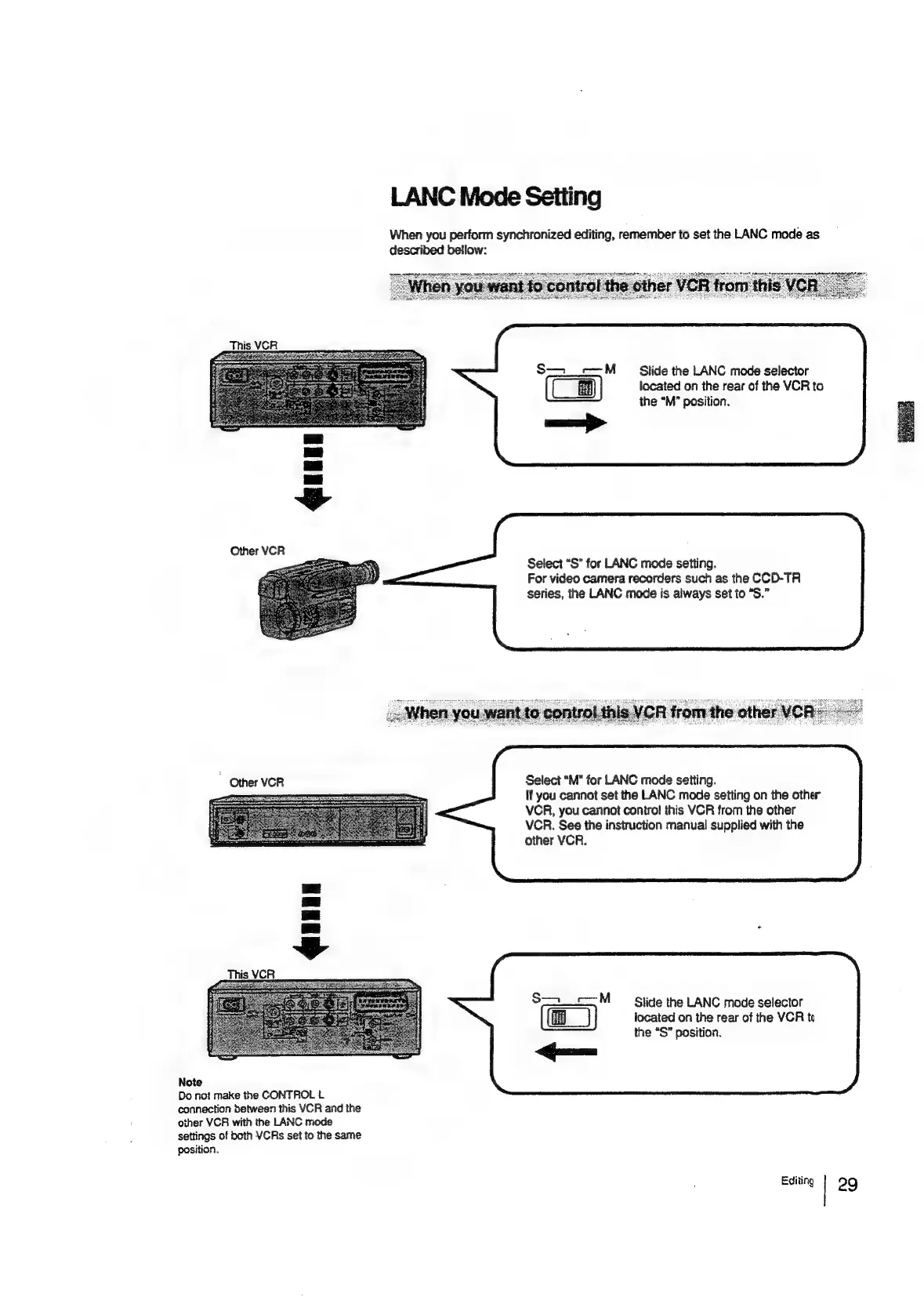
Slide
the
LANC
mode
selector
located
on
the
rear
of
the
VCR
to
the
“M’
position.
—>
Other
VCR
Select
“S”
for
LANC
mode
setting.
For
video
camera
recorders
such
as
the
CCD-TR
series,
the
LANC
mode
is
always
set
to
“S.”
Select
“M"
for
LANC
mode
setting.
If
you
cannot
set
the
LANC
mode
setting
on
the
other
VCR,
you
cannot
contro!
this
VCR
from
the
other
VCR.
See
the
instruction
manual
supplied
with
the
other
VCR.
~
Other
VCR
S—_==M
Slide
the
LANC
mode
selector
located
on
the
rear
of
the
VCR
to
the
“S”
position.
Note
Do
not
make
the
CONTROL
L
connection
between
this
VCR
and
the
other
VCR
with
the
LANC
mode
settings
of
both
VCRs
set
to
the
same
position.
Editing
|
29

Related product manuals