GB
38 Locations of Controls
5 L/R DIRECTION SET button (45)
6 POWER switch (44)
7 BACK LIGHT button (47)
8 POSITION buttons (48)
Numeric buttons (Button 1 also works as
the STD button. Button 2 also works as
the REV button.) (45)
PRESET button
RESET button
9 PAN-TILT RESET button (45)
0 ZOOM buttons (47)
SLOW T button
SLOW W button
FAST T button
FAST W button
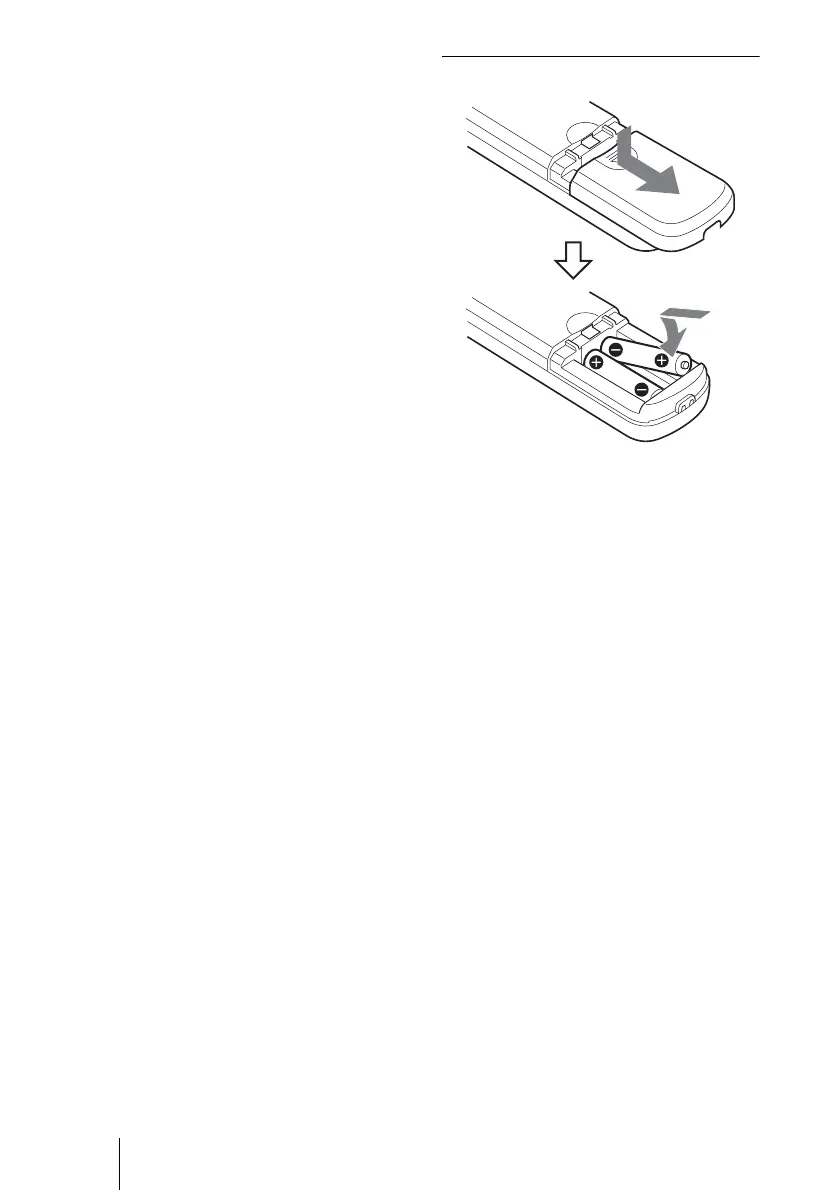
Installing batteries
Notes on use of the Remote
Commander
• If the Remote Commander does not work
properly, change the batteries.
• If there are objects between the Remote
Commander and the sensor for the Remote
Commander on the unit, the unit may not
function properly, so point the Remote
Commander directly at the sensors on the
front or back of the unit when you operate
it.
R6 (size AA) × 2
(not supplied)



 To Next Page