GB
48 Having the Camera Memorize the Setting — Presetting feature
Having the Camera
Memorize the Setting
— Presetting feature
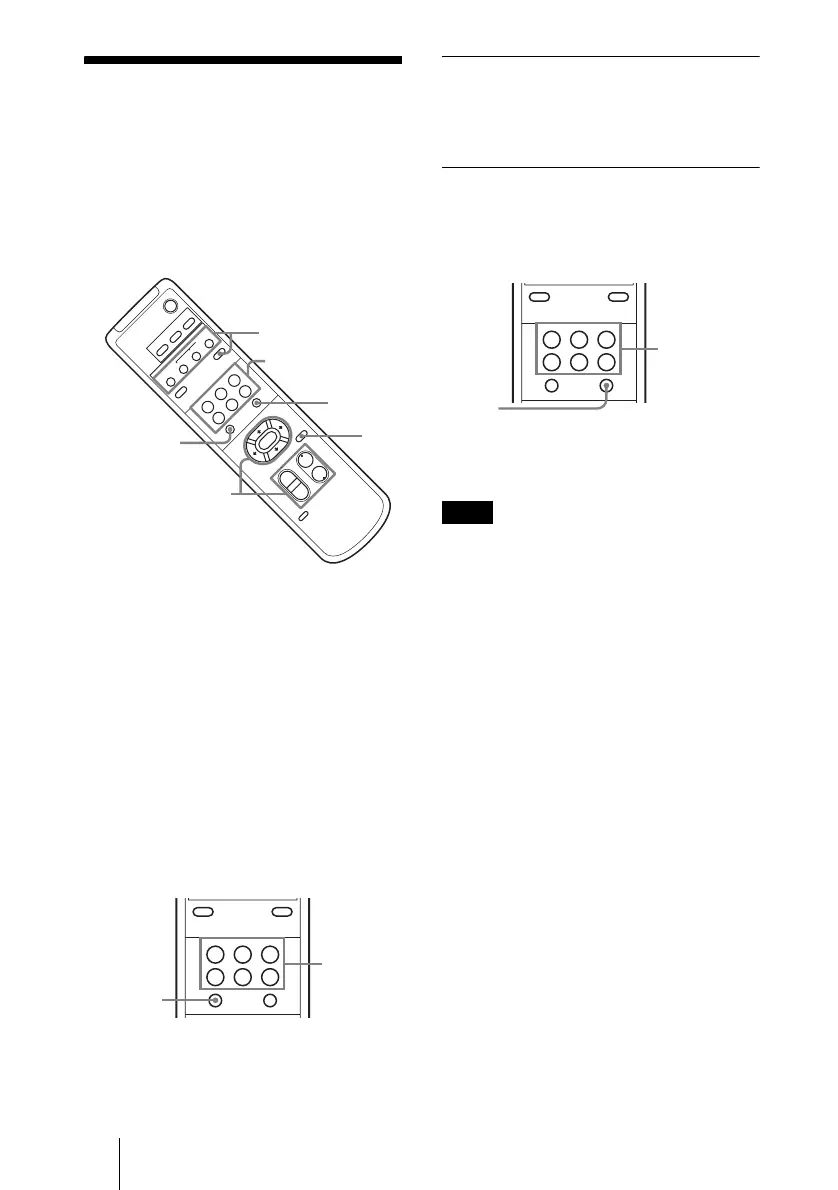
Up to six combinations of settings (position,
zooming, focusing and back lighting) can be
preset.
1 Confirm that the STANDBY lamp is
not flashing.
If the STANDBY lamp is flashing, press
the PAN-TILT RESET button to reset
the pan/tilt position.
2 Adjust the position, the zooming, the
focusing, and the back lighting of the
camera. (See pages 45 and 47.)
3 While holding down the PRESET
button, press any of the POSITION
buttons, 1 – 6.
Recalling the memorized setting
Press any of the POSITION buttons
1 – 6 on which your settings have been
saved.
Canceling the preset memory
While holding down the RESET button,
press the POSITION button on which the
settings are to be canceled.
• When the power is turned ON, the camera
starts up with the settings memorized in
POSITION 1.
• If you want the pan and tilt positions in
effect before the camera is turned off to be
retained when the power is turned OFF,
then turned ON again, have the camera
memorize those positions in POSITION 1.
• The settings in POSITION 1 take about 2
seconds longer to memorize or cancel than
those of other channels.
• When you are in the midst of memorizing
or deleting a new set in one of the
POSITION channels, you cannot call up,
set, or cancel the settings from the another
channel.
POWER
CAMERA SELECT
1
23
AUTO
POSITION
HOME
RM-E
V100
STD REV
BACK LIGHT
MANUAL
FAR
NEAR
W
T
W
T
12
3
456
PAN-TILT
L/R
D
I
RECTIO
N
S
E
T
PAN-TI
LT
RE
S
ET
DATA SCREEN
2
2
1
3
POSITION1~6
3
PRESET
RESET
RESETPRESET
SLOW F
AST
ZOOM
FOCUS
DATA SCREEN
POSITION
STD REV
BACK LIGHT
123
456
RESETPRESET
While
holding
down
Press a
POSITION
button on
which the
settings are
be preset.
Note
DATA SCREEN
POSITION
STD REV
BACK LIGHT
123
456
RESETPRESET
While
holding
down
Press the
POSITION
button on
which the
settings are to
be canceled.



 To Next Page