45
GB
Pan/Tilt Operation
Basic Operations
Pan/Tilt Operation
1 Press the POWER switch.
The camera will turn on, performing the
pan/tilt reset action automatically.
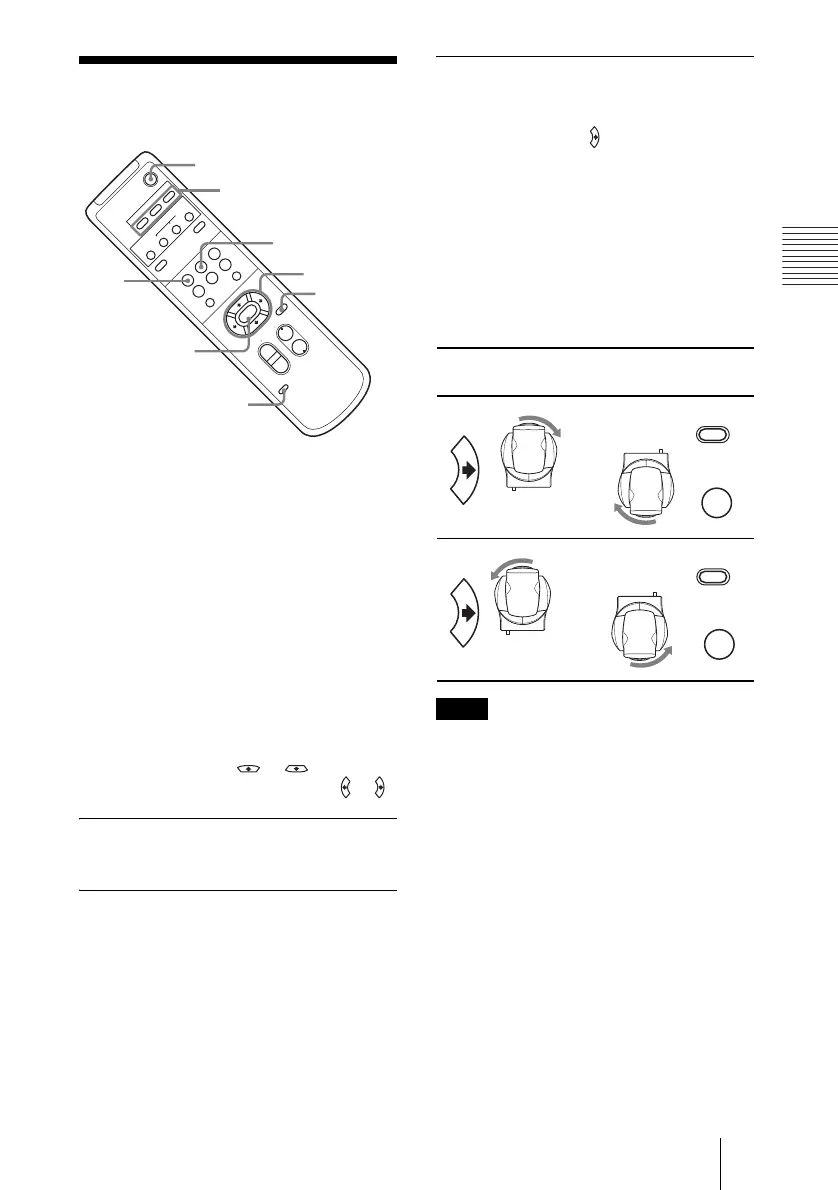
2 Press the arrow button to change the
directions of the camera head.
While checking the picture on the
screen, press the desired arrow button.
To move the camera little by little,
press the button just for a moment.
To move the camera in a wide range,
press and hold down the button.
To move the camera diagonally, press
the arrow button ( or ) while
holding down the arrow button ( or ).
To face the camera back to the front
Press the HOME button.
If you accidentally move the
camera head with your hand
The pan and tilt angles will differ from those
of the camera’s normal position.
Press the PAN-TILT RESET button, or turn
the POWER switch OFF once, then turn it
ON again.
When the camera is facing in the
wrong direction
The camera is preset to face toward the right
whenever the arrow ( ) button is pressed.
You might wish to face the camera toward
the opposite direction from that of the button
you pressed. In such a case, you can change
the direction of the camera while checking
the picture on the screen. To do so, press the
REV button while holding down the L/R
DIRECTION SET button.
To reset that setting, press the STD button
while holding down the L/R DIRECTION
SET button.
Repeat the above-mentioned procedure for
each Remote Commander if you are using
more than one Remote Commander. This is
because the setting is performed by
changing the signal emitted from each
Remote Commander, not by changing the
setting of the camera itself.
POWER
CAMERA SELECT
12
3
AUTO
POSITION
HOME
RM-
EV
100
PRESET
STD
REV
BACK LIGHT
MANUAL
FAR
FOCUS
NEAR
W
T
W
T
3
456
PAN-TILT
SLOW FAST
ZOOM
L
/
R
D
I
RECTI
ON
SET
PAN-TILT
RESET
DATA SCREEN
1
2
STD
REV
HOME
PAN-TILT
RESET
L/R DIRECTION
SET
CAMERA SELECT
RESET
21
Arrow
button
Movement of the
camera
Setting
Note
L/R
DIRECTION SET
STD
1
While holding
down
Press
L/R
DIRECTION SET
REV
2
While holding
down
Press



 To Next Page