GB
46 Pan/Tilt Operation
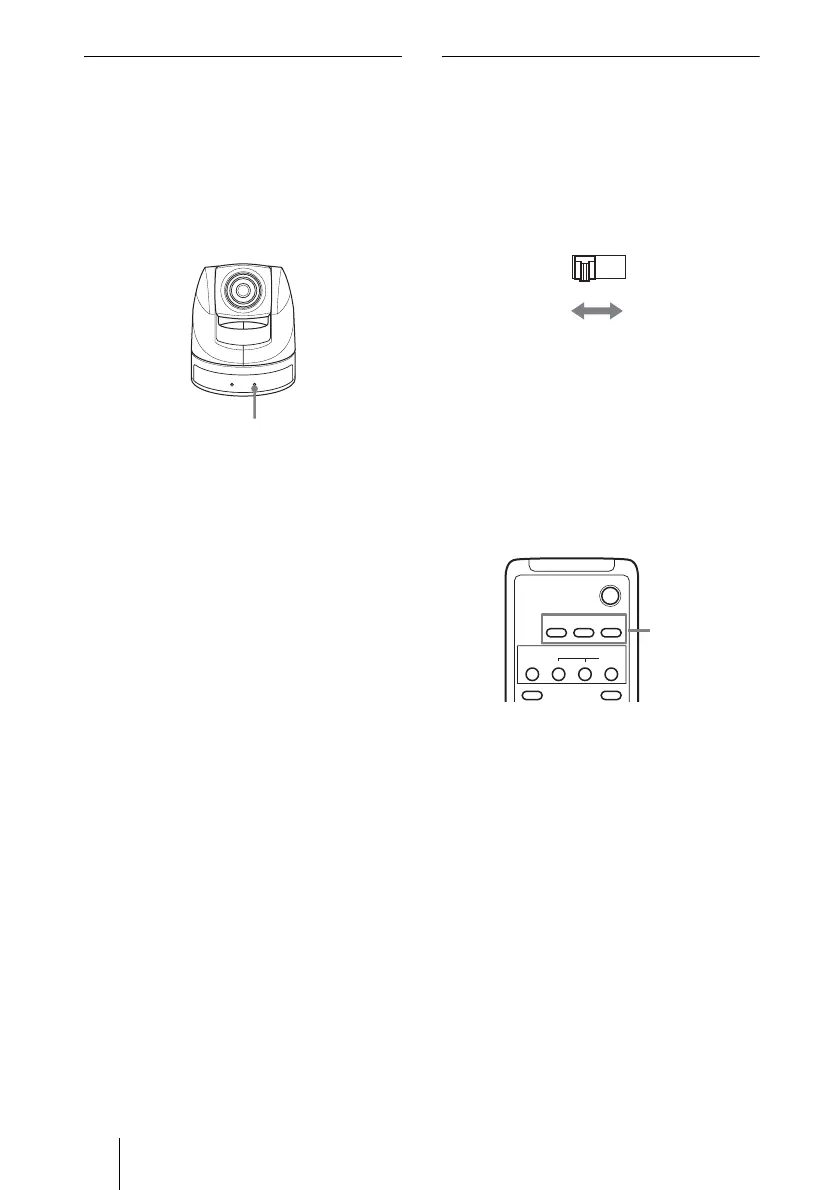
If the STANDBY lamp flashes
When the camera is moved or turned by
hand or by external shock, the
microcomputer inside the camera may not
be able to memorize the pan/tilt position
properly.
Press the PAN-TILT RESET button to reset
the pan/tilt position.
Operating more than one camera
with the Remote Commander
1 Set the IR SELECT switch (at the rear
of the main unit) of the camera(s)
which you intend to operate to 1, 2 or
3.
2 Press a CAMERA SELECT button
(on the Remote Commander) which
corresponds to the number set in step
1.
Then, you can operate the camera(s)
specified by number. Every time you
operate the camera(s) using the Remote
Commander, the CAMERA SELECT
button pressed in step 2 lights up.
Flashes
IR SELECT
1 2 3
POWER
CAMERA SELECT
1
23
AUTO
BACK LIGHT
MANUAL
FAR
FOCUS
NEAR
DATA SCREEN
CAMERA
SELECT



 To Next Page