37
GB
Locations of Controls
Overview
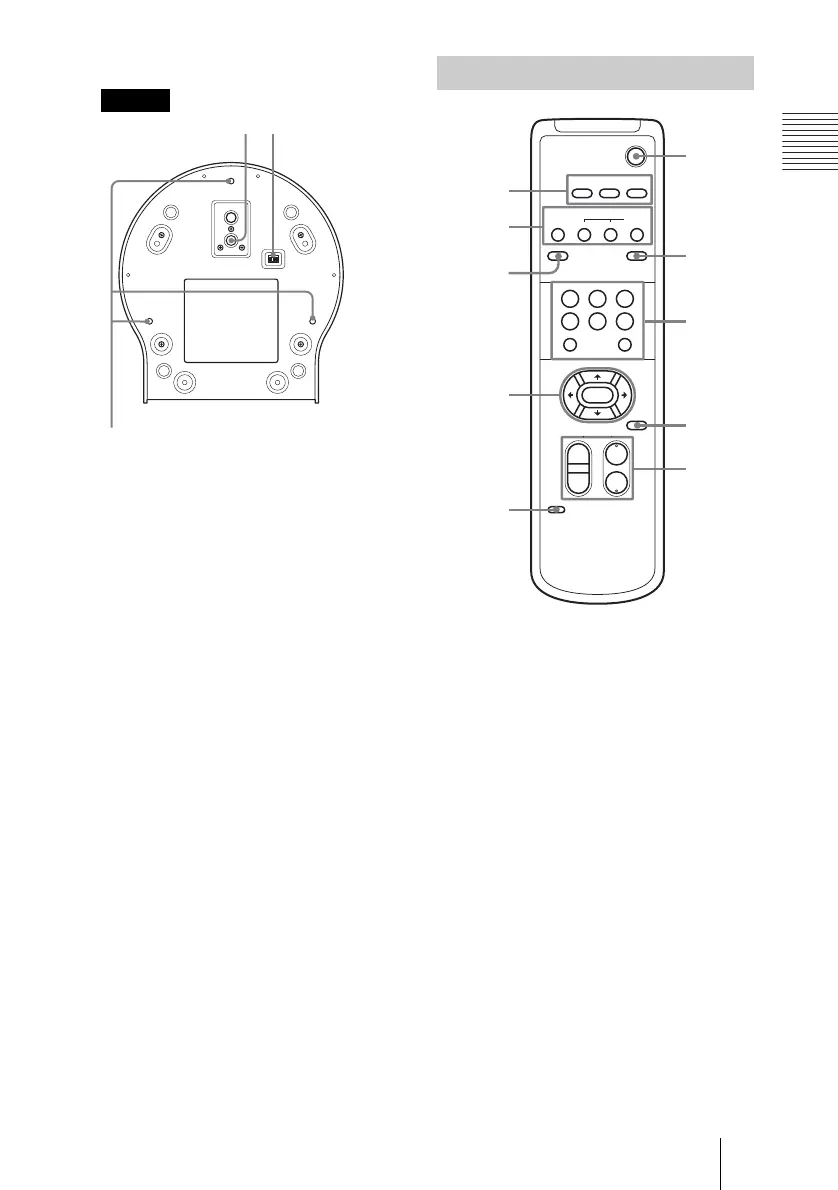
qf Tripod screw hole (39)
qg BOTTOM switch
Used to switch between RS-232C and
RS-422, to switch between D30 and D31
modes, to make the IR OUT output
setting, or switch between speeds of
9600 bps or 38,400 bps. For details,
consult the Technical Manual.
qh Ceiling bracket mounting screw
holes (41)
1 CAMERA SELECT buttons (46)
2 FOCUS buttons (47)
AUTO button
FAR button
NEAR button
MANUAL button
3 DATA SCREEN button
When the DATA SCREEN button is
pushed, the camera status is displayed
when you are using the Zoom or Manual
Focus functions.
DATA SCREEN can be set to ON or
OFF, and memorized, only with
POSITION 1.
When POSITION 1 is recalled, the
memorized DATA SCREEN status is
used.
4 PAN-TILT button (45)
Arrow buttons
HOME button
f
qh
g
Bottom
Remote Commander
POWER
CAMERA SELECT
1
23
AUTO
POSITION
HOME
RM-EV100
RESET
PRESET
STD REV
BACK LIGHT
MANUAL
FAR
FOCUS
NEAR
W
T
W
T
123
456
PAN-TILT
SLOW FAST
ZOOM
L/R
DIRECTION SET
PAN-TILT
RESET
DATA SCREEN
6
7
8
9
q;
1
2
3
4
5
(Continued)



 To Next Page