FDR-AX43/AX45/AX60
4-734-285-21(1)
F:\56216_EN\SONY\CX49400_IM_GB\4734285211\47342
85211FDRAX434560GB\01GB\040REC.fm
master:Right
GB
17
Recording/Playback
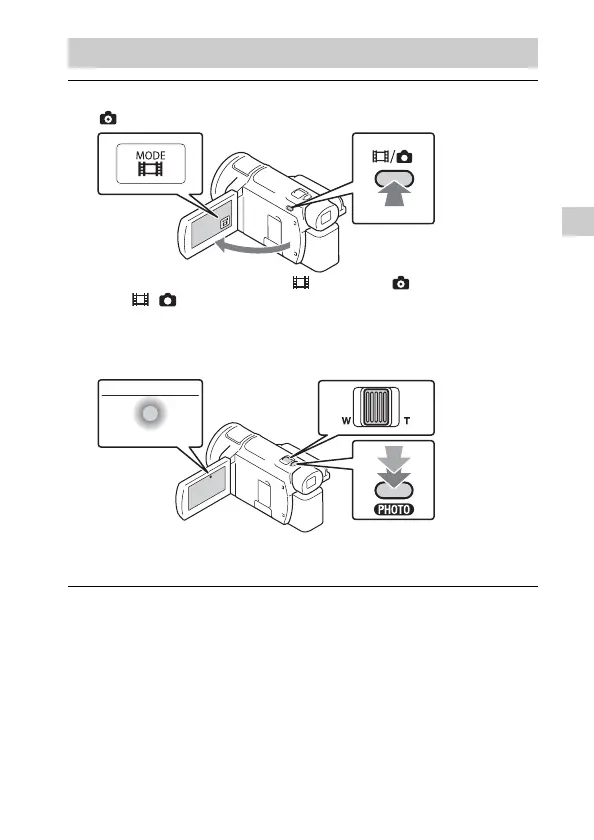
Shooting photos
1
Open the LCD monitor and select [MODE]
(Photo).
• You can also switch between (Movie) and (Photo) by pressing
the / (Shooting Mode) button (FDR-AX60).
2
Press PHOTO lightly to adjust the focus, then press it
fully.
• When the focus is adjusted properly, AE/AF lock indicator appears
on the LCD monitor.



 To Next Page