EasyManua.ls Logo

Sony FH-B411 - Sound Adjustment; Adjusting Volume and Bass; Adjusting Sound Quality

Sony FH-B411
20 pages
Print Icon
To Next Page IconTo Next Page
To Previous Page IconTo Previous Page
Loading...
Chapter
5:
Sound
Adjustment
Adjusting
the
Sound
Adjusting
the
Sound
Quality
14
|
Chapter
5:
Sound
Adjustment
Adjusting
the
Sound
To
fully
enjoy
the
sound
coming
from
your
stereo
system,
make
the
following
audio
adjustments.
See
the
following
sections
for
additional
sound
adjustments.
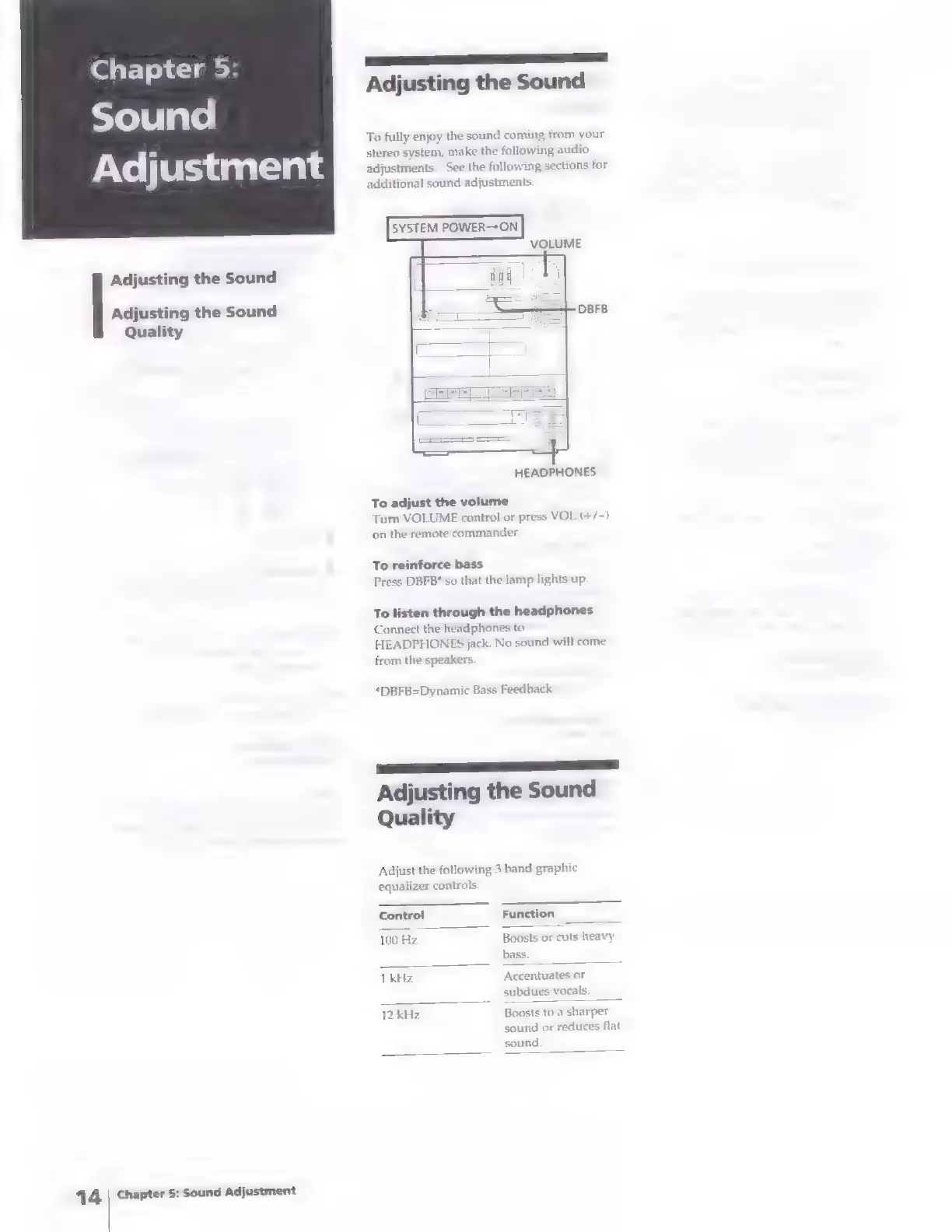
SYSTEM
POWER—ON
VOLUME
HEADPHONES
To
adjust
the
volume
Turn
VOLUME
control
or
press
VOL
(+/—
on
the
remote
commander:
To
reinforce
bass
Press
DBFB*
so
that
the
lamp
lights
up.
To
listen
through
the
headphones
Connect
the
hi
HEADPHON
from
the
speakers.
phones
to
jack.
No
sound
will
come
*DBFB=Dynamic
Bass
Feedback
a
Adjusting
the
Sound
Quality
Adjust
the
following
3
band
graphic
equalizer
controls.
Control
Function
100
Hz
Boosts
or
cuts
heavy
bass.
1
kHz
Accentuates
or
subdues
vocals.
12
kHz
Boosts
to
a
sharper
sound
or
reduces
flat
sound.

Related product manuals